
A free, self-contained disk space analyser for Windows — find what's eating your storage, and clean it up.





Download · Features · Screenshots · Build from source · License
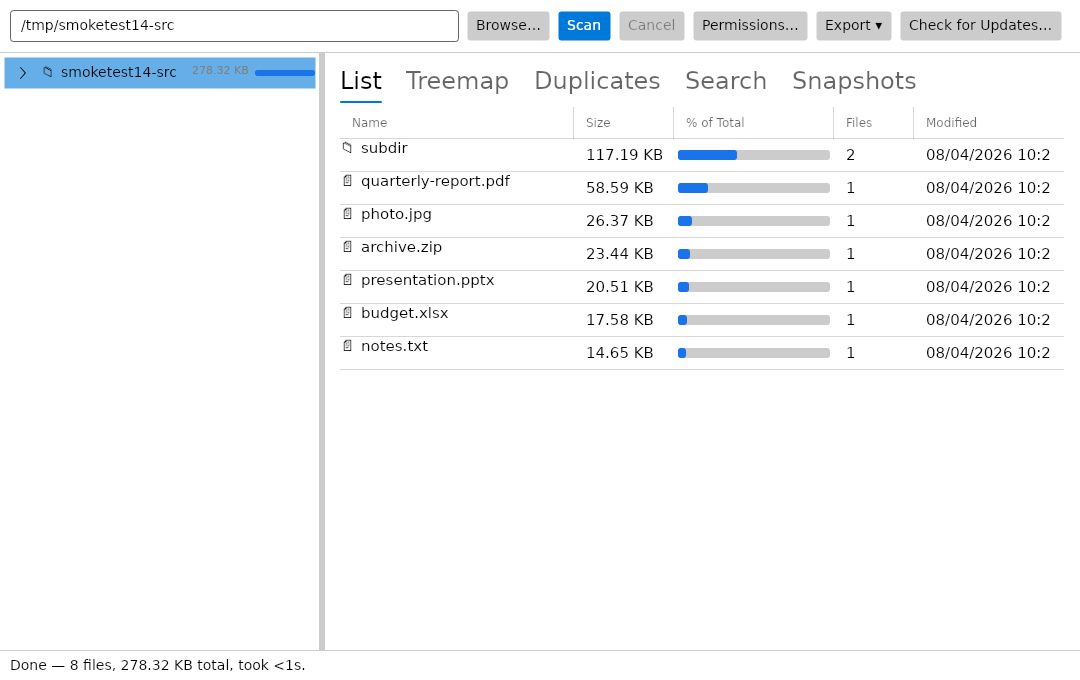
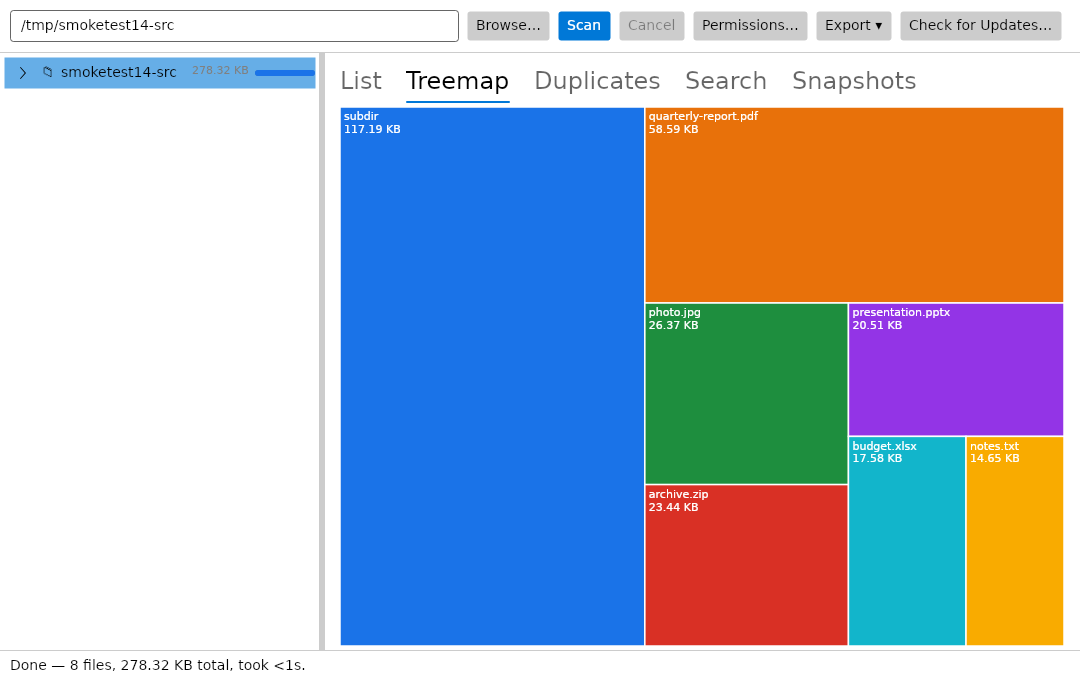
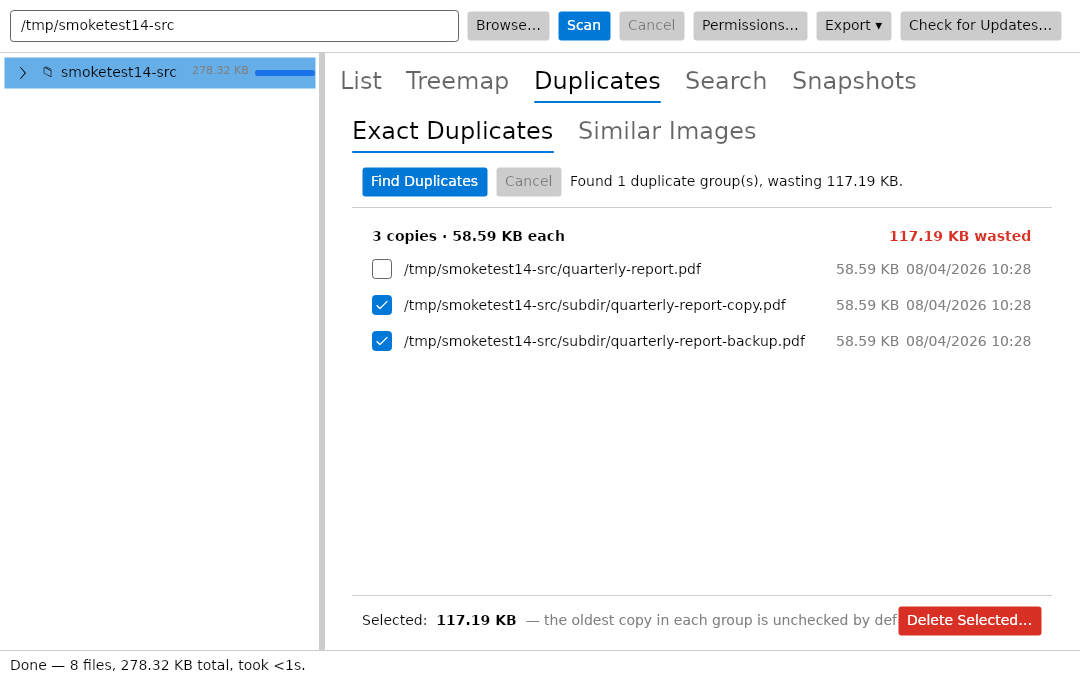
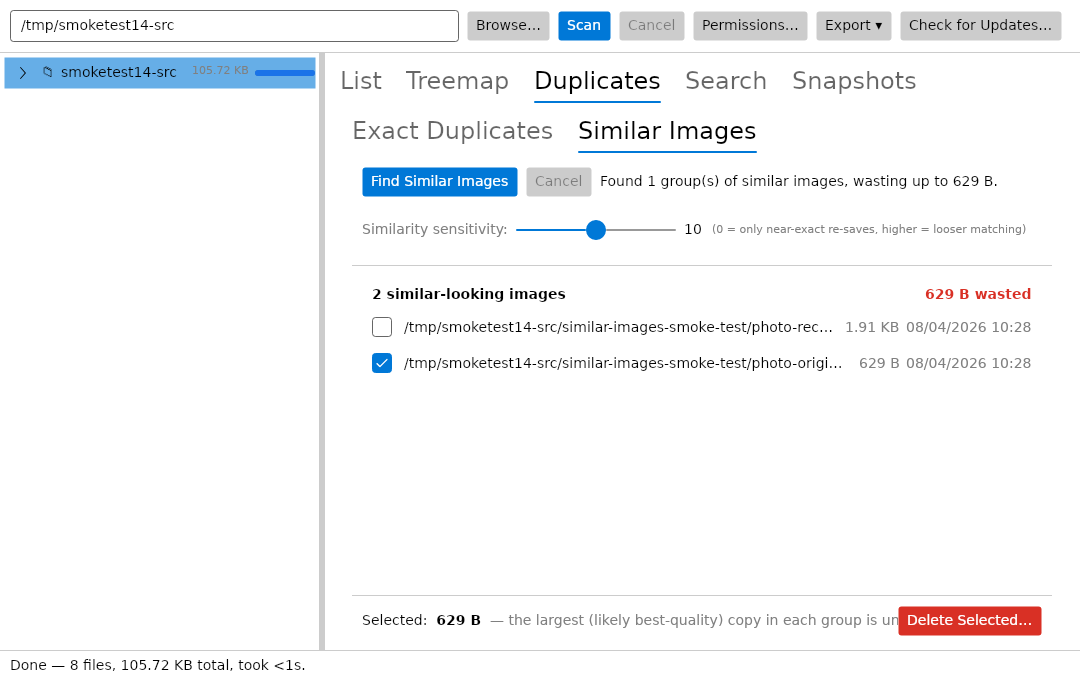
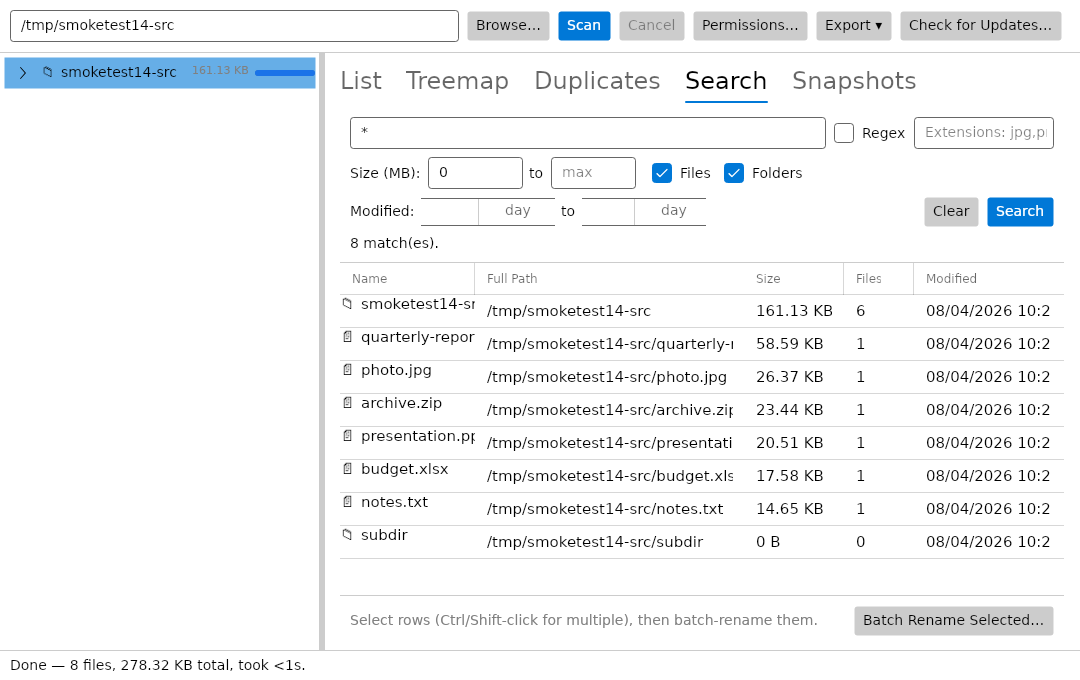
DiskGeek scans your drives and shows exactly what's eating your space, with a list view and a treemap view of disk usage. It finds both exact duplicates and near-duplicate files using perceptual hashing — including similar-image detection — and lets you search full-text across scan results. Batch rename and snapshot comparison (see what changed between scans over time) round it out, plus scheduled scans for ongoing monitoring.
No installer bloat, no bundled offers, no telemetry. 100% free, no Pro tier, no upsells.
| What it is | Get it |
|---|---|
| Windows installer (self-contained, .NET 8 / Avalonia UI) | Download DiskGeek — free |
Also available on MajorGeeks and Product Hunt.
- 📊 List view and treemap view of disk usage, so you can see what's actually taking up space.
- 🔁 Exact and near-duplicate detection — perceptual hashing catches near-identical files, not just byte-for-byte matches.
- 🖼️ Similar-image finding, built on the same perceptual-hashing engine.
- 🔎 Full-text search across scan results.
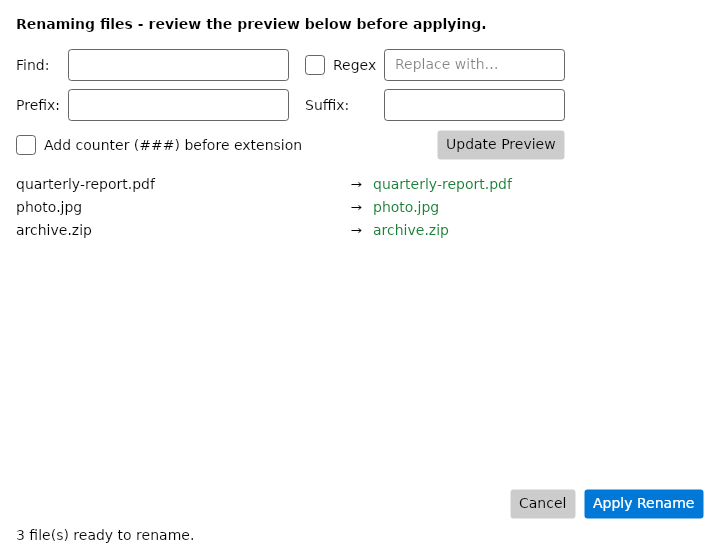
- ✏️ Batch rename for cleaning up messy file sets in bulk.
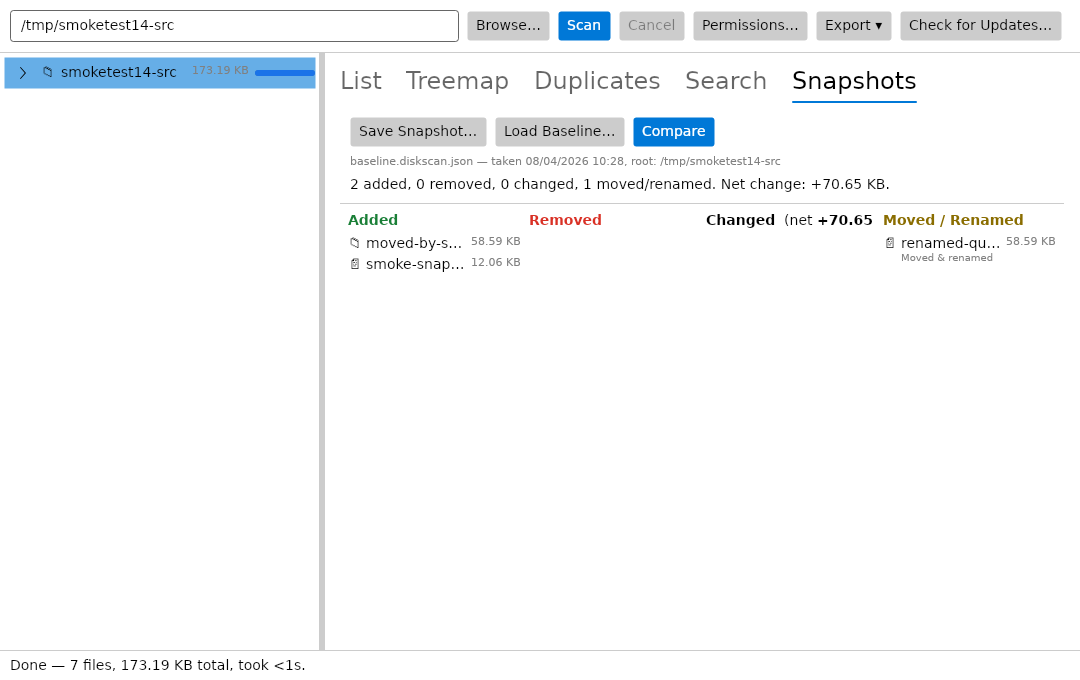
- 📸 Snapshot comparison — see what changed between scans over time.
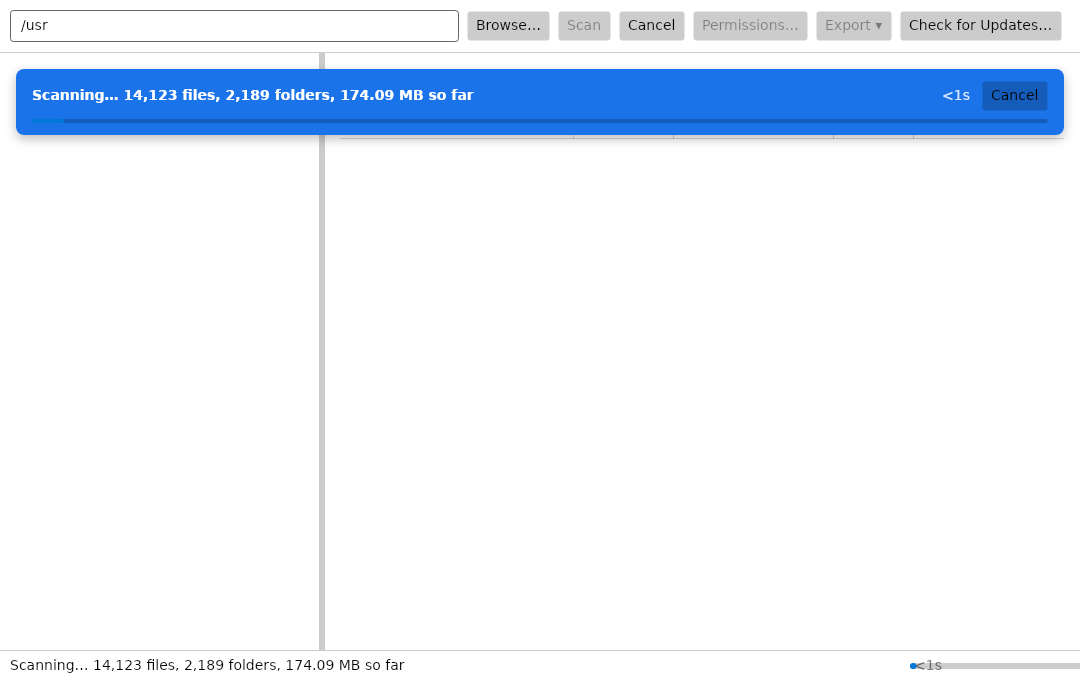
- ⏰ Scheduled scans for ongoing monitoring.
- 🔒 Private — no telemetry, no bundled offers, no installer bloat.
DiskGeek makes exactly one network request, and only when you click Check for Updates…. It fetches a small XML file listing the latest published version, and sends nothing with the request beyond what any HTTP client sends — no identifier, no scan data, no usage figures. If a newer version exists you get a banner with a link; DiskGeek never downloads or installs anything itself. Nothing is requested at startup, so opening the app makes no network call at all.
Requires the .NET 8 SDK.
dotnet build DiskGeek.sln -c ReleaseTo produce a self-contained win-x64 publish folder:
dotnet publish src/DiskGeek.App/DiskGeek.App.csproj -c Release -r win-x64 --self-contained true -o publish/win-x64| Path | What's there |
|---|---|
src/DiskGeek.Core |
Scanning, duplicate detection, snapshots, search, batch rename, and export logic (no UI dependencies) |
src/DiskGeek.App |
The Avalonia desktop UI |
installer/DiskGeekSetup.iss |
Inno Setup script used to build the Windows installer |
icons/ |
App icon assets |
Found a bug or have a request? Open an issue or get in touch.
DiskGeek is free to download and use. This is proprietary freeware, not open source — see LICENSE for the full terms.
© 2026 TechyGeeksHome | Andrew Armstrong.