Local-first operations console for Starcat services, data workflows, curated publishing, and Awesome source management.
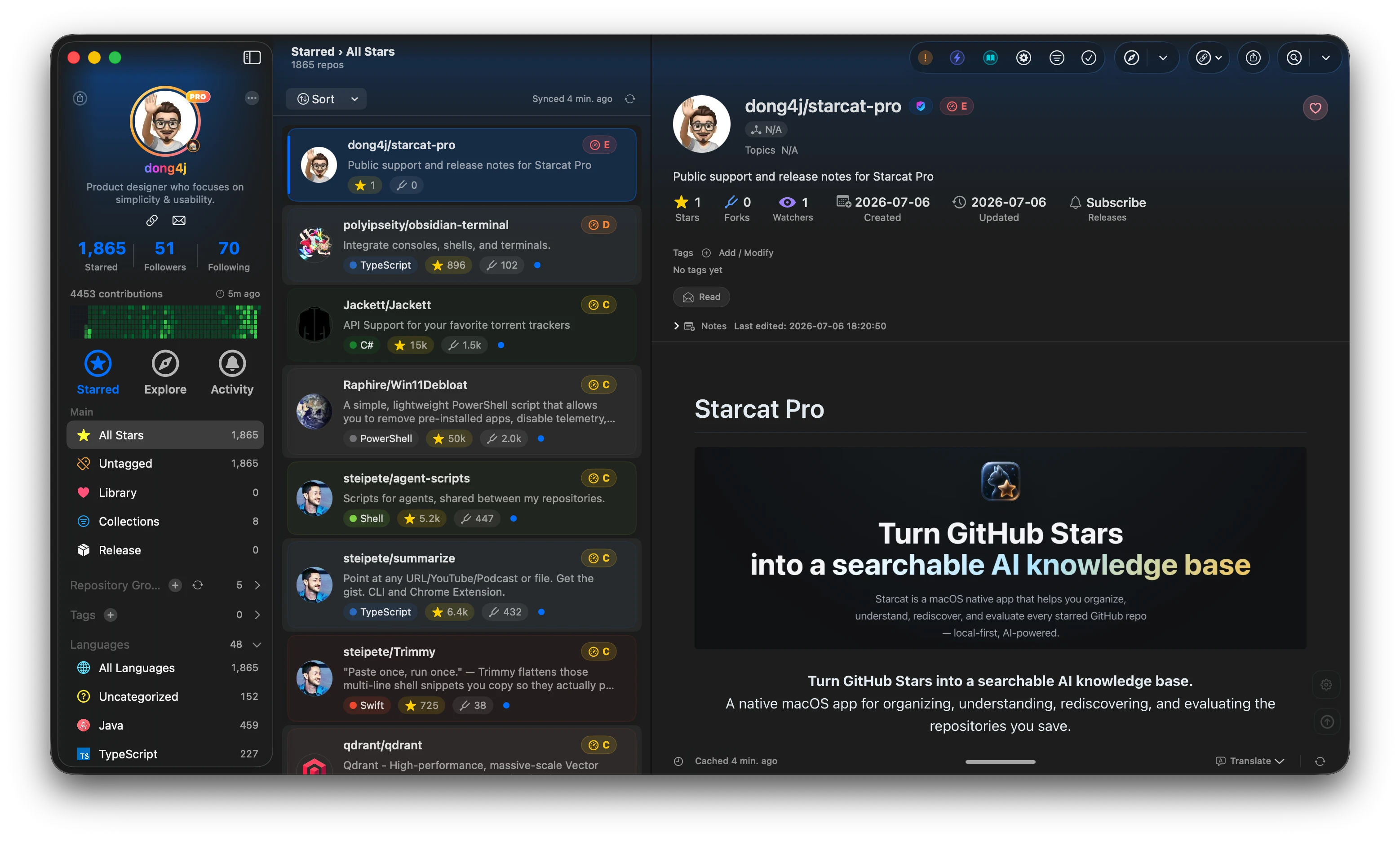
Starcat is a native macOS app that turns GitHub Stars into a searchable, organized and AI-assisted local knowledge base, with a broader ecosystem of desktop clients, plugins, CLI tools, and self-hostable services.



Preferred install method:
brew tap starcat-app/starcat
brew trust starcat-app/starcat
brew install --cask starcat
Useful links:
- Home and downloads: https://starcat.ink
- Mac App Store: search for Starcat for GitHub
- Public support and release notes: https://github.com/starcat-app/starcat-pro
- Starcat App Homebrew tap: https://github.com/starcat-app/homebrew-starcat
- CLI / MCP: starcat-cli / Homebrew tap
- AI Agent Skill: https://github.com/starcat-app/starcat-skill
- Browser plugins: Chrome / Safari
- Launcher integrations: Alfred / uTools / Raycast
- Documentation: https://github.com/starcat-app/starcat-docs
- Website source: https://github.com/starcat-app/starcat-site
- Localization: https://github.com/starcat-app/starcat-localization
Self-hostable support APIs:
- starcat-sharing-api
- starcat-trending-api
- starcat-weekly-api
- starcat-wiki-api
- starcat-recommend-api
- starcat-discovery-api
A local-first operations console for Starcat services, data workflows, and curated publishing.
starcat-admin-console is an independent open-source project in the Starcat ecosystem. It is
intended to replace the legacy _local-admin page and, after feature-parity acceptance, the
Curated Publisher currently embedded in the Starcat macOS app.
The first phase runs only on the operator's machine. Its responsibilities are:
- service health and data statistics for Starcat support APIs;
- request volume, error rate, latency timeseries, and route rankings for all six services;
- a visible Test / Production environment switch;
- per-service local URLs and production gateway routing;
- cache refresh, cache clearing, data jobs, and other typed operations;
- Agent-assisted curated import with web and GitHub verification;
- CRUD for Awesome sources exposed by Discover, without editing built-in README content;
- Fly environment and secret operations from an advanced settings area.
- an isolated local data-platform area for BigQuery quota, WatchEvent / PushEvent download control,
and guarded
githubarchiveSQL exploration.
See the implementation plan for scope, architecture, milestones, and acceptance criteria.
The phase-one local console is runnable. It includes the React/shadcn workspace shell, visible Test / Production routing, typed service statistics and operations, Agent-assisted curated import, Awesome source management, profile and credential configuration, Fly app settings, fixed service data views, API Monitoring, and a local data platform backed by a PostgreSQL job catalog and fixed Trainer actions. Real ADC, live download status, dry run, zero-scan query, and browser validation passed on 2026-08-27. The catalog also has versioned Dataset, Partition, Watermark, Storage, Artifact, and Deployment tables; existing WatchEvent / PushEvent Raw files are registered in place through fixed read-only Trainer actions.

The browser must never receive service keys, AI provider keys, GitHub tokens, or Fly credentials. The local backend-for-frontend owns credentials and binds to loopback in phase one. Production writes are supported, but destructive or broad operations still require action-specific review.
Read SECURITY.md and PRIVACY.md before configuring real data.
Requirements: Node.js 22+ and pnpm 11.
corepack enable
pnpm install
pnpm dev
Open http://127.0.0.1:5173. Vite proxies /api to the local BFF on
http://127.0.0.1:8787. Configuration is stored under
~/.config/starcat-admin-console by default; secret values are kept only in the BFF secrets file.
Both development and production commands load the Git-ignored .env.local when it exists.
Build and run the production-local bundle:
pnpm build
pnpm start
Open http://127.0.0.1:8787.
Verification:
pnpm check
pnpm exec playwright install chromium
pnpm test:e2e
Copy .env.example only when runtime path overrides are needed. To enable the data platform, follow
the Chinese local data-platform guide for PostgreSQL, Trainer, and
GCP ADC setup. No remote deployment target is part of phase one.
Data platform → BigQuery operations is isolated from the Test / Production business-service
switch. It shows monthly quota and download progress, invokes only the fixed WatchEvent / PushEvent
start, stop, and restart actions, provides mandatory dry-run-gated SQL exploration, and records
redacted job metadata in PostgreSQL.
Existing BigQuery Raw data is never copied into PostgreSQL. The BFF passes an operator-only
workspace path to a fixed Trainer inspection command, validates its result, and atomically stores
only logical lake:// / storage:// URIs plus checksums and statistics in the catalog. Browser APIs
cannot submit executable paths, arbitrary commands, or filesystem locations.
The data-platform navigation also includes:
- Datasets — register existing WatchEvent / PushEvent Raw in place and inspect coverage;
- Partitions — compare the Catalog snapshot with live download progress, filter partition rows, and refresh the snapshot through a fixed read-only registration action;
- Storage — inspect the latest logical-volume capacity snapshot and registered Raw footprint.
SQL Lab accepts one read-only SELECT or WITH ... SELECT against githubarchive, with a 10 GiB
per-query ceiling and a 200-row / 2 MiB result cap. SQL exists only in browser/BFF memory and a
mode-0600 temporary file. Query rows remain in BFF memory for ten minutes and are not stored in
the PostgreSQL catalog, URLs, or browser storage.
Open Profiles from the console sidebar. Credential values are written to the local BFF and are never readable from the browser after saving.
| Environment | Service routing | API credential | Admin credentials |
|---|---|---|---|
| Test | Six independent local URLs (127.0.0.1:5001 through :5006 by default) |
One API Key per service | Weekly and Discovery only |
| Production | One gateway URL with X-SC-Svc selecting the service |
One shared API Key for all six services | Weekly and Discovery only |
The service credential contract is intentionally narrow:
| Service | Default Test URL | API Key | Separate Admin Key |
|---|---|---|---|
| Sharing | http://127.0.0.1:5001 |
Health, ping, statistics | No |
| Trending | http://127.0.0.1:5002 |
API and /internal/* operations |
No |
| Weekly | http://127.0.0.1:5003 |
Public API and statistics | Yes, for publication and /internal/* operations |
| Wiki | http://127.0.0.1:5004 |
API and /internal/* operations |
No |
| Recommend | http://127.0.0.1:5005 |
Current console API access | No |
| Discovery | http://127.0.0.1:5006 |
Public API and statistics | Yes, for Awesome CRUD and /internal/* operations |
Agent settings use an already authenticated local Codex CLI by default and can switch to Claude
Code. The BFF runs either CLI in a stateless, read-only process with structured output, then verifies
every returned owner/repo through the GitHub API before it reaches the review list. The previous
OpenAI-compatible Base URL, model, and Agent API Key remain available as an optional compatibility
mode. An optional GitHub token raises the repository verification rate limit. Fly settings use a Fly
token and may use STARCAT_SUPPORTS_DIR to locate sibling service checkouts. Runtime path overrides
are documented in .env.example; upstream credentials must be entered through the
UI instead of the environment file.
Read CONTRIBUTING.md before opening a pull request.
Report vulnerabilities privately as described in SECURITY.md. Use SUPPORT.md to choose the correct support channel.
MIT. See LICENSE. Third-party attributions are listed in THIRD_PARTY_NOTICES.md.