
Batch-process your DataFrames with LLMs, without the boilerplate.
Agents reason row-by-row. Ondine computes columns — 100,000 rows for $0.48 (projected), crash-safe, on any of 100+ providers.


ondine.dev · Docs · PyPI
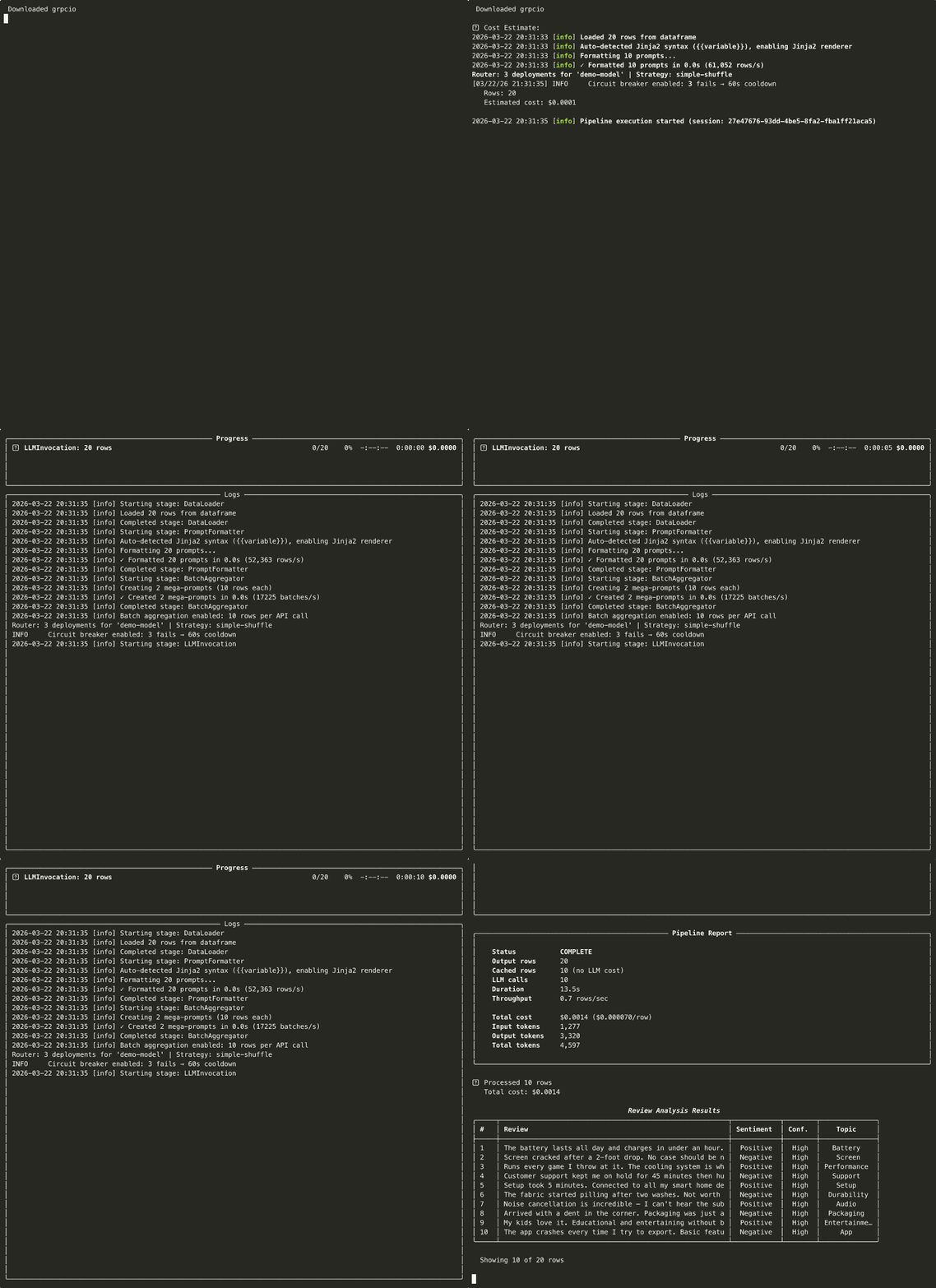
Running an LLM over 10,000 rows should be one call. In practice it becomes a script: loop over rows, parse JSON by hand, retry on 429, recompute what already ran after a crash, and add up the bill in a spreadsheet. Every team writes that script, and rewrites it again for the next dataset.
Ondine replaces that script with one function. You describe the column you want in natural language; Ondine computes it across the whole table — with schema validation, budget caps, crash-safe checkpoints, and cost tracking turned on by default.
from ondine import enrich

df = enrich(
    "reviews.csv",
    "Classify the tone of: {review}",
    output_columns=["sentiment"],
    model="gpt-4o-mini",
    budget=5.0,
)
That's the whole interface. The LLM stops being a service you call in a loop. It becomes a column function inside your DataFrame.
pip install ondinePython 3.10+. Works with any LLM through LiteLLM: OpenAI, Anthropic, Groq, Mistral, Cerebras, Ollama, MLX, vLLM, SGLang, 100+ others.
Two ways in. enrich() for the common case (one prompt, one table, get a table back). PipelineBuilder when you need to chain options.

from ondine import enrich, PipelineBuilder

# 1. enrich() — the one-liner front door
df = enrich(
    "reviews.csv",
    "Classify sentiment and extract the topic from: {review}",
    output_columns=["sentiment", "topic"],
    model="gpt-4o-mini",
    budget=5.00,
)

# 2. PipelineBuilder — same engine, explicit control
result = (
    PipelineBuilder.create()
    .from_csv("reviews.csv",
              input_columns=["review"],
              output_columns=["sentiment", "topic"])
    .with_prompt("Classify sentiment and extract the key topic from: {review}")
    .with_llm(provider="openai", model="gpt-4o-mini")
    .with_batch_size(50)
    .with_max_budget(5.00)
    .build()
    .execute()
)
print(f"Processed {result.metrics.processed_rows} rows · ${result.costs.total_cost:.2f}")
One builder chain: input columns, prompt, model, budget cap. Multi-column outputs get a JSON parser; schema enforcement, checkpointing, and cost tracking are on by default.
Ondine is not an agent framework. Agents and Ondine sit at different layers and compose rather than compete.
| If your task is... | Use |
|---|---|
| Turn one table into a richer table (classify, extract, score, translate N rows) | Ondine |
| Run the same prompt over a whole column with a budget cap and crash recovery | Ondine |
| Produce eval labels / synthetic data / bulk structured fields at scale | Ondine |
| Reason, branch, call tools, and decide the next action per request | An agent framework |
| Hand off the deterministic batch layer your agent's outputs feed into | Ondine (the batch layer of an agentic stack) |
Rule of thumb: if you know the prompt ahead of time and the data is a table, that's Ondine. If the prompt depends on what the model just decided, that's an agent — and Ondine is the substrate it pushes bulk work onto.
Same engine every time. The use case lives in the prompt.
Add a column the LLM computes from existing ones. Sentiment, category, PII redaction, language detection — any per-row transform.
from ondine import enrich

df = enrich(
    "support_tickets.csv",
    "Detect the language of: {message}",
    output_columns=["language"],
    model="gpt-4o-mini",
)Pull typed fields out of free text and validate them against a Pydantic schema. Malformed JSON auto-retries.
from ondine import enrich
from pydantic import BaseModel

class Invoice(BaseModel):
    vendor: str
    total: float
    currency: str
    due_date: str

df = enrich(
    "invoices.csv",
    "Extract the vendor, total, currency, and due date from: {raw_text}",
    output_columns=["vendor", "total", "currency", "due_date"],
    model="gpt-4o-mini",
    schema=Invoice,
    budget=25.00,
)Generate labels, rubric scores, or pass/fail verdicts for eval harnesses — the batch workload that agent frameworks don't ship.
from ondine import PipelineBuilder

result = (
    PipelineBuilder.create()
    .from_csv("agent_traces.csv",
              input_columns=["trace", "criteria"],
              output_columns=["score", "reasoning"])
    .with_prompt("Score this agent trace against the rubric (1-10). "
                 "Return the score and a one-line justification.\n\n"
                 "Trace:\n{trace}\n\nRubric:\n{criteria}")
    .with_llm(provider="openai", model="gpt-4o-mini")
    .with_max_budget(10.00)
    .with_checkpoint_interval(100)
    .build()
    .execute()
)Generate test fixtures, paraphrases, or contrastive examples at scale, then checkpoint so a crash mid-run doesn't lose the work.
from ondine import enrich

df = enrich(
    "seed_prompts.csv",
    "Write a paraphrase of this prompt in a different tone: {prompt}",
    output_columns=["paraphrase"],
    model="gpt-4o-mini",
    batch_size=50,
    budget=5.00,
)
One abstraction. Any transform.
The plumbing that df.apply() and a hand-rolled loop don't give you — on by default, no config required.
- Hard budget caps — pre-run cost estimate, live tracking, halts at your USD limit.
- Checkpointing to Parquet + a durable SQLite response cache, so a crash resumes from the last batch instead of restarting.
- Adaptive concurrency (Netflix Gradient2): shrinks on 429, grows on saturation, with
Retry-Afterparsing across provider header shapes. - Multi-row batching: pack N rows per call. 200 calls instead of 10,000 at
batch_size=50, with prefix caching for the shared system prompt. - Structured output: Pydantic schema enforcement with auto-retry on malformed JSON.
- Cost tracking in
Decimalprecision — no floating-point surprises on the invoice. - Any backend — 100+ providers via LiteLLM, plus local inference (Ollama, MLX, vLLM, SGLang). Swap with a string.
Advanced surfaces — Knowledge Base / RAG, OCR, grounding verification (Rust + SQLite + FTS5), the latency Router, distributed Redis rate limiting, Azure Managed Identity, and observability sinks (Langfuse, OpenTelemetry, Prometheus) — are documented at docs.ondine.dev.
Three ways to classify the sentiment of 100K product reviews with an LLM.
Measured on a real API (DeepSeek deepseek-chat) over a 30-row sample per arm,
then extrapolated to 100K from the measured per-row rate. Full methodology,
raw numbers, and reproducibility commands in benchmarks/RESULTS.md.
| Approach | API calls (100K) | Wall-time (projected) | Cost (projected) | Rows lost on crash at 60% |
|---|---|---|---|---|
| Ondine (batched) | 6,666 | 3.8h | $0.48 | 0 |
| Naive loop (1 call/row) | 100,000 | 21.0h | $0.74 | 60,000 |
| Agent-per-row (plan→classify→reflect) | 300,000 | 3.0d | $2.46 | 60,000 |
- 15× fewer API calls than the naive loop; 45× fewer than agent-per-row.
- Crash-safety is binary: a
kill -9at 60% progress loses 100% of the naive/agent arms' completed work (60,000 rows of API spend gone, restart from row 0). Ondine's per-batch SQLite response cache recovered all 100,000 rows on resume with zero re-invocations. - On the measured sample, the agent arm was also less accurate (93.3% vs 100%) — three reasoning calls per review added cost without helping a single-label task.
The projection multiplies the measured per-row rate by 100,000. Ondine's real 100K wall-time is likely lower than shown (concurrency scales with batch count); the naive/agent projections are sequential and therefore tight. These are real measurements, not invented claims — rerun them yourself with
python benchmarks/repositioning.py.
No API keys. No telemetry. Fully offline.
from ondine import QuickPipeline

# Ollama
pipeline = QuickPipeline.create(
    data="reviews.csv",
    prompt="Classify sentiment: {review}",
    output_columns=["sentiment"],
    model="ollama/qwen3.5",
)

# MLX (Apple Silicon, native; no server process)
pipeline = QuickPipeline.create(
    data="reviews.csv",
    prompt="Classify sentiment: {review}",
    output_columns=["sentiment"],
    model="mlx/mlx-community/Llama-4-Scout-Instruct-4bit",
)| Tool | What it does | Why pick Ondine |
|---|---|---|
| Instructor | f(prompt) → Pydantic (one call) |
Ondine applies that pattern to N rows, with budget caps, checkpoints, and adaptive concurrency |
| Pandas-AI | df.chat("question") |
Different job (query vs. compute) |
| LangChain batch | chain.batch([...]) |
No budget cap, no grounding, no crash-safe resume, no observability defaults |
| OpenAI/Anthropic Batch API | Provider-specific batch | No multi-provider, no grounding, 24-hour turnaround |
| Airflow/Prefect/Dagster | Workflow orchestrators | Heavy setup, no LLM-specific features. Ondine ships integrations for them. |
| Agent frameworks | Decide-the-next-action loop | Different layer. Ondine is the batch substrate agents push bulk work onto. |
- ondine.dev — landing page + examples
- docs.ondine.dev — full reference:
enrich()/ Builder API, Context Store internals, grounding, Airflow/Prefect integrations, observability - examples/ — runnable scripts covering every major use case
- CHANGELOG.md — release notes
PRs welcome. See CONTRIBUTING.md. Code style: Black + Ruff. Tests required for new features.
MIT. See LICENSE.
- LiteLLM — provider routing layer
- Instructor — the single-call pattern Ondine applies at DataFrame scale
- The Pydantic team — validation backbone
Ondine is built and maintained by ptimizeroracle. It's the batch layer of an agentic stack — designed so the LLM work that doesn't need to branch can run as a column function instead of a script.
- Issues: https://github.com/ptimizeroracle/ondine/issues
- Discussions: https://github.com/ptimizeroracle/ondine/discussions
- Website: https://ondine.dev