







Avatoon is a lightweight React Three Fiber component for rendering animated 3D avatars with real-time viseme-driven lip-sync. It supports lifelike head movements, morph target control, and optional goal-based gestures (e.g., flexing, sleeping), making it ideal for voice assistants, interactive characters, or storytelling apps.
⚛️ Works on both React (web) and React Native (Expo). The same
<Avatoon>API runs in the browser (DOM<canvas>+HTMLAudioElement) and on mobile via@react-three/fiber/native+expo-av— selected automatically, so youimport { Avatoon } from 'avatoon'on both. See React Native (Expo).

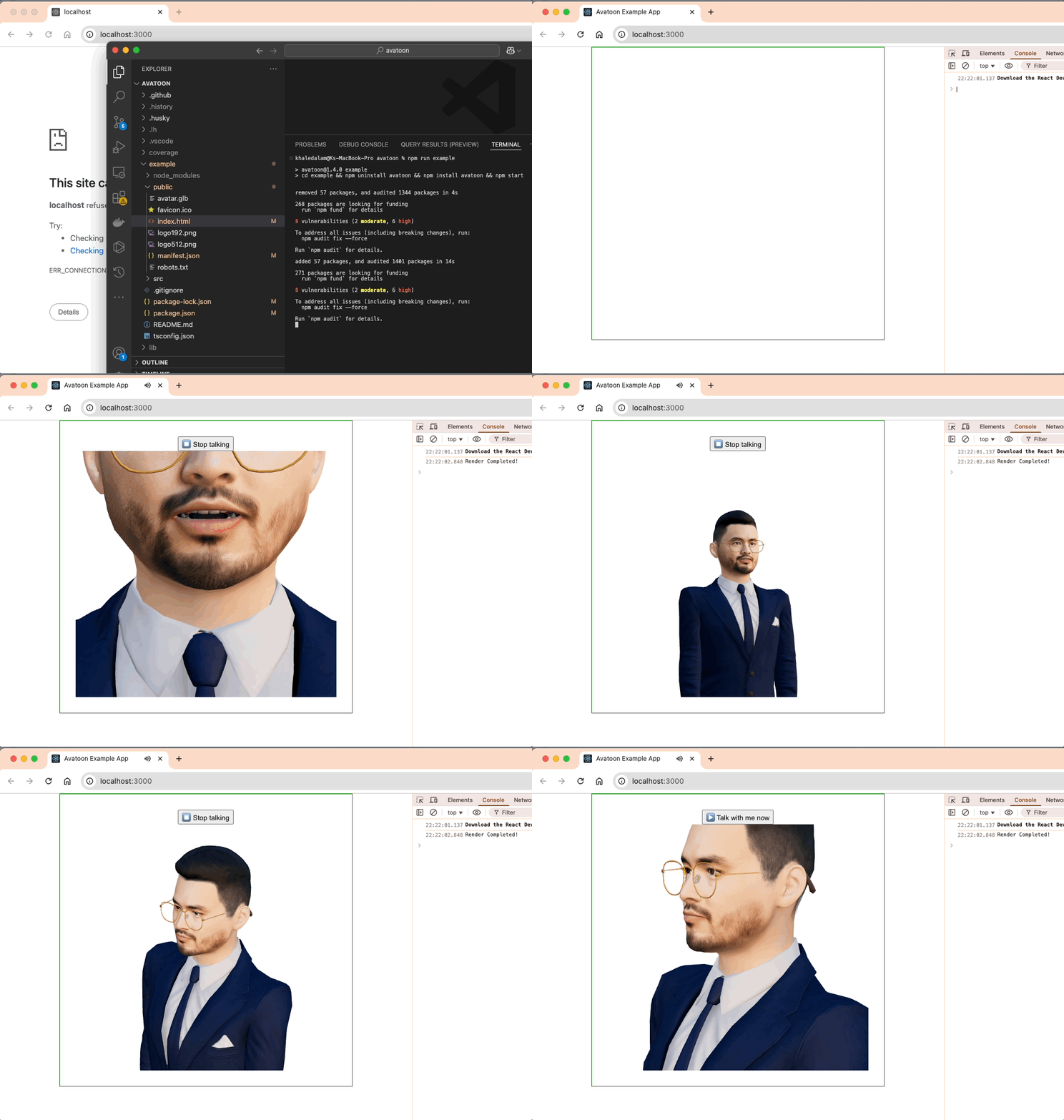
- 🎤 Real-time lip-sync using phoneme-viseme mapping
- 🧍 Subtle head motion animation while talking
- 👁️ Automatic eye-blinking (when the model exposes blink morph targets)
- 🎛️ Imperative
play()/stop()control via aref - 🌐 GLTF model support via
useGLTF - ⚛️ Plug-and-play with React Three Fiber + Drei
- 📱 Cross-platform: one API for React (web) and React Native (Expo)
- 🎯 Goal-based gestures like "Muscle" or "Sleep"
npm install avatoonAvatoon builds on React and the React Three Fiber ecosystem. Install these alongside it if your project doesn't already have them:
npm install react react-dom three @react-three/fiber @react-three/drei| Peer dependency | Supported version |
|---|---|
react / react-dom |
>=18 |
three |
>=0.153.0 |
@react-three/fiber |
>=8.0.0 |
@react-three/drei |
>=9.0.0 |
Runs in any browser with WebGL support. Written in TypeScript — type definitions ship with the package.
import { Avatoon } from "avatoon";

const visemeJson = {
  visemes: [
    { time: 0, viseme: "X" },
    { time: 1.3, viseme: "A" },
    { time: 1.367, viseme: "C" },
  ],
  audio_base64: "", // base64-encoded WAV (optional)
};

export default function App() {
  return (
    <div style={{ width: "100%", height: 400 }}>
      <Avatoon
        glbUrl="https://raw.githubusercontent.com/khaledalam/avatoon/main/test/assets/placeholder-avatar.glb"
        goal="Normal"
        visemeJson={visemeJson}
        showPlayVoiceButton
        onRenderComplete={() => console.log("Render Completed!")}
      />
    </div>
  );
}A self-contained component with a built-in Start/Stop button that animates procedural mouth movement. Great for quick demos or "talking head" idle states.
import { LipSyncAvatoon } from "avatoon";

export default function App() {
  return (
    <div style={{ width: "100%", height: 400 }}>
      <LipSyncAvatoon glbUrl="/avatar.glb" />
    </div>
  );
}Drive playback from your own UI instead of the built-in button by passing a
ref — it exposes play(), stop(), and toggle():
import { useRef } from "react";
import { Avatoon, type AvatoonHandle } from "avatoon";

function App() {
  const avatar = useRef<AvatoonHandle>(null);

  return (
    <>
      <button onClick={() => avatar.current?.play()}>Speak</button>
      <button onClick={() => avatar.current?.stop()}>Stop</button>
      <div style={{ width: "100%", height: 400 }}>
        <Avatoon ref={avatar} glbUrl="/avatar.glb" visemeJson={visemeJson} />
      </div>
    </>
  );
}npm run exampleAvatoon runs on React Native too. The same <Avatoon> component renders through
@react-three/fiber/native (via expo-gl) and plays audio through expo-av —
selected automatically by the package's react-native export condition, so you
import from 'avatoon' exactly as on web.
npx expo install expo-gl expo-av expo-asset expo-file-system \
  @react-three/fiber @react-three/drei three
npm install avatoon
import { useRef } from 'react';
import { View, Pressable, Text } from 'react-native';
import { Avatoon, type AvatoonHandle } from 'avatoon';
export default function App() {
const avatar = useRef<AvatoonHandle>(null);
return (
<View style={{ flex: 1 }}>
<Avatoon ref={avatar} glbUrl="https://.../model.glb" visemeJson={visemeJson} />
<Pressable onPress={() => avatar.current?.toggle()}>
<Text>Talk</Text>
</Pressable>
</View>
);
}Platform differences
| Web | React Native | |
|---|---|---|
| Renderer | @react-three/fiber (DOM <canvas>) |
@react-three/fiber/native (expo-gl) |
| Audio | HTMLAudioElement |
expo-av (base64 WAV written to a temp file) |
| Play control | showPlayVoiceButton or ref |
ref only (the built-in button is DOM) |
A full runnable example lives in examples/native. Note:
HDR environmentPreset lighting is more limited under @react-three/drei/native,
and R3F's native entry is most battle-tested on the v8 line (React 18 / Expo 51).
| Prop | Type | Default | Description |
|---|---|---|---|
glbUrl |
string |
(required) | URL to the .glb avatar file (T1 or T2) |
goal |
AvatoonGoal |
"Normal" |
Motion preset: "Normal", "Muscle", or "Sleep" |
onRenderComplete |
() => void |
undefined |
Callback fired when avatar finishes rendering |
onError |
(error: Error) => void |
undefined |
Fired if the model fails to load (bad glbUrl) instead of crashing |
visemeJson |
VisemeData |
undefined |
JSON structure for syncing visemes with audio playback |
showPlayVoiceButton |
boolean |
false |
If true, renders a play/stop voice button in the scene |
fov |
number |
24 |
Camera vertical field-of-view |
cameraPosition |
[number, number, number] |
[0, 1.45, 2.3] |
Camera position [x, y, z] |
cameraTarget |
[number, number, number] |
[0, 1.35, 0] |
OrbitControls look-at target [x, y, z] |
environmentPreset |
EnvironmentPreset |
"sunset" |
drei lighting preset (city, dawn, night, …) |
environmentFiles |
string | string[] |
undefined |
Custom HDR/EXR file(s); overrides the preset |
environmentBackground |
boolean |
false |
Render the environment as the scene background |
Tune
fov/cameraPosition/cameraTargetto frame your own avatar model. You can also drive playback imperatively via aref.
A lightweight, self-contained variant that drives procedural mouth movement
(no visemeJson or audio needed) and renders its own Start/Stop button.
| Prop | Type | Default | Description |
|---|---|---|---|
glbUrl |
string |
"/avatar.glb" |
URL to the .glb avatar file (T2) |
fov |
number |
24 |
Camera vertical field-of-view |
cameraPosition |
[number, number, number] |
[0, 1.45, 2.3] |
Camera position [x, y, z] |
cameraTarget |
[number, number, number] |
[0, 1.35, 0] |
OrbitControls look-at target |
onError |
(error: Error) => void |
undefined |
Fired if the model fails to load |
environmentPreset / environmentFiles / environmentBackground |
— | — | Same environment options as Avatoon |
For advanced composition you can also import the lower-level pieces:
AvatoonModel, CameraFovAnimator, SceneEnvironment, and AvatoonErrorBoundary.
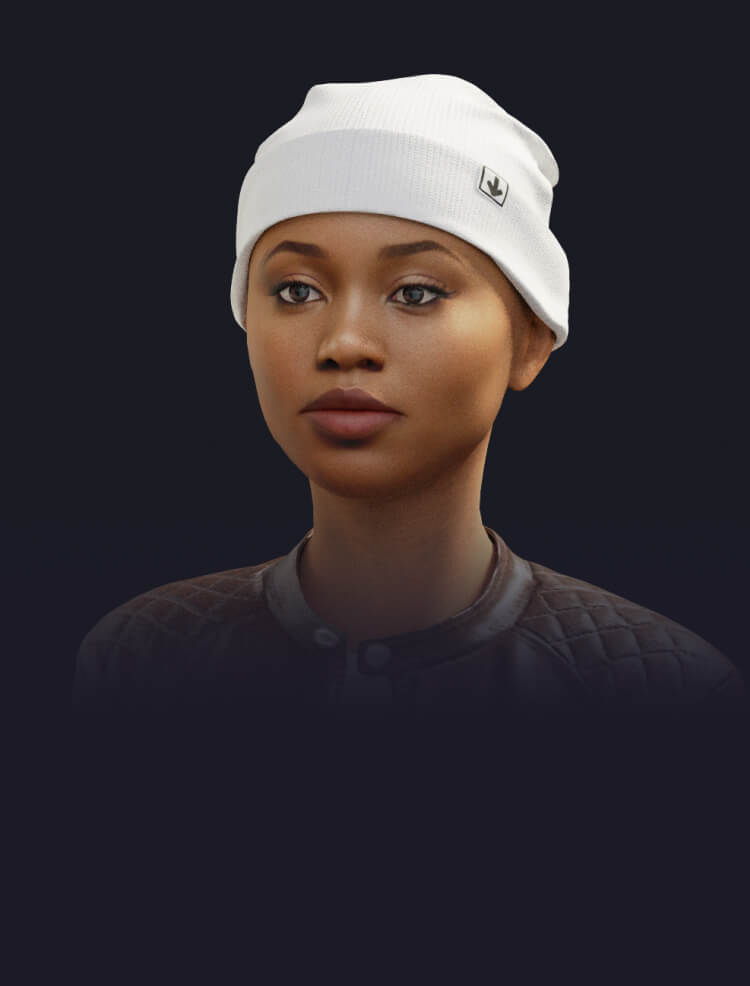
- T1 (Static Face - Realistic)
- Most photorealistic
- No facial morphing
- Lightweight
-
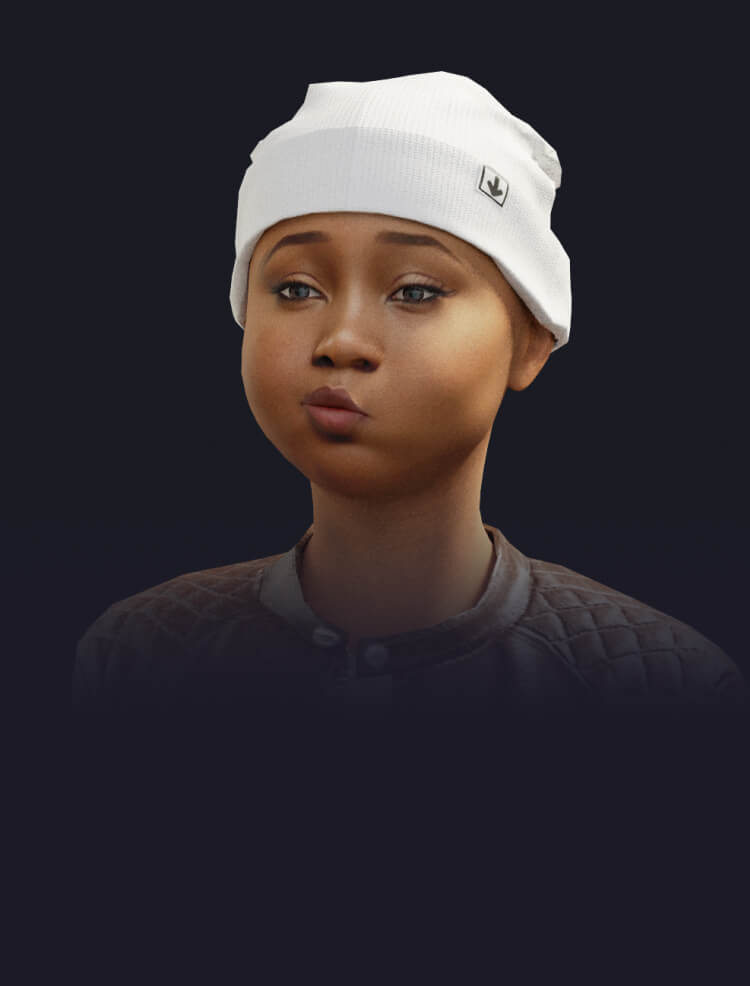
- T2 (Blendshape Face - Expressive)
- Separate eyeballs and mouth
- Supports morph targets / ARKit visemes
- Slightly less realistic but animatable
-
interface VisemeData {
  visemes: Array<{ time: number; viseme: string | null }>;
  audio_base64?: string;
}visemeJson is what drives the mouth animation. Each entry pairs a time
(in seconds, from the start of the audio) with a single-letter viseme code.
Codes are mapped onto the model's morph targets; unknown or silent codes simply
rest the mouth.
| Code | Mouth shape / example sound |
|---|---|
A |
open — "a" as in apple |
B |
lips together — p, b, m |
C |
ch, sh, j |
D |
d, t, th |
E |
"eh", "ae" |
F |
f, v |
G |
g, k |
I |
"ee" |
J |
r, l, y |
K |
"oo", "u" |
H / X |
silence / rest |
The standard Oculus / Ready Player Me viseme names are also accepted as codes
directly — sil, PP, FF, TH, DD, kk, CH, SS, nn, RR, aa,
E, I, O, U — which is what the converter helpers below emit.
Entries must be ordered by ascending time. Optionally provide the spoken audio
as a base64-encoded WAV via audio_base64 to play it in sync (used when
showPlayVoiceButton is enabled).
Rather than hand-authoring the timeline, generate it from a TTS/lip-sync engine. Avatoon ships converters for the most common sources:
import {
Avatoon,
fromAzureVisemes, // Azure Speech SDK viseme events
fromPollySpeechMarks, // AWS Polly speech marks
fromRhubarb, // Rhubarb Lip Sync JSON
} from "avatoon";
// Azure: collect events from the Speech SDK's `visemeReceived` callback
const visemeJson = fromAzureVisemes(azureEvents); // [{ visemeId, audioOffset }]
// AWS Polly: pass the `viseme` speech marks
const visemeJson = fromPollySpeechMarks(pollyMarks); // [{ time, value, type }]
// Rhubarb: pass its JSON output (or just the mouthCues array)
const visemeJson = fromRhubarb(rhubarbOutput); // { mouthCues: [{ start, end, value }] }Each returns a VisemeData object ready to hand to <Avatoon visemeJson={...} />.
Times are normalized to seconds. Add audio_base64 yourself if you want synced
playback.
Model requirement (T2): audio-synced lip-sync needs a
.glbwhose mesh exposesviseme_*morph targets (ARKit / Oculus / Ready Player Me naming — e.g.viseme_aa,viseme_PP,viseme_CH). T1 models have no morph targets, so useLipSyncAvatoonor head-motion only.
Pull requests are welcome! See CONTRIBUTING.md for local setup and development workflow, and please review our Code of Conduct. To report a security issue, see SECURITY.md.
If Avatoon is useful to you, consider supporting its development — it helps a lot and keeps the project maintained:
- ⭐ Star the repo — the easiest way to help
- 💛 Sponsor on GitHub
- ☕ Buy Me a Coffee
- 💵 PayPal
Khaled Alam
📧 khaledalam.net@gmail.com
🌍 Website | LinkedIn | X(Twitter)
{
  "visemes": [
    { "time": 0.00, "viseme": "X" },
    { "time": 0.12, "viseme": "B" },
    { "time": 0.20, "viseme": "A" },
    { "time": 0.35, "viseme": "I" }
  ],
  "audio_base64": "UklGR... (optional WAV)"
}