One canvas. Everyone draws on it over SSH.
No account, no install, nothing to sign up for
ssh ssh.place
Live canvas ·
Stats ·
Timelapses ·
r/sshplace ·
Run your own
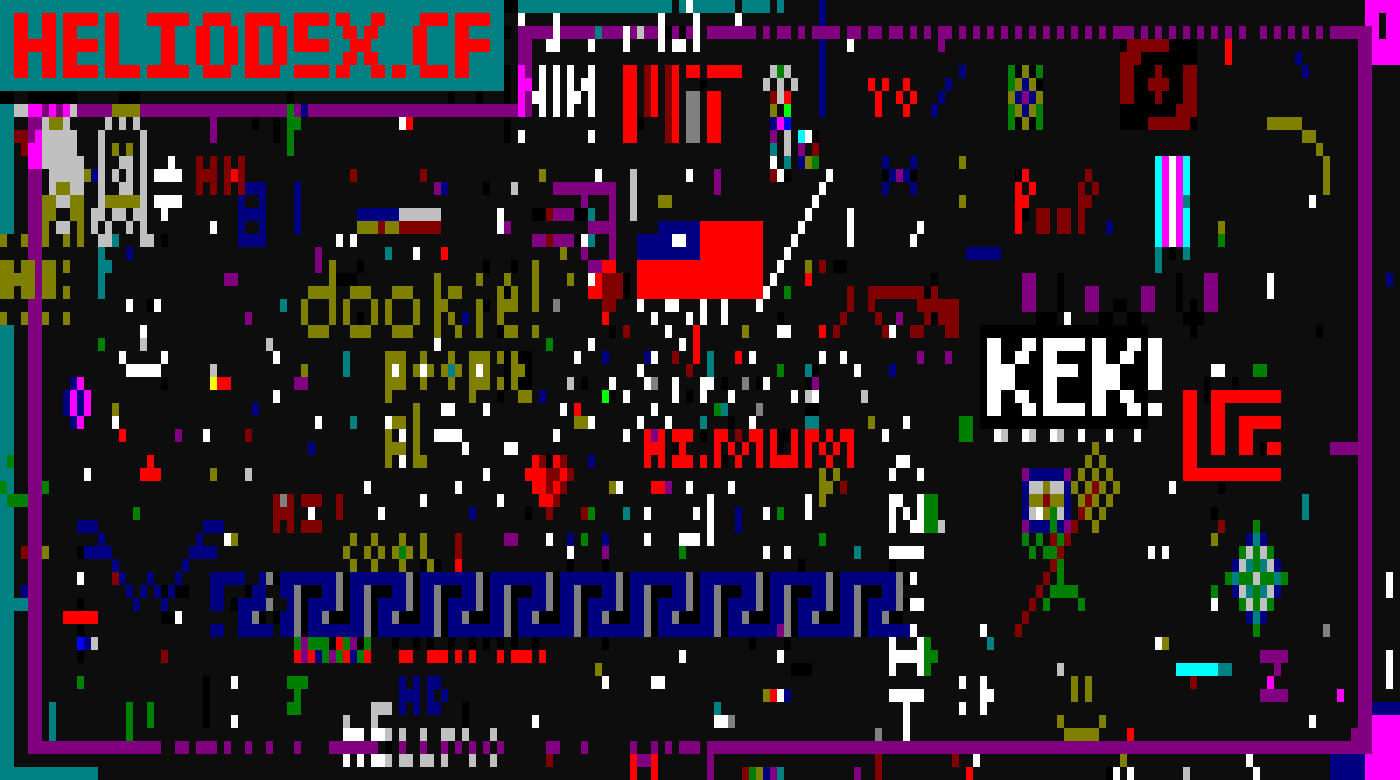
That is the canvas as it stands right now. go change it :)
You already have an SSH client. That's the whole idea.
It's r/place on one 200x60 canvas, shared by everyone who's connected right now.
Run ssh ssh.place and you're in. Your first cell goes down instantly, then you
wait 15 seconds for the next one, same as everybody else.
No signup, no user table, no web app to load. Whatever SSH key you connect with, its fingerprint is who you are. That's the entire account system.
Heads up: I built this because the idea was funny, not because anyone needed it. It works, but expect rough edges :)
ssh ssh.place| Key | What it does |
|---|---|
←↑↓→, wasd or hjkl |
move the cursor |
0 to 9 |
pick a color |
tab / shift+tab |
cycle all 16 colors |
space or enter |
place a block |
| scroll wheel | pan around |
| click | move the cursor there (it won't place) |
shift/ctrl + arrow |
jump a whole screen |
home / end |
jump to the left or right edge |
q or ctrl+c |
quit |
The help line along the bottom shows the site and r/sshplace when the terminal is
wide enough for them. Its fullest line is exactly 80 columns, which is the commonest
terminal width, so on an 80 column terminal the keybindings win and the links move to
the message printed as you leave. A binding you cannot discover is worse than a link
you cannot see.
The canvas is 200 columns wide and your terminal isn't, so the view pans along as
you get near an edge. Crossing the whole thing one cell at a time is a slog. Scroll
instead, or hit shift+←/→ to jump a screen.
There's a grey +--+ frame around the canvas so you can tell where it stops. I
added it because without one you just drift into blank space and can't tell whether
you've hit the edge.
Moving is always free. Only placing waits.
You paint solid blocks of color. That's the only thing you can do.
I tried characters first, which seemed obviously better. It wasn't. On a canvas anyone on the internet can reach, letters get used to write at people far more than to draw. So they're gone, and not just hidden from the UI: the server refuses anything with a character in it, so writing your own client won't get you further.
A block is a background color, not a █ glyph. Same reasoning. █ depends on the
client's font having it, and I'd rather the canvas look identical to everyone than
gamble on that. Backgrounds also work on a terminal with no Unicode at all.
Want characters on your own copy? Run it with -mode mixed. You still start on
blocks, ctrl+b switches over, and any printable key becomes your stamp. Put \
in front of a key to stamp it literally, which is how wasd, hjkl, q and the
digits stay drawable.
The canvas is a slice in memory behind a sync.RWMutex, saved to
data/canvas.json every 10 seconds and again on the way out. Each cell holds one
printable-ASCII rune plus two palette indices, a foreground and a background. There
are 16 colors and nothing outside that palette can be stored, so the whole 200x60
board comes to about 35 KB of JSON you can actually read.
Every connection gets its own bubbletea program, served over wish. Place a cell and it fans out to every session through that session's own buffered channel. If someone falls behind, their updates get dropped and a resync flag set instead. That way one stuck client can't hold up everyone else. Sessions redraw from the canvas itself, so a dropped update just means a slightly later frame.
The TUI is only a view. internal/app.Place is the one path that changes a cell and
it re-checks everything, so writing your own client to skip the UI gets you nowhere:
- Bounds - anything off the canvas is refused.
- Characters - refused outright in the default
blocksmode. Under-mode mixedonly printable ASCII gets through,0x20to0x7e. That one check rules out escape sequences and keeps every cell exactly one column wide. A space is always fine, that's how you erase. - Colors - the color and the fill are both palette indices, so you can't ask for a color that doesn't exist.
- Cooldown - 15 seconds, tracked against your key's fingerprint. It follows the key, so reconnecting won't reset it.
- Budgets - see below, that part got interesting.
Getting refused doesn't cost you your turn. Aiming off the canvas shouldn't burn 15 seconds.
Any public key works and there's nothing to register. Its SHA256 fingerprint is who you are.
Connect with no key at all and you can watch but not draw. You still get the live canvas, panning and all, you just cannot place. A keyless client falls back to keyboard-interactive and is identified by its network, which is the weakest identity here: it is shared with everyone behind the same address, so a cooldown against it is really a cooldown against a whole building. I did not start there. I turned it on after measuring 3,335 sessions in three hours from three addresses, every one of them keyless, connecting for two seconds each to place a cell and drop.
The session says so on arrival and tells you the one command that fixes it, because
most people arriving without a key have done nothing wrong. Run it with
-require-key=false if you would rather let keyless clients draw on your own copy.
| Limit | Default | Flag |
|---|---|---|
| Characters allowed | no | -mode blocks / -mode mixed |
| Cooldown per key | 15s | -cooldown |
| Per-network burst / refill | 5 / 3s | -ip-burst, -ip-refill |
| Minimum time to repaint the board | 1 hour | -min-board-fill |
| Concurrent sessions | 500 | -max-sessions |
| Sessions per network | 5 | -max-per-ip |
| Idle disconnect | 30 min | -idle-timeout |
| Public key required to place | yes | -require-key |
| Keys exempt from all of it | none | -admin-keys |
| Keys on a longer cooldown | none | -slow-keys, -slow-factor |
| Keys refused outright | none | -blocked-keys |
| Networks on a longer cooldown | none | -slow-nets |
| Networks refused outright | none | -blocked-nets |
| Daily timelapse GIFs | on | -timelapse, -timelapse-scale, -timelapse-frames |
| Unauthenticated connection | 20s | fixed |
| Accepted connections | 4 x -max-sessions |
fixed |
Get turned away and you get one plain sentence saying why, not a stack trace.
Keys are free, so a cooldown alone does nothing. Generate a new one per placement and you've beaten it. Hence a token bucket per network on top.
Networks are nearly free too. I keyed that bucket on the exact address at first, which is fine for IPv4. For IPv6 it's useless: one customer gets handed 2^64 addresses and every one of them looks like a fresh client. I tested it, and 200 placements landed from a single /64 against a budget of 5. IPv6 now gets grouped by /64.
Then I starved everyone on shared wifi. The per-network bucket refilled at one
per 15s, which is one player's worth of throughput for a whole network. Five people
behind one NAT, all waiting their turn properly, and whoever asked first each round
took the lot. The other four got one cell each in four minutes. So -ip-refill now
defaults to -cooldown divided by -max-per-ip, the rate the most sessions I'll
accept from one network can legitimately produce.
And none of that bounds the total. Both limits scale with whatever you can buy, and providers hand out IPv6 /48s, which is 65,536 distinct /64s from one account. So 500 sessions at one-per-15s came to 33 placements a second, and the entire 12,000-cell board could be repainted in six minutes by one person with a script.
That's what -min-board-fill is for. It says repainting every cell can't take less
than an hour, and turns that into a placements-per-second ceiling worked out from
the canvas size. It's the only limit that doesn't care how much anybody controls.
With it on, an attacker using a fresh key and a fresh network for every single
placement gets about 9% of the board in five minutes instead of all of it.
The burst is one cooldown's worth, so a crowd who've all been waiting can fire together without getting refused for it. Roughly 50 people drawing flat out fit under the default. Watchers cost nothing.
There's a real tradeoff here. Past that point the canvas is genuinely at its limit and starts saying no. It tells you which limit it was rather than blaming your own cooldown, but it's still a no.
-admin-keys takes a comma separated list of SSH key fingerprints, the
SHA256:... form that ssh-keygen -lf ~/.ssh/id_ed25519.pub prints. Those keys
skip all three limits.
This exists because moderation at one cell every 15 seconds isn't moderation. If somebody draws something vile at 3am, whoever runs the server needs to be able to paint over it in one sitting rather than 40 minutes.
It's deliberately narrow:
- Server side only. There's no client, message or username that can claim it, so the exemption can't be requested, only configured.
- Only real public keys. Clients that connect without one are identified by network, and granting privileges against that would hand it to everyone sharing the network.
- Pacing only. Bounds, printable-ASCII and blocks-only still apply, so an exempt session is not a way to write escape sequences into cells other people render.
- Skips the limits rather than being refunded by them, so an exempt key drawing hard doesn't eat the budget everyone else is sharing.
- Every placement still lands in
events.jsonlunder that fingerprint, so it's as auditable as anyone else's.
Fingerprints aren't secret, but they do identify you, so mine isn't in this repo.
It goes in a docker-compose.override.yml on the server, which git ignores:
services:
  sshplace:
    environment:
SSHPLACE_ADMIN_KEYS: "SHA256:your-fingerprint-here"Bots are welcome here. A bot that outpaces every human on the canvas is not.
-slow-keys takes comma separated fingerprints and multiplies their cooldown by
-slow-factor, which defaults to 4. They keep playing, at a quarter speed. Nobody
gets thrown out.
I went looking after the board started feeling automated, and deploy/detect-bots.py
found 28 keys placing every 15.50 seconds with a median deviation of ten
milliseconds, sustained for four hours, adding up to 66% of all placements. Eleven
of them shared an active span to the minute with near identical counts, so that is
one operator running a fleet, not eleven hobbyists.
Worth being precise about what that is and is not:
- They were not exploiting anything. One key each, one placement per cooldown, patiently. Every limit was working exactly as designed.
- Rate limits cannot separate them from humans. The two busiest real players measured 172 placements an hour against the bots' 240. Any cooldown long enough to bother a bot ruins the game for your best players.
- The global ceiling was irrelevant. Demand was 1.27/s against a 13.3/s ceiling. Nothing to tighten.
What did distinguish them was precision and duty cycle, and that the keys were stable enough to name.
Slowing beats blocking, which is why the default answer here is a longer cooldown:
- It leaves them in the game. Bots drawing on a canvas over SSH is funny, and losing to one is not the same as being spammed by one.
- It gives them nothing to route around. There is no error to detect, no rejection to handle, just a longer wait. A block announces itself and teaches the operator to rotate keys, and keys are free.
- The arithmetic is enough. At 4x, a bot goes from 240 placements an hour to 60. The fleet that was 66% of the board becomes about a third of it, and humans go back to being the majority without anyone being banned.
The countdown a slowed key sees is the real one, not the nominal 15 seconds. A countdown that lies would just have them pressing a key that keeps being refused.
Someone wrote a domain name across the canvas seven times, in white and magenta, top to bottom. I went looking for the keys behind it and found 2,642 of them for 6,173 placements. About two placements per key. They were generating a fresh keypair almost every time they drew a cell.
That is the moment a fingerprint list stops being a tool. You cannot enumerate
something that is regenerated per placement, and every entry you add is already
stale. But all 6,173 came from six networks, so -blocked-nets and -slow-nets
take CIDR blocks instead:
-blocked-nets 115.190.40.0/24,129.151.214.0/24
-slow-nets    83.175.139.0/24
Six lines instead of 2,642, and unlike a key a subnet cannot be reissued on a whim. That is the whole reason this works: keys are free and networks are not.
Reverse DNS before you write one down. Of those six, three resolved to hosting
(Hetzner, Oracle Cloud, and one with no PTR at all) and two did not: a Polish ISP
that might be somebody's house, and igw.nyi.freebsd.org, which is the FreeBSD
project's own network. A /24 ban takes everyone behind it, so hosting ranges get
-blocked-nets and anything that might be a real person's connection gets
-slow-nets, where the worst case is that a human draws four times slower rather
than not at all.
A blocked network beats an exempt key, deliberately. An operator key sitting inside a banned range must not be a way back in.
-blocked-keys still exists and refuses a key outright. That is for vandalism, not
for pacing: someone painting something vile needs stopping, not slowing. Blocked
keys can still connect and watch, because the canvas is public either way and it is
the drawing you are taking away.
Precedence is exemption, then block, then slow. A key in -admin-keys and
-blocked-keys both is blocked, and the server warns you at boot, because config
that contradicts itself should fail closed.
Session logs now record the fingerprint alongside the address. They did not before, which meant the event log had identities with no address and the session log had addresses with no identity, and neither could answer "which network is that placer on". That gap is why I still cannot tell you whether those 28 keys were 28 machines or one.
An exempt session also gets the two keys that only make sense for moderating:
| Key | What it does |
|---|---|
` |
eraser on and off. Placing clears the cell instead of colouring it |
v |
start a rectangular selection. Move to the far corner, then enter |
The selection pins one corner where you pressed v and marks it o; your cursor is
the other corner, and the status bar counts the size as you move. enter applies it,
esc cancels. With the eraser on it wipes the rectangle back to blank; with it off
it fills the rectangle in your current colour, which is the better answer when you
want to cover something rather than leave a hole.
That is enforced in app.PlaceRegion, not in the view, because it is the one bulk
write in the codebase. A missing check there would let one keystroke flatten the
board. It also respects the block list: a fingerprint in -admin-keys and
-blocked-keys at once is blocked, so the bulk path is not a way around a block.
Every wiped cell goes into the event log individually, which matters more than it looks: the log is the only record of how the canvas got where it is, and the timelapse replays it to reproduce the canvas exactly. A bulk change that skipped the log would desync every later frame.
The session status bar says no cooldown instead of the usual countdown, so you
can tell at a glance whether it actually applied. A typo'd fingerprint is logged as
a warning at boot rather than silently granting nothing, because the moment you
need this is not the moment to discover it never worked.
Every placement since the first one is in an append-only log, so a timelapse is just that log replayed onto a blank canvas. The server renders two kinds a couple of minutes after each UTC midnight and serves them at /timelapse: one per day, and one covering everything since the beginning.
It backfills. Point it at a log with history in it and the first boot renders every complete day it can find, so turning this on did not cost the days that had already happened.
Frames are spaced evenly over placements rather than over the clock. Spacing them by time would spend most of the animation on whichever hours everyone was asleep. A single day is seeded with the state the canvas opened on that morning rather than starting empty, so it shows that day's changes in context.
GIF is a natural fit: the canvas is already sixteen palette colours, which is exactly what the format stores, so nothing is quantised and there is no video encoder in the picture. The caption row uses the same bitmap font as the PNG endpoint, so there are still no font files to ship.
Rendering deliberately never happens on a request. Every frame is held in memory at once, so serving one on demand would let anyone with a browser decide when the server allocates a hundred megabytes.
For a one-off at a different size, or from a log copied off the box:
go run ./cmd/timelapse -in data/events.jsonl -out all.gif
go run ./cmd/timelapse -in data/events.jsonl -day 2026-08-03 -out day.gif| Path | What it serves |
|---|---|
/ |
landing page with a live view |
/stats |
who's on, how full the board is, which colors are winning |
/canvas.png |
1400x780 PNG, for screenshots and timelapses |
/stats.json |
the same numbers but json |
/timelapse |
every rendered timelapse, newest first |
/canvas.txt |
plain text, blocks as █ |
/healthz |
ok |
The PNG uses the bitmap font out of x/image, so there are no font files to ship.
It's cached against a canvas version counter and sent with an ETag, so leaving the
page open mostly gets you 304s back.
Every placement that lands gets appended to data/events.jsonl, which is enough to
replay the board from empty:
{"t":"2026-07-31T00:48:24.236Z","id":"SHA256:DVG3kW…","x":100,"y":30,"r":"Q","c":15}
{"t":"2026-07-31T00:48:41.882Z","id":"SHA256:DVG3kW…","x":101,"y":30,"r":" ","c":9,"block":true}
block means it was a solid block and c is its color. Turn the log off with
-event-log=false.
git clone https://github.com/jeninh/ssh.place
cd ssh.place
make run            # SSH on :2222, web on :8080
ssh -p 2222 localhost
Or Docker, which is what runs the real thing:
docker compose up -d --buildThat brings up two containers. sshplace publishes port 22, and caddy takes 80
and 443 and reverse-proxies the web view, fetching a Let's Encrypt certificate on
first boot. The app's HTTP port is deliberately not published, so the only way to
reach the web view is through TLS.
Point DNS at the box before you start it. Caddy validates over HTTP, so if
ssh.place does not already resolve to that machine the certificate request fails
and it sits there retrying. Change the domain and the contact address at the top of
the Caddyfile if you are running your own.
Compose maps host port 22 to the container's SSH port, which is what lets
ssh ssh.place work with no -p. If sshd is already on 22, move it first, and
reconnect on the new port to prove it works before you bring this up. The app image
is distroless with no shell in it, so its health check runs the binary's own
-healthcheck flag instead of curl.
Don't skip the /data volume. The host key lives there, generated on first
boot. Lose it and every returning visitor gets a host key mismatch warning and
refuses to connect. I did this to myself while testing. The canvas snapshot and the
event log are in there too.
Most flags have an env var (SSHPLACE_SSH_ADDR, SSHPLACE_HTTP_ADDR,
SSHPLACE_DATA, SSHPLACE_WEB_URL, SSHPLACE_MODE, SSHPLACE_LOG_LEVEL,
SSHPLACE_ADMIN_KEYS,
SSHPLACE_BLOCKED_KEYS,
SSHPLACE_SLOW_KEYS).
./sshplace -h has the rest.
You can resize the board between restarts with -width and -height. If the saved
snapshot doesn't match any more, whatever still fits gets loaded instead of the
whole thing being thrown out.
Pushing to main redeploys the server, but only after the tests, the
vulnerability scan and the Docker build have all passed. A push that breaks
something never reaches the box.
Set it up once. On the server:
# 1. The deploy script, from the repo you already cloned
install -m 755 /root/ssh.place/deploy/redeploy.sh /usr/local/bin/sshplace-deploy

# 2. A key that exists only for deploying, separate from your own
ssh-keygen -t ed25519 -f /root/.ssh/deploy -N '' -C 'github-actions'

# 3. Let it do exactly one thing and nothing else
printf 'restrict,command="/usr/local/bin/sshplace-deploy" %s\n' \
  "$(cat /root/.ssh/deploy.pub)" >> /root/.ssh/authorized_keys
That restrict,command= prefix is the part that matters. command= means this key
can only run the redeploy no matter what the client asks for, and restrict turns
off port forwarding, agent forwarding and pty allocation. If the key ever leaks,
what an attacker gets is the ability to redeploy your own code from your own repo.
They cannot get a shell.
Then add five repository secrets under Settings, Secrets and variables, Actions.
DEPLOY_PORT is the only one you can leave out, and only if sshd is still on 22:
| Secret | Value |
|---|---|
DEPLOY_SSH_KEY |
the whole of /root/.ssh/deploy, the private half |
DEPLOY_HOST |
the server's IP |
DEPLOY_USER |
root |
DEPLOY_PORT |
2200, or whatever you moved sshd to |
DEPLOY_KNOWN_HOSTS |
output of ssh-keyscan -p 2200 <ip> |
DEPLOY_KNOWN_HOSTS pins the server's host key so the deploy will not connect to
an impostor. Skipping it would mean blindly trusting whatever answers on that
address.
To deploy by hand, or to check it works before wiring up CI:
ssh -p 2200 root@<ip> 'true' # the forced command runs regardlessThe script refuses to run if the checkout has uncommitted changes, so it can never silently throw away a hotfix somebody applied on the box. It waits for the container's healthcheck to pass and dumps the last 40 log lines if it does not, so a failed deploy shows up in the Actions log rather than as a quietly dead server.
make test     # go test -race ./...
make check    # fmt, vet, test
make build
make docker
main.go flags, wiring, snapshot loop, signals
internal/canvas the grid, the palette, snapshot save/load
internal/app the one authoritative placement path
internal/hub session registry and update fan-out
internal/ratelimit cooldown, per-network bucket, board ceiling
internal/tui the per-session bubbletea program
internal/server the SSH front end
internal/web PNG renderer, landing page, stats page
internal/eventlog append-only placement log
Tests cover the canvas (bounds, validation, concurrent writes, snapshot round-trips including the older format), the limiter (cooldown, key rotation, address rotation, clock jumps), the hub (capacity, fan-out, coalescing) and the TUI (keys, typing bursts, panning, the border, the cooldown, the fade, the idle timeout). The TUI tests run on a clock I crank by hand, so none of them sleep.
internal/server stands up a real SSH server on a real socket and drives it with an
SSH client. It places a cell end to end, checks the cooldown holds, proves no
sequence of keys writes a character on a blocks-only canvas, watches one session's
placement appear on another's screen, pushes the connection limits, confirms the
host key survives a restart, and checks sessions don't leak goroutines.
Whatever you draw gets replayed into everyone else's terminal, so that's the part I was careful about.
Only printable ASCII can be stored, checked in Cell.Validate and again when a
snapshot loads. Escape sequences, bidi overrides, combining marks and wide
characters can't reach a cell at all. internal/canvas/escape_test.go walks the
first 70,000 code points to keep it that way.
Two other things worth knowing:
- The event log is 0600 and pairs key fingerprints with networks. It grows forever, so rotate it if you leave this running.
- The host key is the only secret on disk. Keep
/dataoff shared boxes and out of your images.
For dependency advisories:
go run golang.org/x/vuln/cmd/govulncheck@latest ./...Found something sharp? Open an issue.
Built with wish, bubbletea and lipgloss from Charm.
Built with help from Claude Code
MIT © jeninh