From $1.50 / 1,000 saved email leads on paid Apify plans. Use this Google Maps Email Extractor to find public business emails from Google Maps places, together with websites, phone numbers, social media links, ratings, addresses, coordinates, Google Place IDs, CIDs, and source URLs.
Hosted actor: Google Maps Email Extractor on Apify
Console source and builds: x_guru/google-maps-email-extractor
AI-agent skill: apify-google-maps-email-extractor-agent-skill
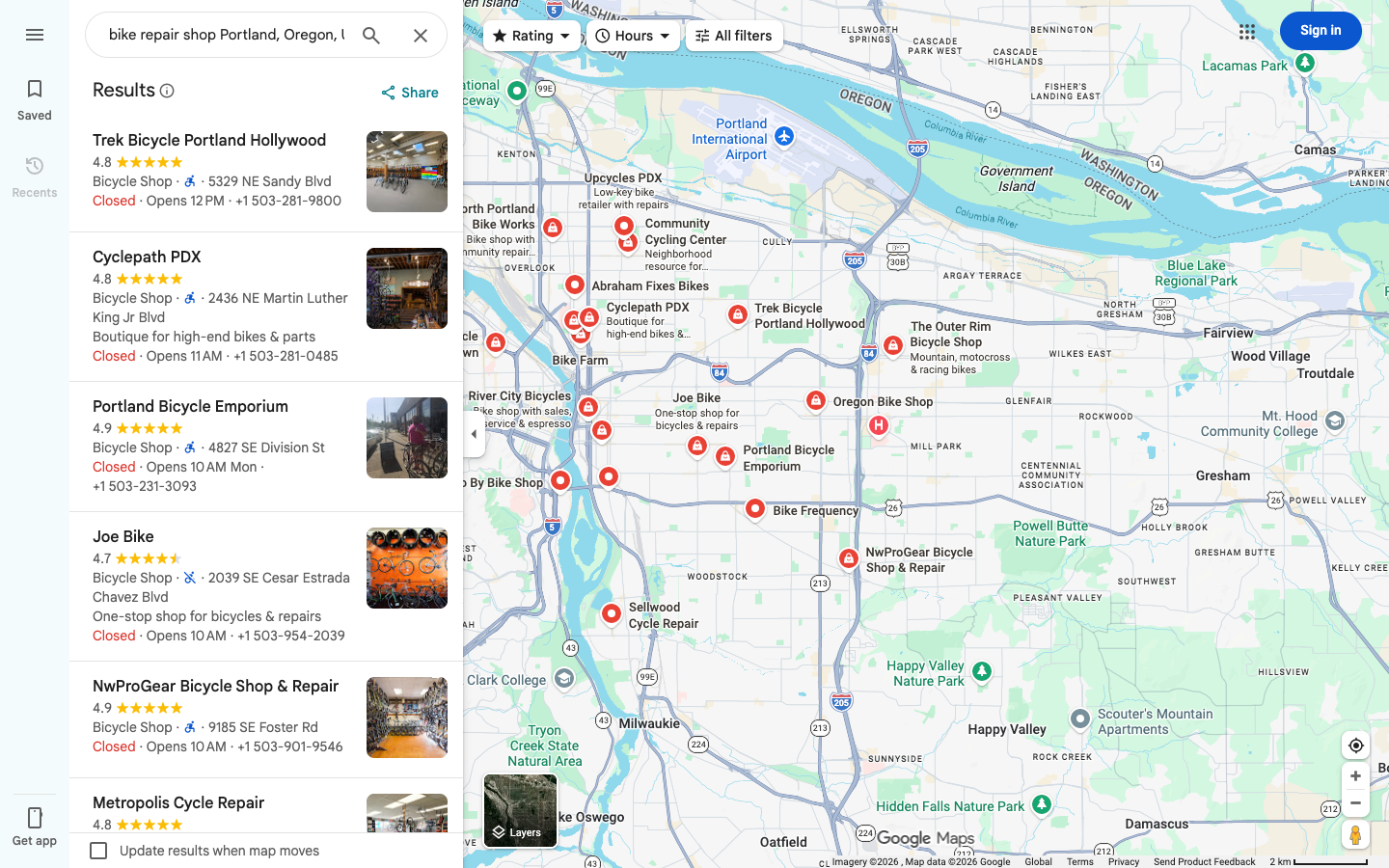
The actor is built for Google Maps lead generation. It searches Google Maps by keyword and location, Google Maps URL, Place ID, or selected map area, opens each business website, checks likely contact pages, and saves one dataset item when a public email address is found by default.
Unlike a generic Google Maps scraper, this actor is optimized around email leads: it scans more Google Maps candidates internally when needed, enriches places with fast Google Maps detail payloads to get websites, crawls business sites concurrently, and charges the primary result event only for saved email leads.
| Need | Use this actor for |
|---|---|
| Local email leads | Public business emails from Google Maps places |
| Sales outreach | Company name, website, email, phone, address, rating, category, and social links |
| Agency prospecting | Niche and city lead lists such as dentists, roofers, lawyers, photographers, gyms, clinics, restaurants, and contractors |
| CRM enrichment | Start from Google Maps URLs, Place IDs, or existing Google business records |
| Local SEO research | Find competitors with websites, reviews, categories, coordinates, and public contact channels |
| Data export | Download leads as JSON, CSV, Excel, or use the Apify Dataset API |
- Add a business type to
searchStringsArray, for examplewedding photographer,dentist,roofing contractor, orreal estate agent. - Add a specific
locationQuery, for exampleAustin, Texas, USA. - Set
maxCrawledPlacesPerSearchto the number of email leads you want. - Keep
contactResultModeasemailsOnlyto save only places where a public email is found. - Run the actor and export the dataset from Apify.
{
  "searchStringsArray": ["wedding photographer"],
  "locationQuery": "Austin, Texas, USA",
  "maxCrawledPlacesPerSearch": 100,
  "contactResultMode": "emailsOnly",
  "contactPagesLimit": 2,
  "includePersonalData": true,
  "website": "withWebsite",
  "skipClosedPlaces": true,
  "language": "en"
}The actor uses Apify pay-per-event pricing. The primary event is contact-lead-saved, which is charged when a lead is saved to the dataset.
| Event | Free | Paid plans |
|---|---|---|
| Saved email lead | $3.00 / 1,000 saved email leads | $1.50 / 1,000 saved email leads |
| Add-on: filter applied | $0.80 / 1,000 saved leads | $0.35 / 1,000 saved leads |
| Actor start | $0.00005 per start event | $0.00001 per start event |
Internal Google Maps candidate scanning, fast place-detail lookup, and website pages that do not produce a saved lead are not charged as primary result events.
The actor respects Apify maxTotalChargeUsd. If your run budget only allows 500 saved email leads, the actor stops before saving more than 500 charged leads and finishes successfully with a RUN_SUMMARY.
| Data group | Example fields |
|---|---|
| Business identity | title, categoryName, categories, description, rank, searchString |
| Email data | emails, emailDetails.email, emailDetails.type, emailDetails.sourceUrl, emailDetails.domainMatch |
| Website data | website, additionalInfo.companyContacts.sourceUrl, fetchedUrls, pagesFetched |
| Phone data | phone, phoneUnformatted, additionalPhones |
| Social links | facebooks, instagrams, linkedIns, twitters, youtubes, tiktoks |
| Address and location | address, street, neighborhood, city, state, postalCode, countryCode, location, plusCode |
| Google Maps metrics | totalScore, reviewsCount, reviewsDistribution, permanentlyClosed, temporarilyClosed, claimThisBusiness |
| Google identifiers | placeId, cid, fid, kgmid, url, searchPageUrl, language |
| Contact diagnostics | contactSignals, contactStatus, additionalInfo.companyContacts |
Email classification:
| Type | Meaning |
|---|---|
role |
Generic company inbox such as info@, sales@, hello@, or contact@ |
personal |
Person-like email found on a public business website |
unknown |
Public email where the local part is not clearly role-based or person-like |
domainMatch helps you distinguish emails on the business domain from emails found on third-party pages.
- Build local business email lists from Google Maps.
- Find public emails for dentists, doctors, clinics, law firms, contractors, restaurants, agencies, real estate companies, wedding vendors, repair services, schools, gyms, and local shops.
- Enrich Google Maps places with websites, email addresses, phones, and social media links.
- Collect outreach-ready leads by city, niche, category, rating, and website availability.
- Find businesses that publish direct contact emails instead of only contact forms.
- Create local market datasets with business name, email, phone, website, address, reviews, and coordinates.
- Run repeatable lead generation workflows through the Apify API.
Use searchStringsArray with locationQuery for standard Google Maps email extraction.
{
  "searchStringsArray": ["dentist"],
  "locationQuery": "Phoenix, Arizona, USA",
  "maxCrawledPlacesPerSearch": 250,
  "contactResultMode": "emailsOnly",
  "language": "en"
}| Field | What it does |
|---|---|
searchStringsArray |
One or more Google Maps search terms, such as dentist, roofing contractor, yoga studio, or restaurant. |
locationQuery |
Search area for all terms, such as Phoenix, Arizona, USA or Berlin, Germany. Use one concrete area per run for cleaner leads. |
maxCrawledPlacesPerSearch |
Target number of saved leads per search term or URL. In emailsOnly mode, the actor may scan more candidates internally to find enough public emails. |
language |
Google Maps language code used for localized place data when Google provides it. |
Use startUrls when you already have Google Maps URLs. Use placeIds when another system stores Google Place IDs.
{
  "startUrls": [
    {
      "url": "https://www.google.com/maps/search/marketing+agency+near+Chicago,+IL"
    }
  ],
  "placeIds": ["ChIJ..."],
  "maxCrawledPlacesPerSearch": 50,
  "contactResultMode": "emailsOnly"
}| Field | What it accepts |
|---|---|
startUrls |
Google Maps search URLs, place URLs, CID URLs, and prepared Google Maps links |
placeIds |
Google Place IDs and compatible values prefixed with place_id: |
Direct place URLs and Place IDs are useful for CRM enrichment. Search URLs are useful when you prepared Google Maps queries outside Apify.
| Mode | Saved dataset items |
|---|---|
emailsOnly |
Only places where at least one public email was found. This is the default. |
contactsOnly |
Places with at least one email, phone, or social profile. |
allPlaces |
All scanned places after filters, with contact fields when available. |
Use emailsOnly for priced email lead generation. Use contactsOnly when phone numbers and social links are also acceptable lead signals.
contactPagesLimit controls how many pages the actor fetches from each business website.
| Value | Typical behavior |
|---|---|
1 |
Fastest. Checks the homepage only. |
2 |
Recommended default. Checks the homepage and the best contact/about page. |
3-5 |
Deeper search for niches where emails are usually hidden on team, staff, imprint, footer, or legal pages. |
The actor follows likely same-domain contact links such as contact, about, team, staff, imprint, footer, privacy, and legal pages. Higher values can find more emails but increase runtime.
includePersonalData controls person-like emails and personal LinkedIn profile URLs found on public business websites.
{
  "includePersonalData": false
}
Set it to false when you want mostly generic company contacts such as info@, sales@, hello@, office@, or contact@.
Use filters to narrow results before contact extraction.
| Field | Values |
|---|---|
placeCategories |
Predefined Google Business Profile categories |
customPlaceCategories |
Custom category text matched against categoryName and categories |
categoryFilterWords |
Keyword filter matched against categories |
searchMatching |
all, only_includes, or only_exact |
minStars |
Minimum Google rating |
website |
allPlaces, withWebsite, or withoutWebsite |
skipClosedPlaces |
Remove closed businesses when Google exposes the status |
For email extraction, website: "withWebsite" is recommended because public emails are usually found on the business website.
For broader or custom geography, use:
countryCodecitystatecountypostalCodecustomGeolocationlocationBoundsstrictLocationBounds
The free-text locationQuery has priority when provided. Use structured fields or custom map areas when you need more control over coverage.
- The actor builds Google Maps search sources from keywords, location, URLs, Place IDs, or map area.
- Base discovery uses fast Google Maps payload responses to collect candidate places.
- In email extraction mode, the actor scans extra candidates internally because not every business publishes an email.
- A fast Google Maps detail request enriches each candidate with website and place metadata.
- The website contact crawler fetches the homepage and likely contact pages.
- Emails, phones, and social profiles are normalized and merged into the place record.
- The actor saves only records that match
contactResultMode. RUN_SUMMARYrecords target, saved count, budget guard, enrichment stats, and exhaustion reason.
{
  "title": "Caitlin McWeeney Photography",
  "categoryName": "Wedding photographer",
  "categories": ["Wedding photographer"],
  "address": "4704 Sylvandale Dr, Austin, TX 78745",
  "website": "http://caitlinmcweeney.com/",
  "emails": ["caitlin@caitlinmcweeney.com"],
  "emailDetails": [
    {
      "email": "caitlin@caitlinmcweeney.com",
      "type": "unknown",
      "sourceUrl": "https://caitlinmcweeney.com/",
      "domainMatch": true
    }
  ],
  "facebooks": ["https://www.facebook.com/caitlinmcweeneyphotography"],
  "instagrams": ["https://www.instagram.com/caitlinmcweeneyphotography/"],
  "contactSignals": {
    "emails": 1,
    "phones": 0,
    "socialProfiles": 2,
    "website": true,
    "pagesFetched": 2
  },
  "contactStatus": "found",
  "totalScore": 5,
  "reviewsCount": 72,
  "placeId": "ChIJE2Flwy-1RIYRWqJr_ZiMGc",
  "cid": "14617641969142499583",
  "location": {
    "lat": 30.2216055,
    "lng": -97.7879264
  },
  "url": "https://www.google.com/maps/search/?api=1&query=Caitlin%20McWeeney%20Photography&query_place_id=ChIJE2Flwy-1RIYRWqJr_ZiMGc"
}| Field | Description |
|---|---|
emails |
Deduplicated public email addresses found for the business |
emailDetails |
Per-email metadata with classification, source page, and domain match |
contactSignals |
Counts for emails, phones, social profiles, website, and fetched pages |
additionalInfo.companyContacts |
Raw contact crawl details, including fetched URLs and extracted contact data |
contactStatus |
found when a saved record has contact data |
url |
Google Maps URL for the place |
placeId, cid, fid |
Google identifiers for deduplication and downstream enrichment |
Every run writes diagnostics to RUN_SUMMARY in the default key-value store.
Useful fields:
| Field | Meaning |
|---|---|
target |
Requested saved leads |
saved |
Saved dataset items |
targetReached |
Whether the requested saved lead count was reached |
exhaustionReason |
Why the run stopped, such as target_reached, frontier_exhausted, or charge_limit_reached |
datasetItemBudget |
Pay-per-event budget guard and remaining item estimate |
enrichment.detailHttpSucceeded |
Fast Google Maps detail lookups that succeeded |
enrichment.contactsSucceeded |
Website contact crawls that produced contact data |
enrichment.contactPagesFetched |
Website pages fetched during contact extraction |
enrichment.filteredBeforePush |
Candidates skipped because they did not match contactResultMode |
If a selected niche or area has fewer public emails than requested, the actor finishes successfully and saves the email leads it found.
Start a run through the Apify API:
curl -X POST "https://api.apify.com/v2/acts/x_guru~google-maps-email-extractor/runs?token=YOUR_APIFY_TOKEN" \
  -H "Content-Type: application/json" \
  -d '{
    "searchStringsArray": ["roofing contractor"],
    "locationQuery": "Dallas, Texas, USA",
    "maxCrawledPlacesPerSearch": 100,
    "contactResultMode": "emailsOnly",
    "contactPagesLimit": 2,
    "includePersonalData": true,
    "website": "withWebsite",
    "skipClosedPlaces": true,
    "language": "en"
  }'
After the run finishes, export the default dataset as JSON, CSV, Excel, XML, RSS, or HTML from Apify Console or through the Dataset API.
- Use specific niches:
orthodontist,commercial electrician,wedding photographer,HVAC contractor, orestate planning attorney. - Use one concrete location per run: city, metro area, postal code, county, or custom map area.
- Keep
websiteset towithWebsitefor email extraction. - Increase
contactPagesLimitfor industries where emails are often on team, staff, imprint, or legal pages. - Use category filters when a search term returns mixed businesses.
- Use
contactsOnlywhen phone and social profile leads are acceptable. - Set
maxTotalChargeUsdon Apify runs when you want a hard spending cap.
- Public website contacts are best-effort because each business controls what it publishes.
- Some businesses publish only contact forms, booking widgets, or social profiles instead of direct emails.
emailsOnlycan scan more Google Maps places internally than the requested saved lead count.- The run finishes successfully even when individual places or websites fail; diagnostics are saved in
RUN_SUMMARY. - For broad geographic coverage, use a concrete city, postal code, county, state, or custom map area.
- Hosted actor: Google Maps Email Extractor
- AI-agent skill: apify-google-maps-email-extractor-agent-skill
- Broad Google Maps place extraction: Google Maps Extractor
- Full Google Maps scraper: Google Maps Scraper
- Exact-place review export: Google Maps Reviews Scraper
Google Maps email extractor, Google Maps email scraper, Google Maps leads, business email scraper, local business email finder, Google Maps lead generation, Google Places email scraper, Google Maps contacts, scrape emails from Google Maps, local SEO lead generation, Apify Google Maps actor, public business emails, local sales leads, Google Maps CRM enrichment.
This repository contains documentation for the hosted Apify actor. Use of the actor is governed by the Apify Store listing and Apify platform terms.