




Self-hosted family car management — maintenance schedules, fuel logs, reminders, OBD/GPS trips, and optional Home Assistant integrations.
See GitHub Releases for the latest version.
Docs: docs/ARCHITECTURE.md · docs/INTEGRATIONS.md · docs/PROGRESS.md
- Vehicles, users, and per-vehicle access ACL (admin / general)
- Mobile-first responsive layout with fixed bottom navigation bar for one-handed reachability
- Smart home redirect: automatically skips the vehicle list dashboard if the account has only one vehicle, landing straight on the vehicle overview
- Maintenance + administrative schedules with distance/time dual reminders
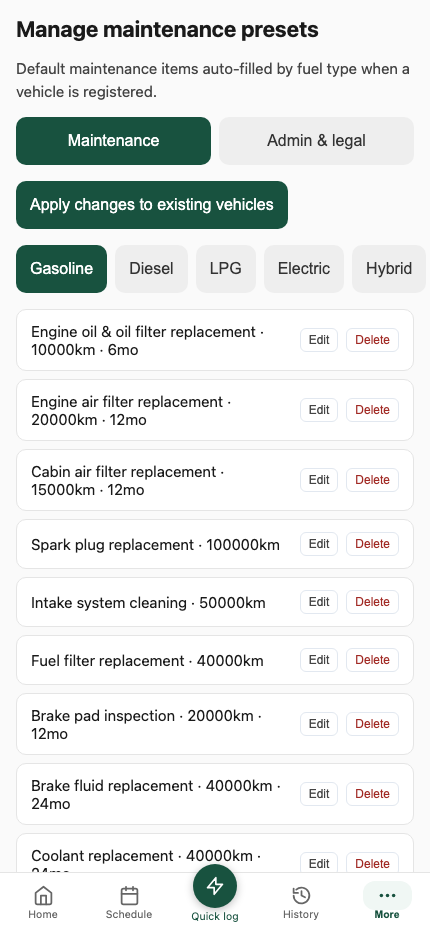
- Fuel-type maintenance presets and global admin/legal presets
- Fuel logging with receipt attachments; Opinet nearby stations (optional)
- EV charging station finder (K-eco API, optional) — same distance/price search as gas stations, numbered markers on the map
- OBD ingest (Torque Pro) and REST/WebSocket telemetry; auto trip segmentation
- Trip reports, route maps (OSM / Kakao / Naver / T map) with direction arrows; inline trip notes editing and reverse geocoding
- Dashboard reminder badges and vehicle summary cards (including last fuel cost)
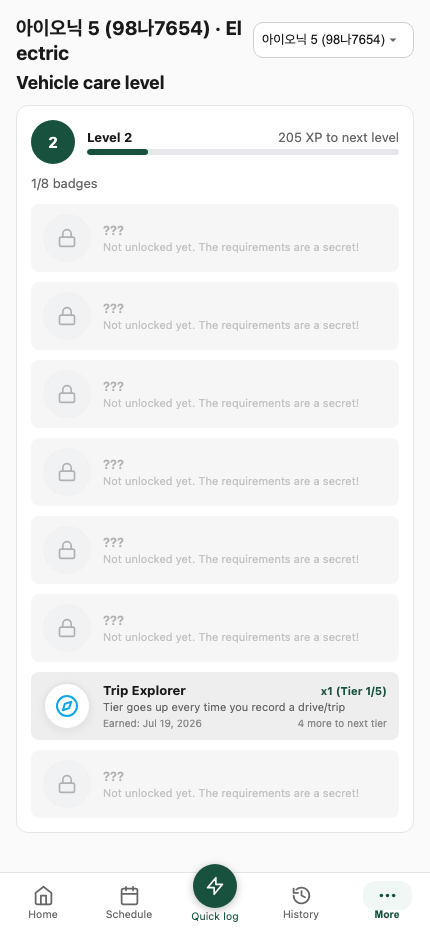
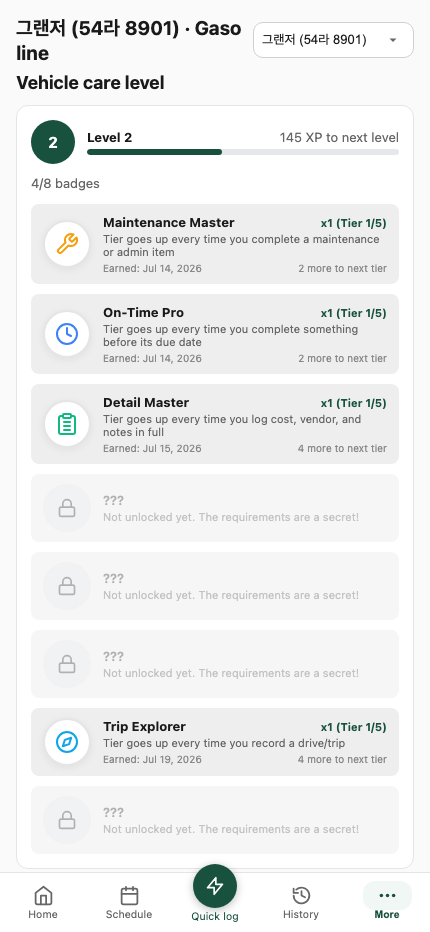
- Per-vehicle care level & badges (gamification) screen
- Consolidated navigation (removed top header bar, version indicator in More sheet)
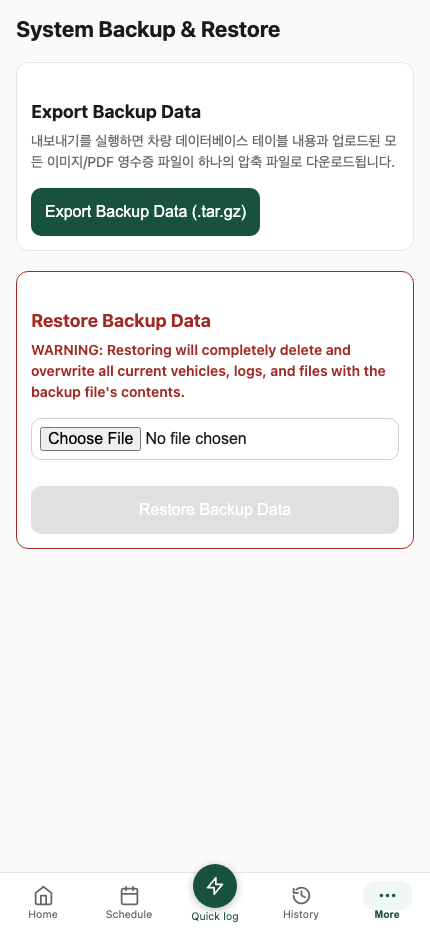
- Admin backup/restore, PWA, ko/en i18n
- First-run admin bootstrap when the user table is empty
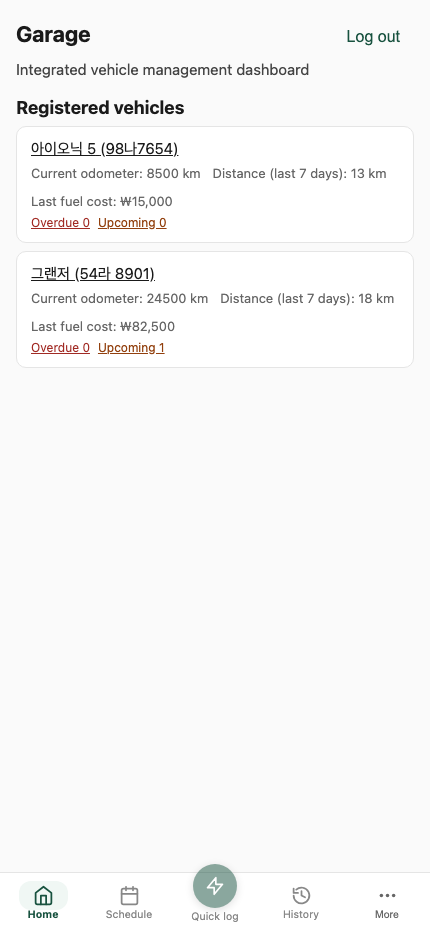
Home screen after login. For multiple vehicles, it shows the unified mobile-first dashboard where each vehicle card displays current odometer, recent distance, last fuel cost, and overdue/upcoming reminders. The bottom navigation bar provides quick access to Home, Quick Log, and a More sheet for settings.
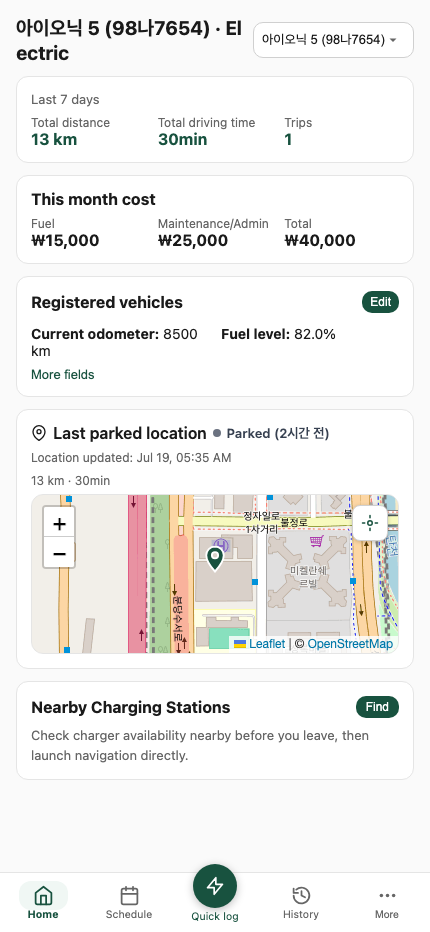
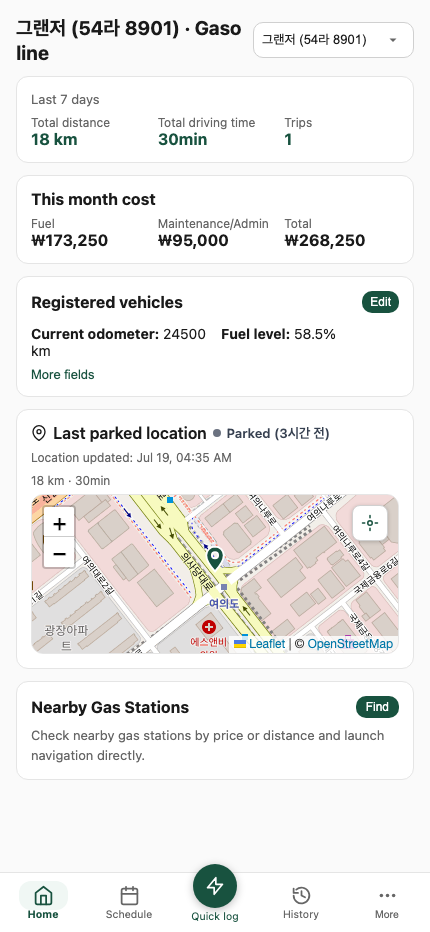
Per-vehicle hub featuring summary cards, monthly expense charts, recent trip details next to the map, and tab views for Overview, Schedule, and History. EV screens display charging status and battery-related metrics, while ICE screens display fuel metrics and integration with Opinet gas stations.
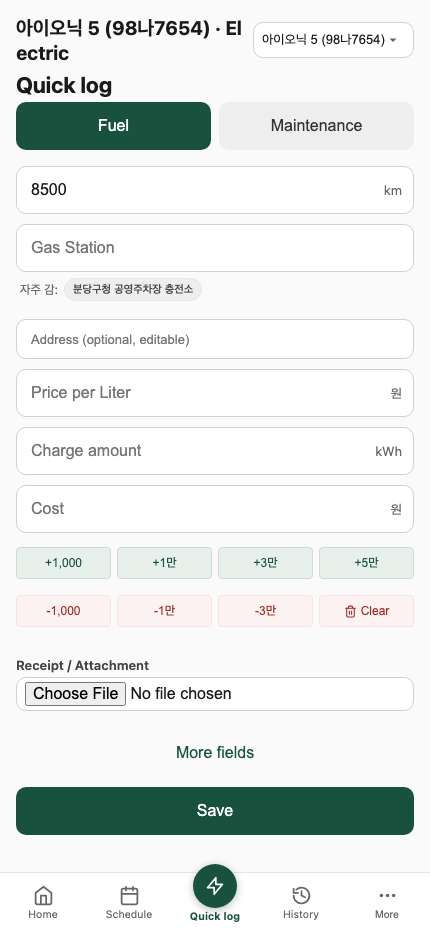
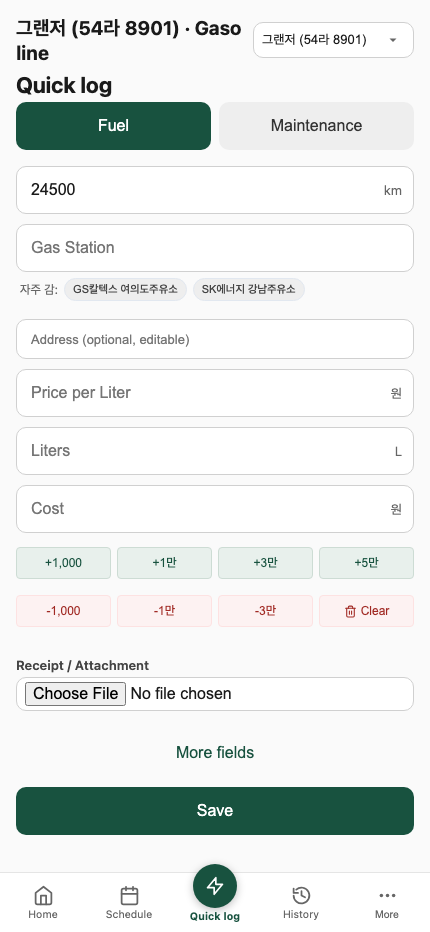
Log fuel or maintenance quickly from anywhere. EV charging inputs support price per kWh and station search, whereas ICE fueling inputs support brand logos (Opinet), fuel volume, and price per liter.
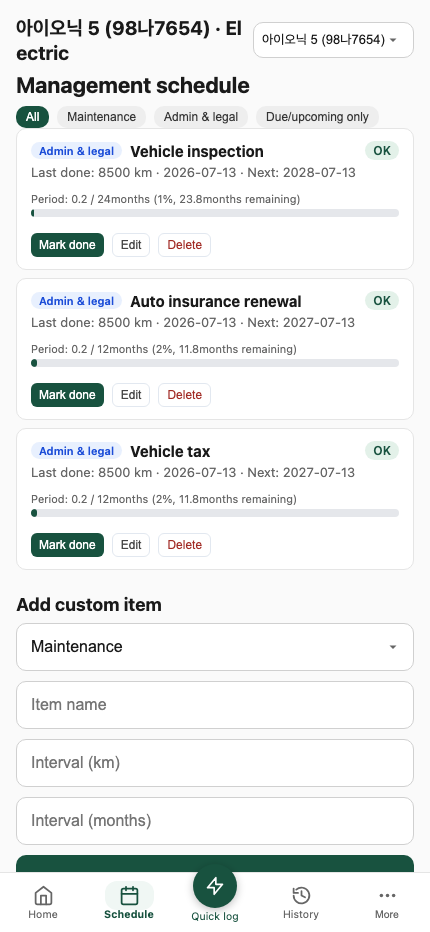
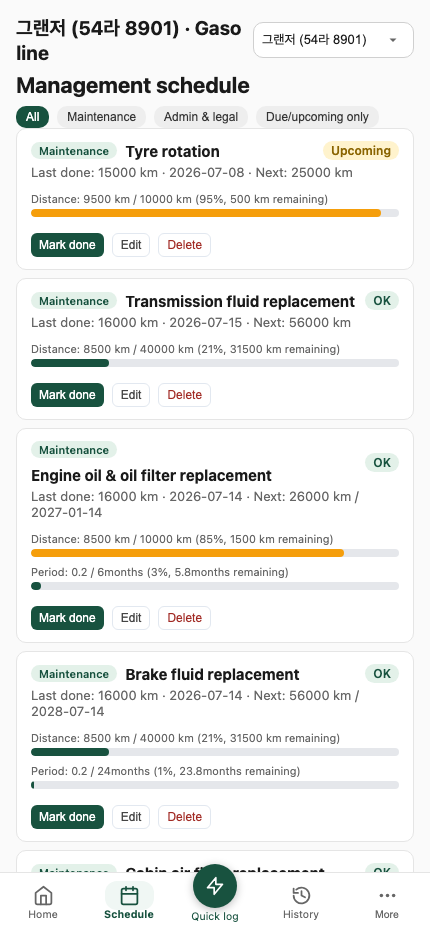
Distance- and time-based maintenance / administrative items. Intervals and defaults differ based on the vehicle type (engine oil and filter vs. EV battery coolant).
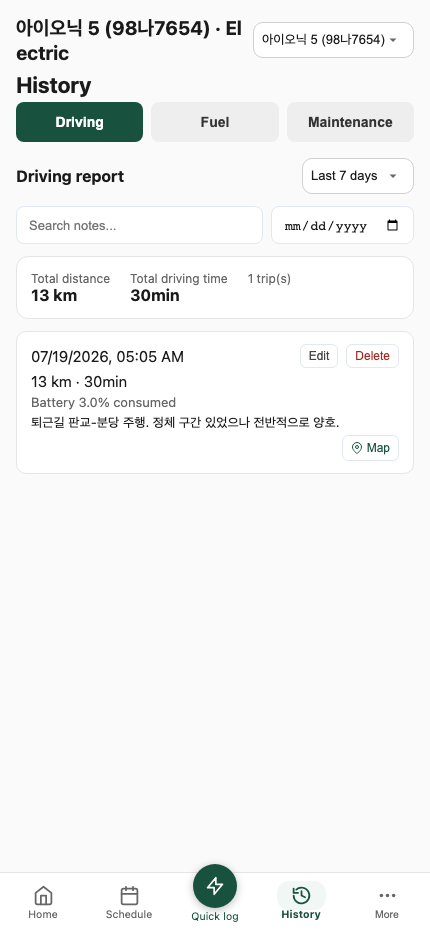
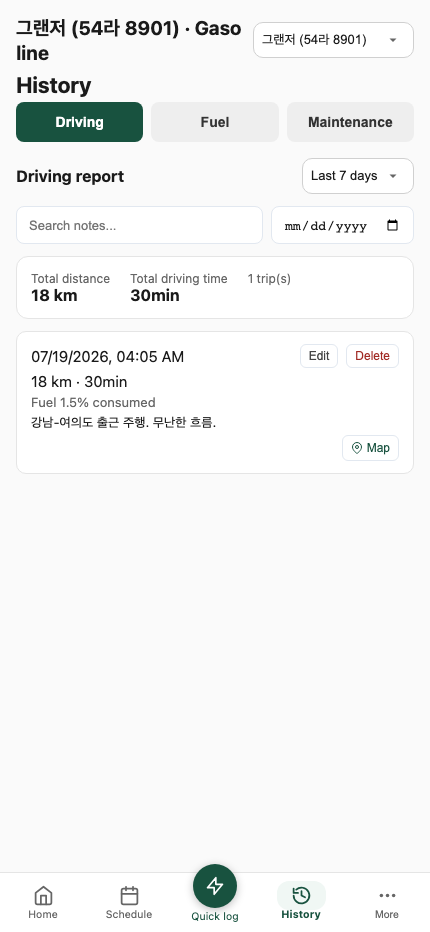
Trips, charging/fuel logs, and maintenance history in one place. Fuel efficiency is calculated between full-tank fills (km/L / L/100km) for ICE, and energy usage metrics are displayed for EV.
Gamification screen: logging logs consistently levels up the vehicle and earns badges, tracked independently per vehicle.
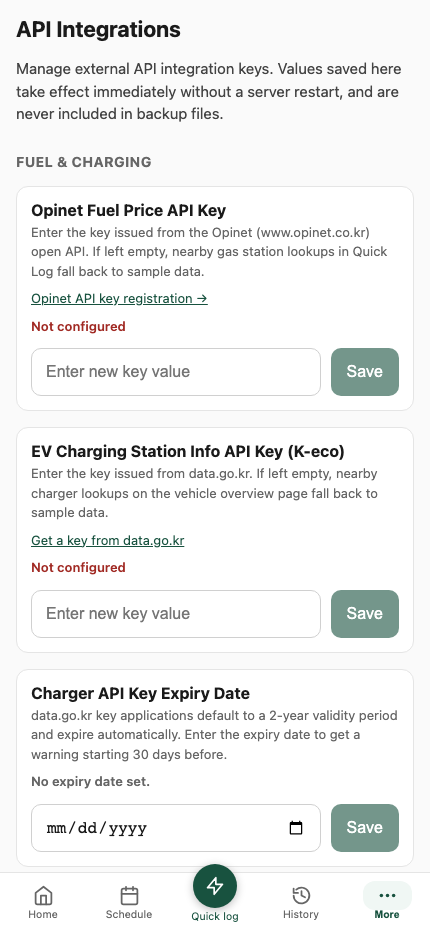
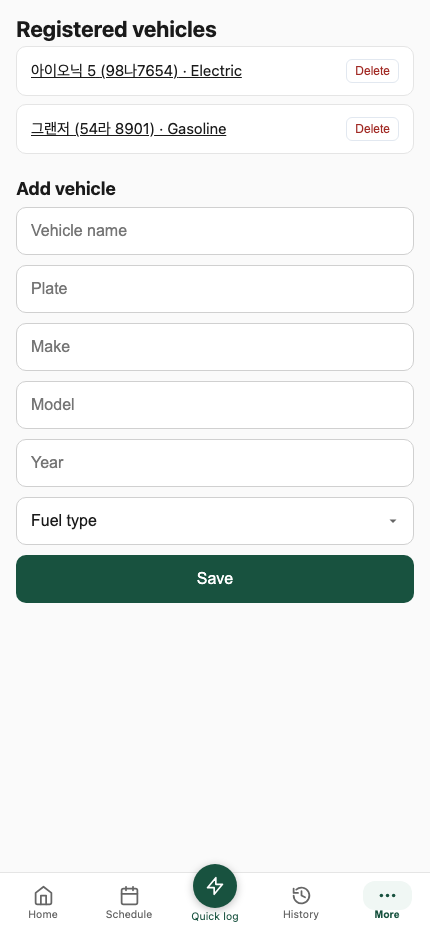
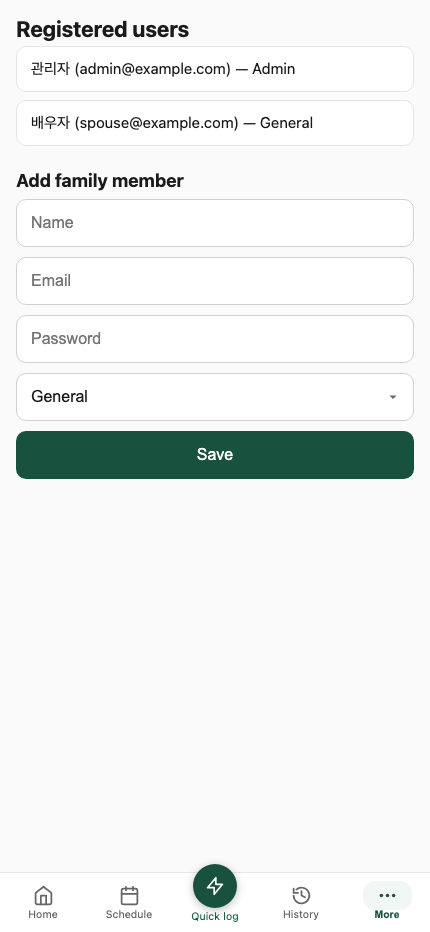
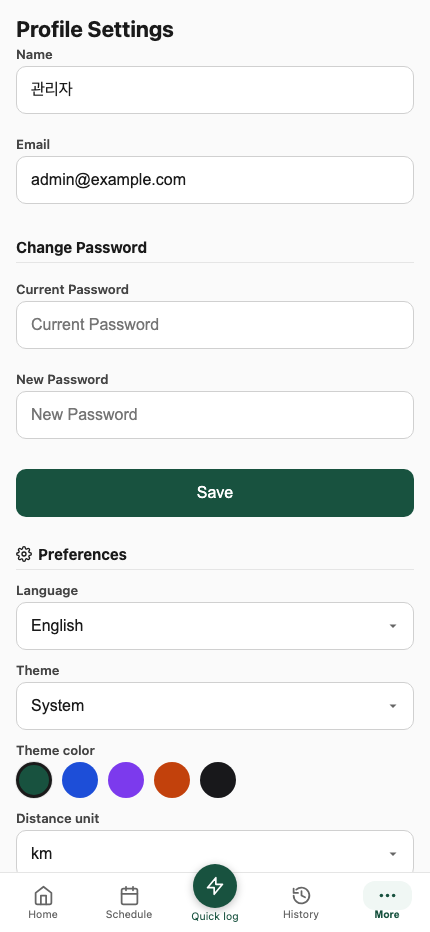
Screens for managing vehicles, users, maintenance presets, API integrations, profile configurations, and backups, all accessible from the bottom navigation bar.
Proxmox (recommended)
bash -c "$(curl -fsSL https://raw.githubusercontent.com/eigger/garage/master/proxmox/ct/garage.sh)"Open http://<LXC_IP> when finished.
Docker Compose
docker compose -f docker-compose.prod.yml up -dSet POSTGRES_PASSWORD and JWT_SECRET in .env first.
On a fresh install, /login shows Create first admin when no users exist.
- Open
/login - Enter name, email, password
- Submit — you are signed in as
ADMIN
Public sign-up is disabled. Later accounts are created only by an admin under Manage users.
- Go to the bottom nav's More sheet → Manage vehicles
- Fill name, plate, make/model/year, fuel type
- Save
Garage copies maintenance presets for that fuel type and administrative/legal schedule items (inspection, insurance, tax, …). Manage defaults under Manage maintenance presets (also under More sheet).
| Task | Where |
|---|---|
| Log fuel / maintenance | Bottom nav → Quick Log |
| Edit schedule intervals | Vehicle → Schedule |
| History, efficiency, trips | Vehicle → History |
| OBD / Torque / REST token | Vehicle → gear → OBD & GPS |
| Family accounts | Bottom nav More sheet → Manage users |
| Opinet / map API keys | Bottom nav More sheet → API Integrations |
| Backup / restore | Bottom nav More sheet → Backup/Restore |
Telemetry uses the vehicle apiToken (not the login JWT):
POST /api/ingest/telemetry
Authorization: Bearer <apiToken>
Content-Type: application/json

{ "speed": 65, "lat": 37.56, "lon": 126.97, "odometer": 45230, "inVehicle": true }
The apiToken alone identifies the vehicle — no vehicleId in the URL needed.
Fuel / maintenance record APIs: docs/INTEGRATIONS.md.
Copy the ingest URL and token from Vehicles → OBD & GPS.
garage/
  apps/
    api/      # Fastify + Prisma
    web/      # Next.js App Router (PWA, ko/en)
  packages/
    shared/   # Shared Zod schemas / catalogs
  docker-compose.yml / docker-compose.prod.yml
  Caddyfile
  proxmox/    # LXC one-click install
npm install
cp .env.example .env   # set POSTGRES_PASSWORD, JWT_SECRET
docker compose up -d postgres
npm run prisma:migrate
npm run seed -w apps/api   # optional if you prefer seed admin over bootstrap UI
npm run dev:api            # :8080
npm run dev:web            # :3000
Open http://localhost:3000/login.
Useful scripts: npm run build, npm run test, npm run prisma:generate.
- Stack: PostgreSQL 16 + API + Web + Caddy (
:80) - API runs
prisma migrate deployon startup (prod compose) - Images:
ghcr.io/<owner>/garage-api/garage-web(latest+ semver tags) - Update LXC:
updatein the container (pulls compose images)
| Workflow | Trigger | Purpose |
|---|---|---|
.github/workflows/ci.yml |
Push / PR to master |
Install, build, test |
.github/workflows/docker-release.yml |
GitHub Release | Push images to GHCR |
MIT. See LICENSE.