The fastest way to manage development tasks without leaving your IDE.
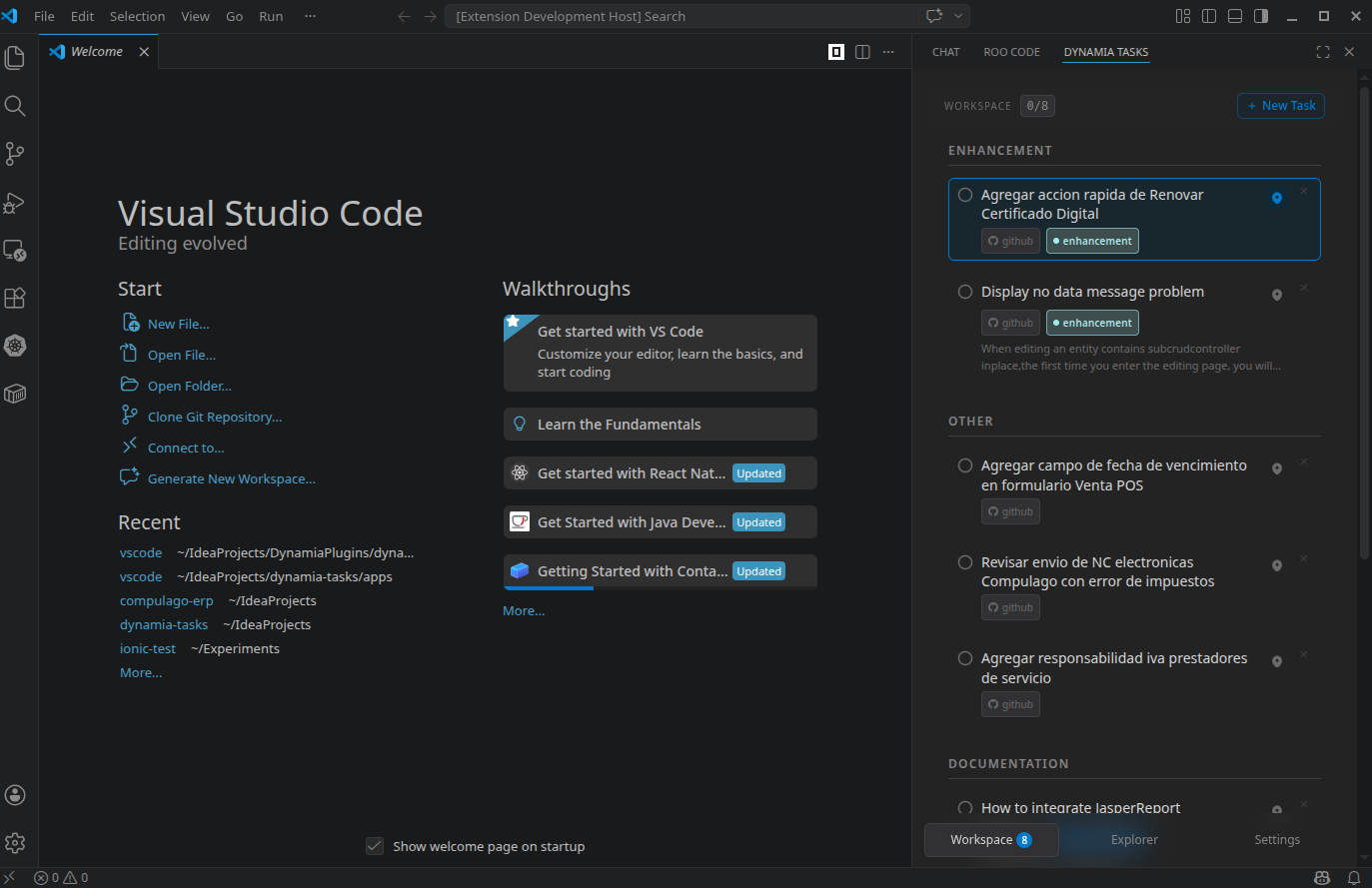
Dynamia Tasks brings your GitHub issues and local tasks into one clean, focused checklist inside IntelliJ-based IDEs and VS Code.
No cloud account. No telemetry. No context switching. Just your tasks, where you code.
- Stay in flow: manage tasks without opening browser tabs
- One unified view: GitHub + local JSON tasks in a single workspace
- Privacy-first: fully local architecture, your data stays on your machine
- Flexible by design: connector system supports multiple task sources
- Built for daily execution: minimal UI, fast interactions, low friction
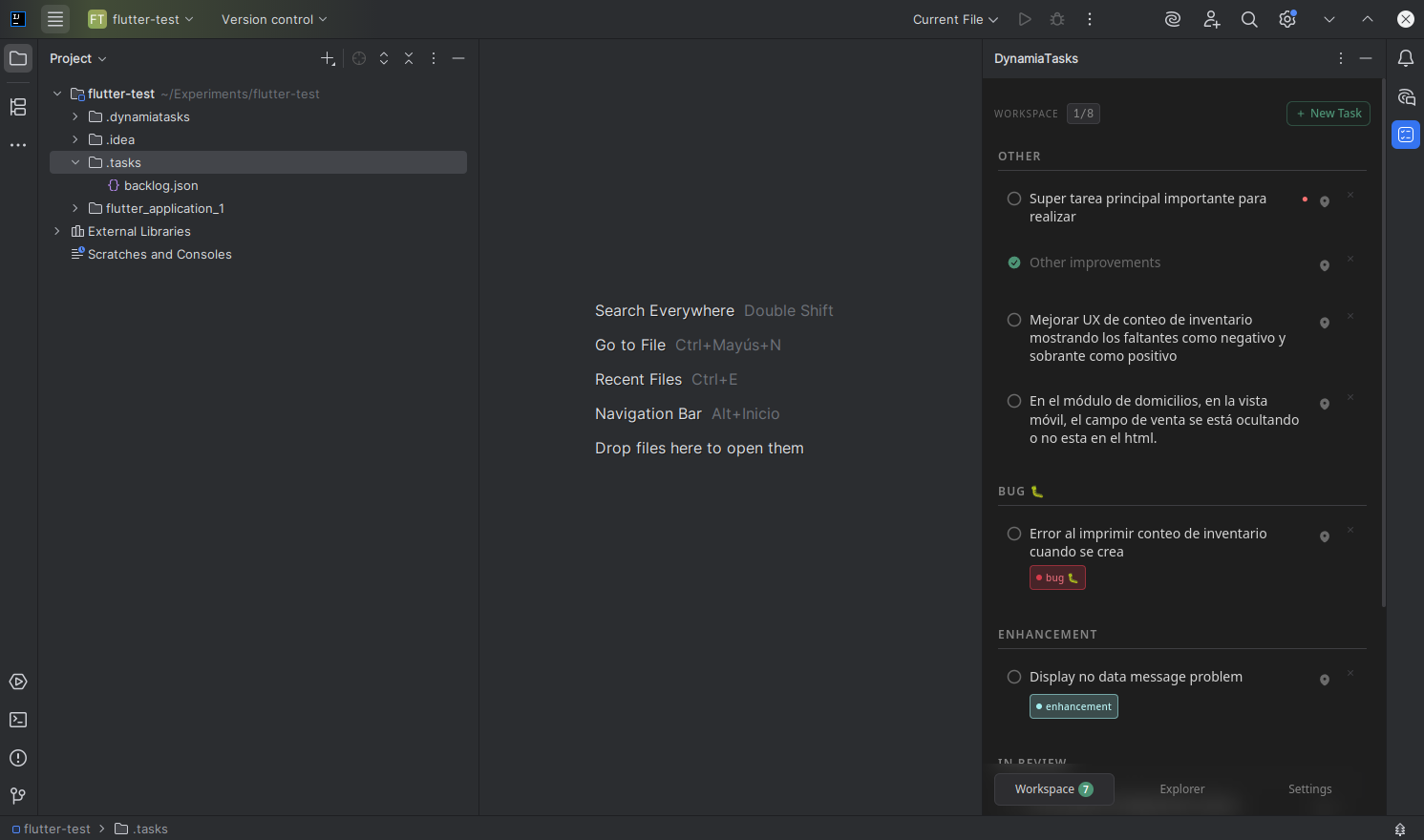
Install from JetBrains Marketplace:
Install from VS Code Marketplace:
- Browse and manage GitHub issues by org/repo
- Work with local tasks stored as plain JSON files in
.tasks/ - Build a personal workspace with the tasks you are actively working on
- Group tasks by module, label, or title prefix
- Open files and receive IDE-native notifications from task actions
- Continue working offline with local cache support
- Developers who want a task view directly inside the IDE
- Teams that prefer local-first tools over cloud-heavy systems
- Repositories that combine external issues with project-local TODO streams
- AI-assisted workflows that benefit from editable
.tasks/*.jsonfiles
- Install the plugin in your IDE.
- Open Dynamia Tasks from the IDE sidebar/tool window.
- Configure your connectors in Settings:
- GitHub (optional token)
- Local (
.tasks/*.json)
- Add tasks to your workspace and start shipping.
If you use the GitHub connector:
- Go to https://github.com/settings/tokens
- Create a token:
- Classic token:
reposcope (addread:orgtoo if you want to browse organization repositories in the Explorer) - Fine-grained token:
Metadata+Issuesread/write permissions
- Classic token:
- In Dynamia Tasks, open Settings > GitHub and paste your token
Public repositories can work without a token.
Dynamia Tasks reads any .tasks/*.json file in your project.
[
  {
    "id": "local-123e4567-e89b-12d3-a456-426614174000",
    "title": "Refactor IVA calculation",
    "description": "Move logic to IvaService and add unit tests.",
    "done": false,
    "module": "billing",
    "labels": [{ "id": "refactor", "name": "refactor" }],
    "priority": "high",
    "createdAt": "2026-04-21T10:00:00Z",
    "updatedAt": "2026-04-21T10:00:00Z"
  }
]
Use unique IDs with local-{uuid} format.
Dynamia Tasks has no server and no backend process. The UI is a static web app bundled directly into each IDE plugin and rendered in an embedded browser (VS Code Webview / JetBrains JCEF). It talks to GitHub and to your local files directly from that embedded browser via the IDE, using ide-bridge:
- The UI is bundled statically into the plugin — nothing to start or serve
- Configuration is stored locally, per IDE
- Workspace state (
.dynamiatasks/workspace.json) is stored in your project - No external backend required
This keeps performance high and ownership in your hands.
If you want to contribute or build custom connectors, see CONTRIBUTING.md.
MIT © Dynamia Tools