
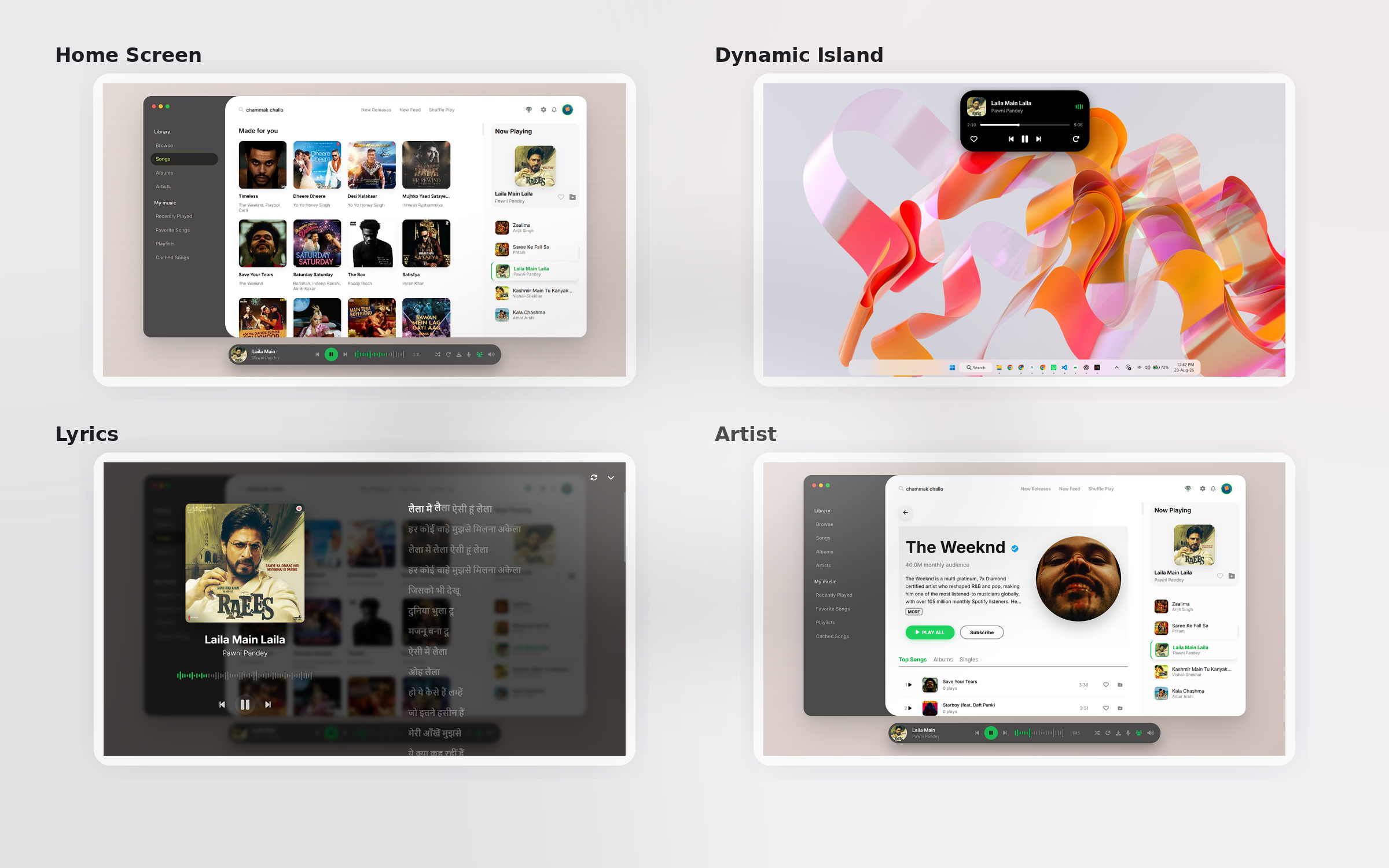


- 🎵 Seamless YouTube Music Integration - Full access to your favorite tracks
- 🎨 Sleek UI - Modern, elegant, and intuitive UX with frosted glass effects
- 🎯 Advanced Playback Controls - Fine-tune your music experience
- 🔐 Secure & Privacy-Focused - Your data stays yours
- ⚡ Lightning Fast - Optimized performance and smooth animations
- 🎧 Listen Together - Realtime synchronised listening sessions with friends
- 🌙 Native Desktop App - Portable or Installable formats
| Link | OS |
|---|---|
| 🌍 Official Website | Learn more |
| 🪟 Download for Windows (Setup) | Windows 10/11 |
| 🪟 Download for Windows (Portable) | Windows 10/11 |
| 🍎 Download for macOS | macOS |
| 🐧 Download for Linux | Linux |
Airbeats is officially available on the Canonical Snap Store for all major Linux distributions! To install, simply run this single command in your terminal:
sudo snap install airbeatsAlternatively, you can download the .AppImage or .deb files from the table above.
- Download the latest
.exefrom the table above. - Double-click the installer and follow the prompt.
- Airbeats will automatically install and add a shortcut to your Desktop!
- Download the latest
.dmgfrom the table above. - Double-click the
.dmgfile to open it. - Drag the Airbeats icon into your Applications folder.

Darkboy - Full-Stack Developer

Venom - Creative Design Visionary
Ready to build AirBeats Desktop yourself? Follow our comprehensive guide below.
| Requirement | Version |
|---|---|
| Node.js | 20+ |
| Python | 3.13 |
| Git | Latest |
# 1. Clone the repository
git clone https://github.com/d0x-dev/Airbeats-Desktop.git

# 2. Navigate into the project
cd Airbeats-Desktop

# 3. Create a python virtual environment
python -m venv venv
venv\Scripts�ctivate
pip install -r requirements.txt

# 4. Navigate to the electron wrapper
cd electron-app

# 5. Install Node dependencies
npm install

# 6. Build the Executable
npm run buildCopyright © 2026 Darkboy & Venom
This project is licensed under the GNU General Public License v3.0 - see the LICENSE file for details.
- 📧 Have questions? Open an Issue
- 🐛 Found a bug? Report it here
- 💡 Have a suggestion? We'd love to hear it!
⭐ If you love AirBeats, please consider giving us a star on GitHub! ⭐