

Build and serve your existing mkdocs project over http
-
Perform the git clone
$ git clone https://github.com/anishnath/mkdocs.git -
Get your existing project in the
mkdocsdirectory$ ls -ltr total 32 -rw-r--r-- 1 anishnath staff 1167 Jan 30 14:09 Dockerfile -rwxr-xr-x@ 1 anishnath staff 1816 Jan 30 14:45 docker-entrypoint.sh -rwxr-xr-x@ 1 anishnath staff 3345 Jan 30 14:50 mkdockerize.sh drwxr-xr-x 6 anishnath staff 192 Jan 30 14:51 my-project [This is your mkdocs Project] -rw-r--r-- 1 anishnath staff 3749 Jan 30 14:54 README.md
Note my-project is sample mkdocs project which will be build by
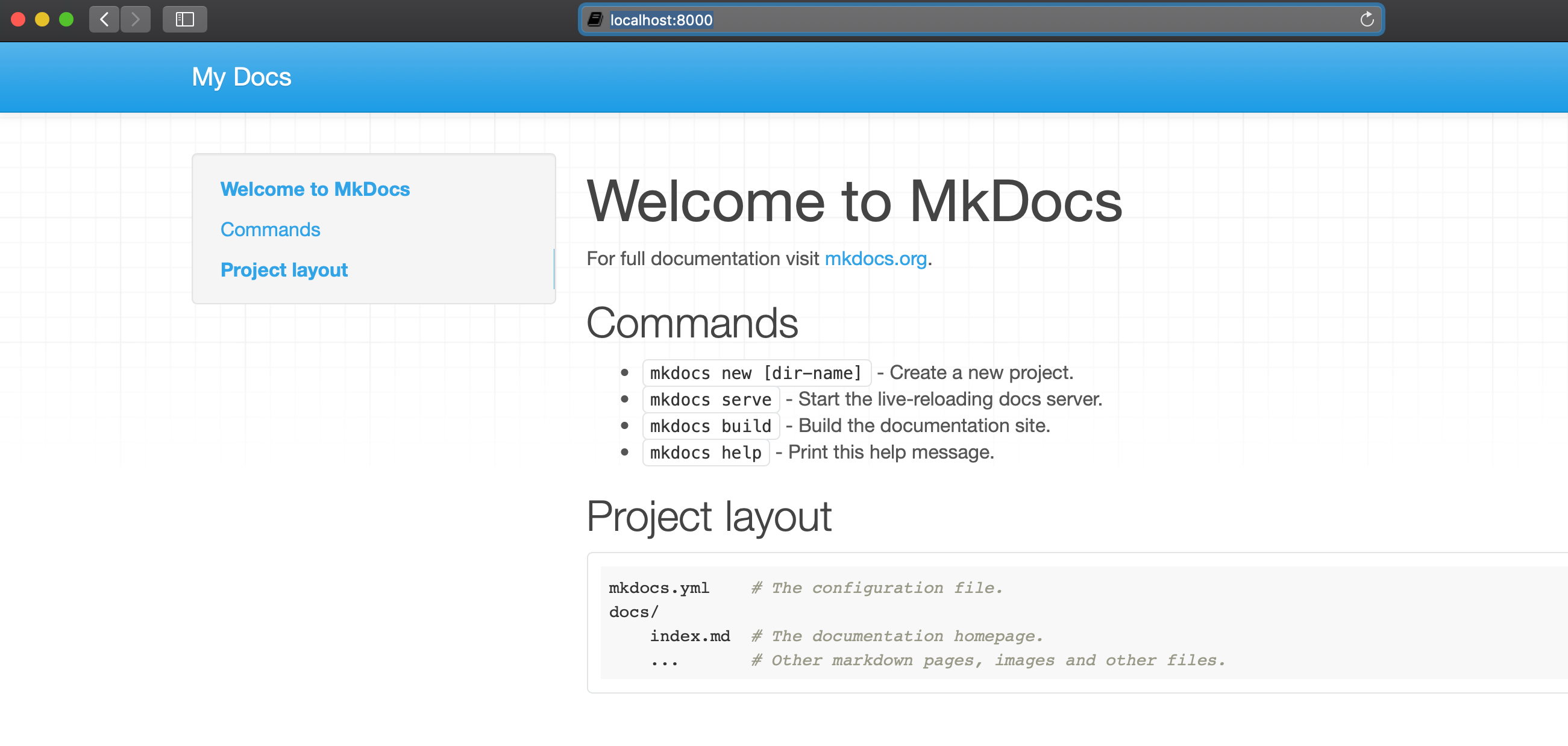
mkdockerize.sh : This tool will help to build the mkdocs project, generate the site configuration and serve the mkdocs project over the http port http://localhost:8000
$ ./mkdockerize.sh -h
mkdockerize for buidling and serving the mkdocs project using Docker

./mkdockerize.sh
-h --help
--produce=PROJECT-DIR
--serve {For running the mkdocs project inside docker}
--build {For Buidling the Docker Image}
$ ./mkdockerize.sh --build
Executing docker build -t mkdocs .
-------------------
Sending build context to Docker daemon  6.048MB
Step 1/12 : ARG BASE_IMAGE=alpine
Step 2/12 : ARG ALPINE_VERSION=3.10
Step 3/12 : FROM ${BASE_IMAGE}:${ALPINE_VERSION}
 ---> af341ccd2df8
Step 4/12 : LABEL org.label-schema.schema-version="1.0.0-demo"     maintainer="anish2good@yahoo.co.in"     org.label-schema.vcs-description="Alpline mkdocs"     org.label-schema.docker.cmd="docker exec "     image-size="71.6MB"     ram-usage="13.2MB to 70MB"     cpu-usage="Low"
 ---> Using cache
.....
......
 ---> a639d173f98f
Successfully built a639d173f98f
Successfully tagged mkdocs:latest
-------------------
$ ./mkdockerize.sh  --produce=my-project
Validating my-project
MKDOCS Directory is Valid Producting site.tar.gz file
[Entrypoint] mkdocs docker image for generating site.tar.gz and serving the file over the HTTP Server
INFO    -  Cleaning site directory
INFO    -  Building documentation to directory: /var/mkdocs/my-project/site
mkdocs file generated site.tar.gz and ready to serve
$ ./mkdockerize.sh  --serve
Starting the mkdocs server on port 8000
c05a40fa0510e3b0f0ec1891b63f5f950f0539aede50d959f5913a72cad248a7
Docker Container c05a40fa0510 started on port 8000
ANINATH-M-91AL:mkdocs aninath$ docker ps
CONTAINER ID        IMAGE               COMMAND                  CREATED             STATUS              PORTS                    NAMES
c05a40fa0510        mkdocs              "/entrypoint.sh serve"   4 seconds ago       Up 3 seconds        0.0.0.0:8000->8000/tcp   agitated_bhaskara
$ docker run -v $PWD:/var/mkdocs mkdocs produce  my-project
[Entrypoint] mkdocs docker image for generating site.tar.gz and serving the file over the HTTP Server
INFO  -  Cleaning site directory
INFO  -  Building documentation to directory: /var/mkdocs/my-project/site
mkdocs file generated site.tar.gz and ready to serve
Run the below docker command
$ docker run -p 8000:8000 -v $PWD:/var/mkdocs mkdocs serve
[Entrypoint] mkdocs docker image for generating site.tar.gz and serving the file over the HTTP Server
INFO    -  Building documentation...
INFO    -  Cleaning site directory
[I 200130 06:59:17 server:296] Serving on http://0.0.0.0:8000
[I 200130 06:59:17 handlers:62] Start watching changes
[I 200130 06:59:17 handlers:64] Start detecting changes
Sample Output
From the threat Model Perspective of Microservices
- Non root user : The process is running with nonroot user mkdocs
$ docker exec -it c05a40fa0510 sh
/var/mkdocs $ ps -elf
PID   USER     TIME  COMMAND
    1 mkdocs    0:00 {entrypoint.sh} /bin/sh /entrypoint.sh serve
   10 mkdocs    0:02 {mkdocs} /usr/bin/python3.7 /usr/bin/mkdocs serve --dev-addr=0.0.0.0:8000
   12 mkdocs    0:00 sh
19 mkdocs 0:00 ps -elf- Image Size : Image size is Minimum for this purpose alpine image is used and whole
No active Vulnerability SCAN located in this image, I have used opensource scanner anchore-cli
- The shell script needs to accept the full PATH
- TLS is not supported yet