
Your AI-Powered Technical Education Companion Master DSA & programming through structured courses, a sandboxed code editor, spaced-repetition quizzes, and a streaming AI mock interviewer - all guided by a Socratic tutor that knows exactly what you're working on.




 |
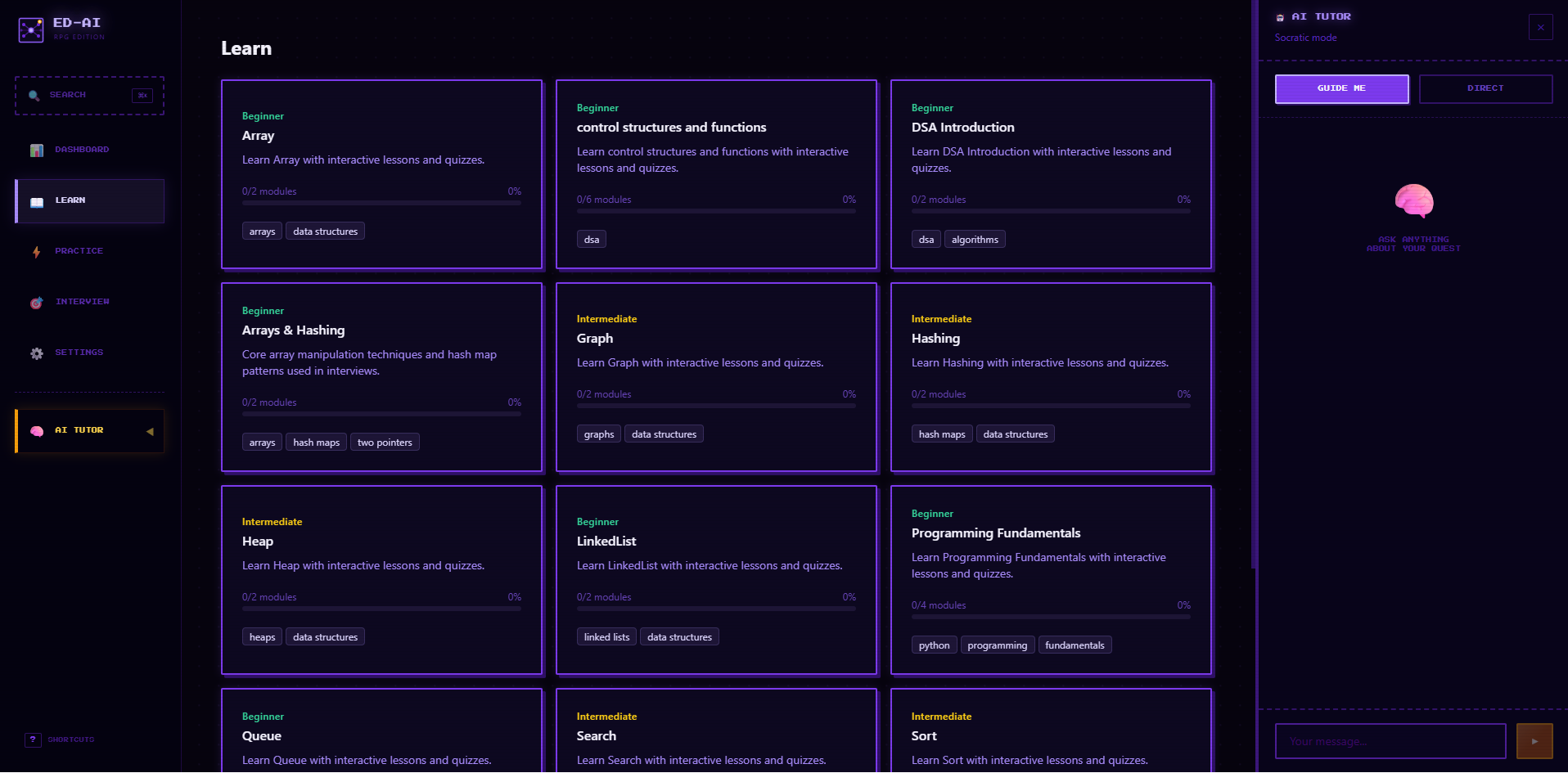 |
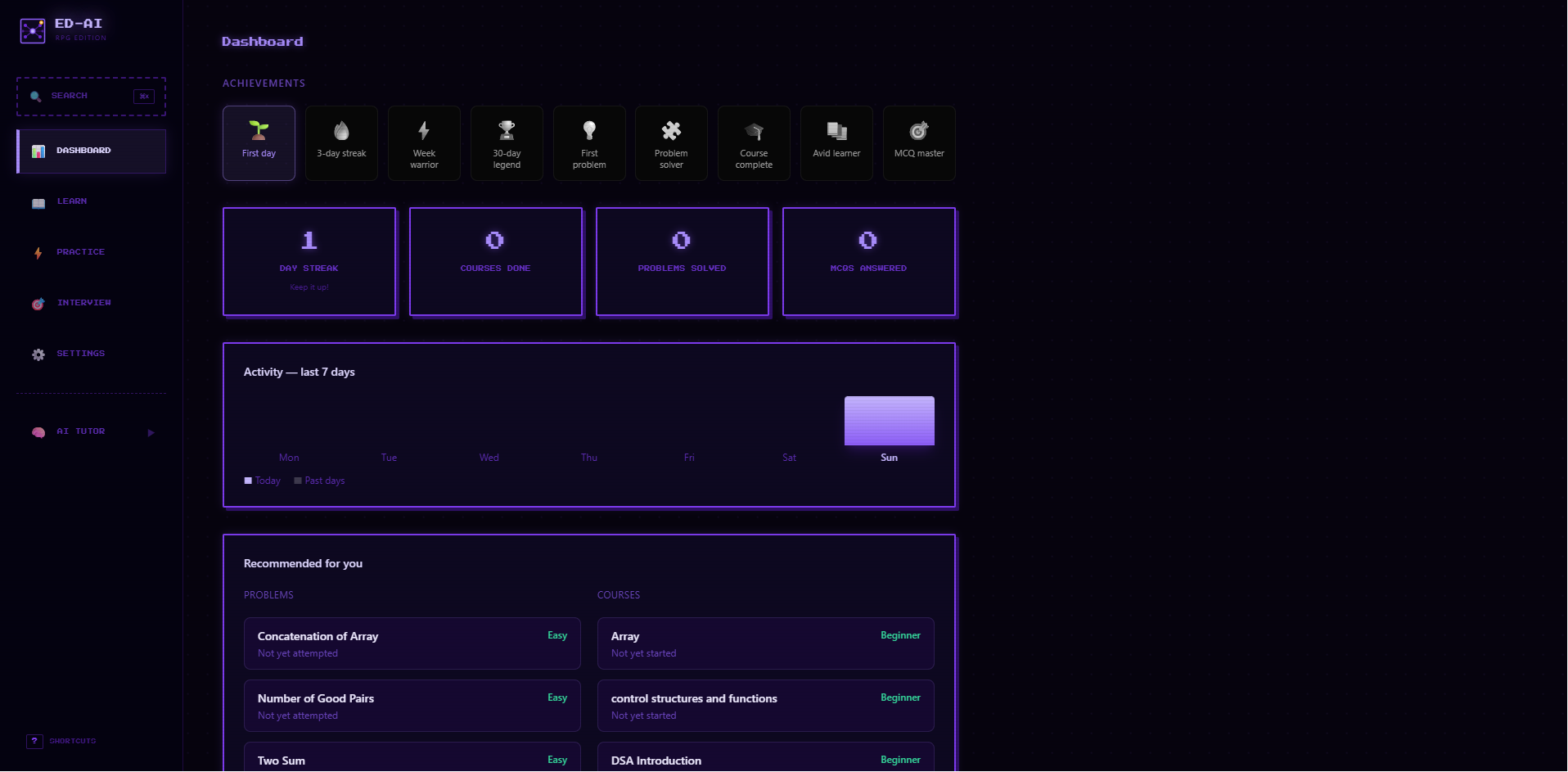
| 📊 Dashboard — Streak tracking, achievement badges, topic accuracy charts, and personalised recommendations | 📖 Learn — Structured courses with progress bars, markdown lessons, and auto-saving notes |
 |
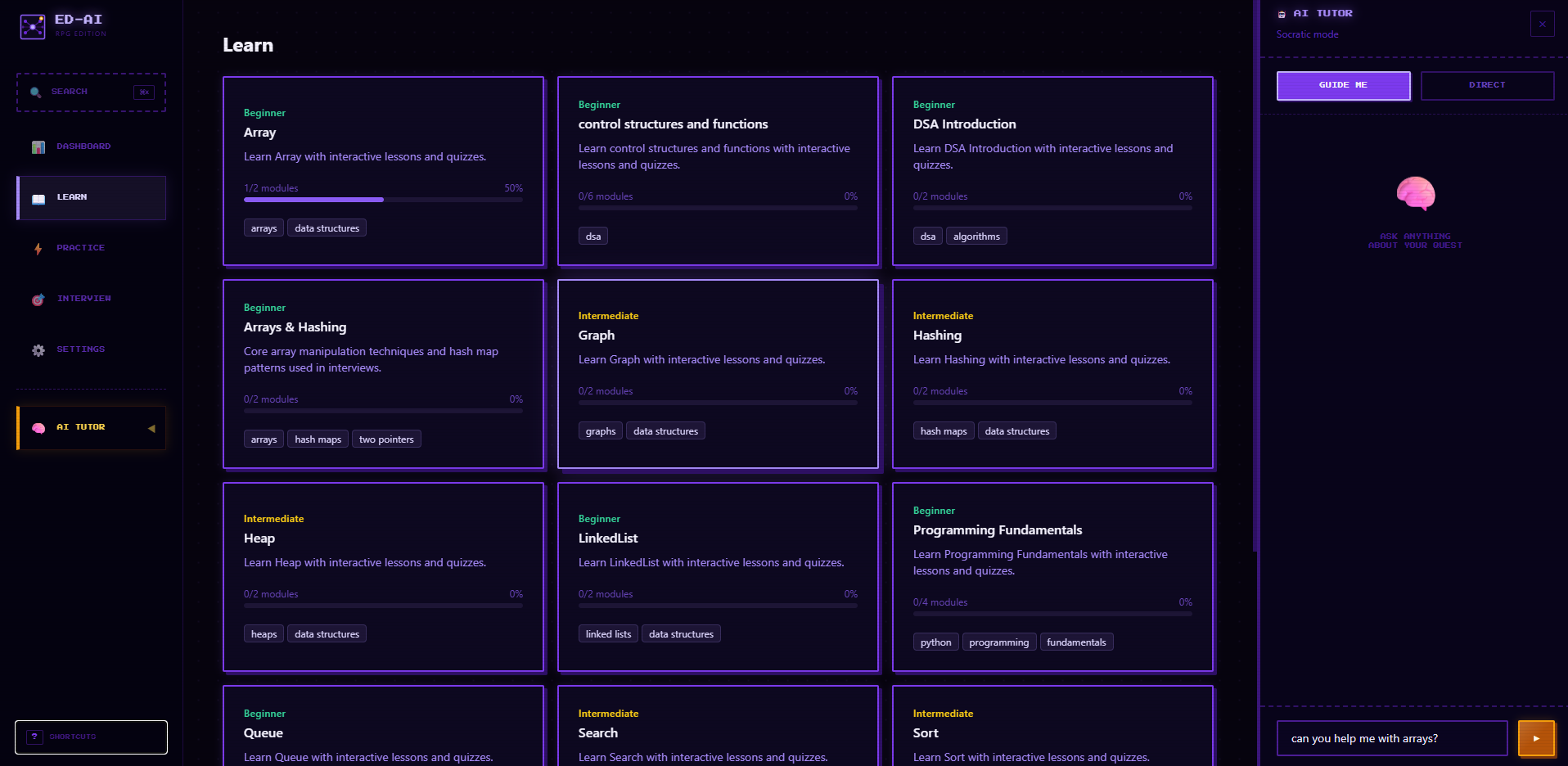 |
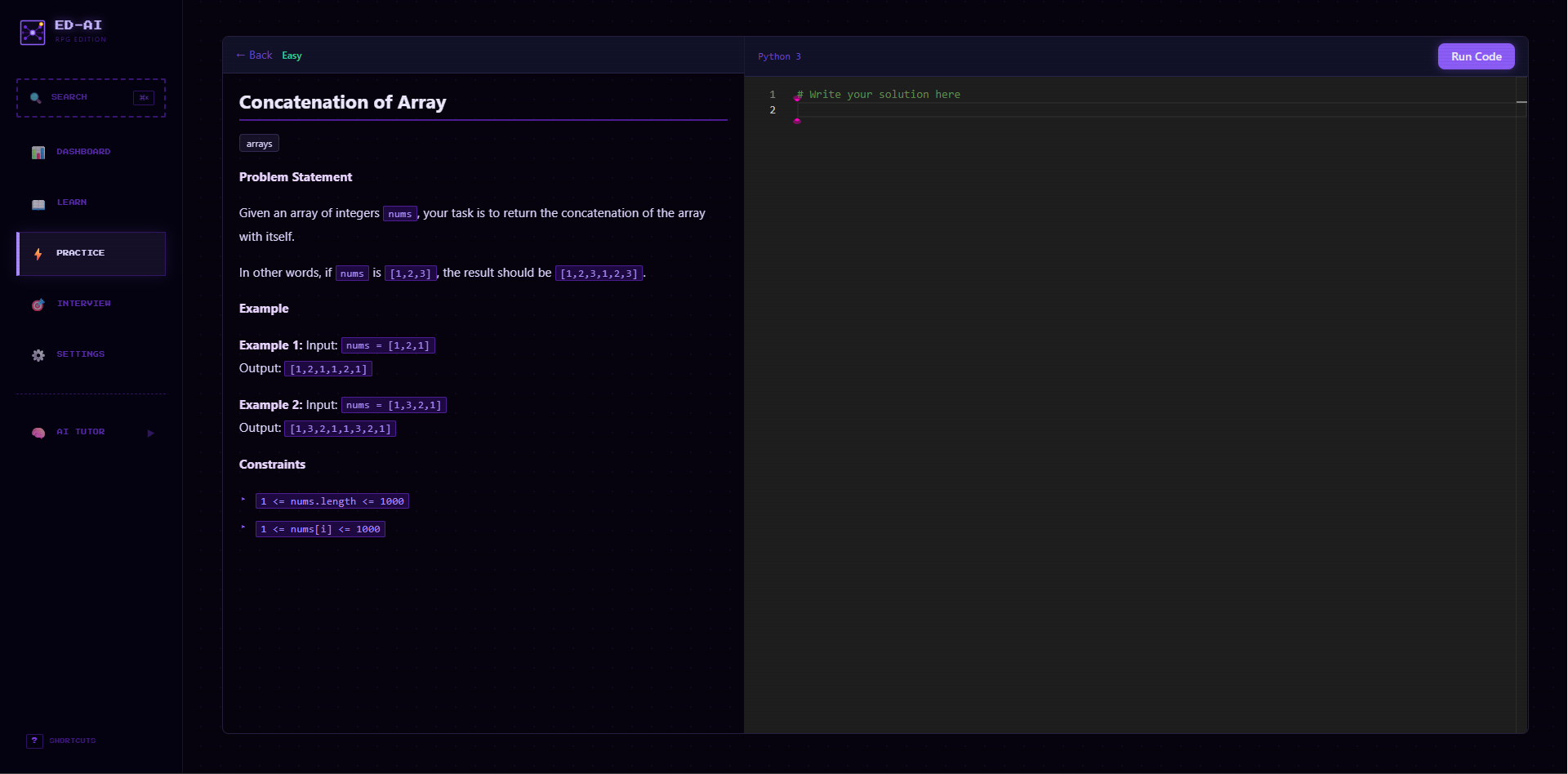
| ⚡ Code Editor — Monaco-powered split-pane editor with sandbox execution and test results | 🧠 AI Tutor — Context-aware Socratic sidebar that knows your code, your progress, and your weak spots |
 |
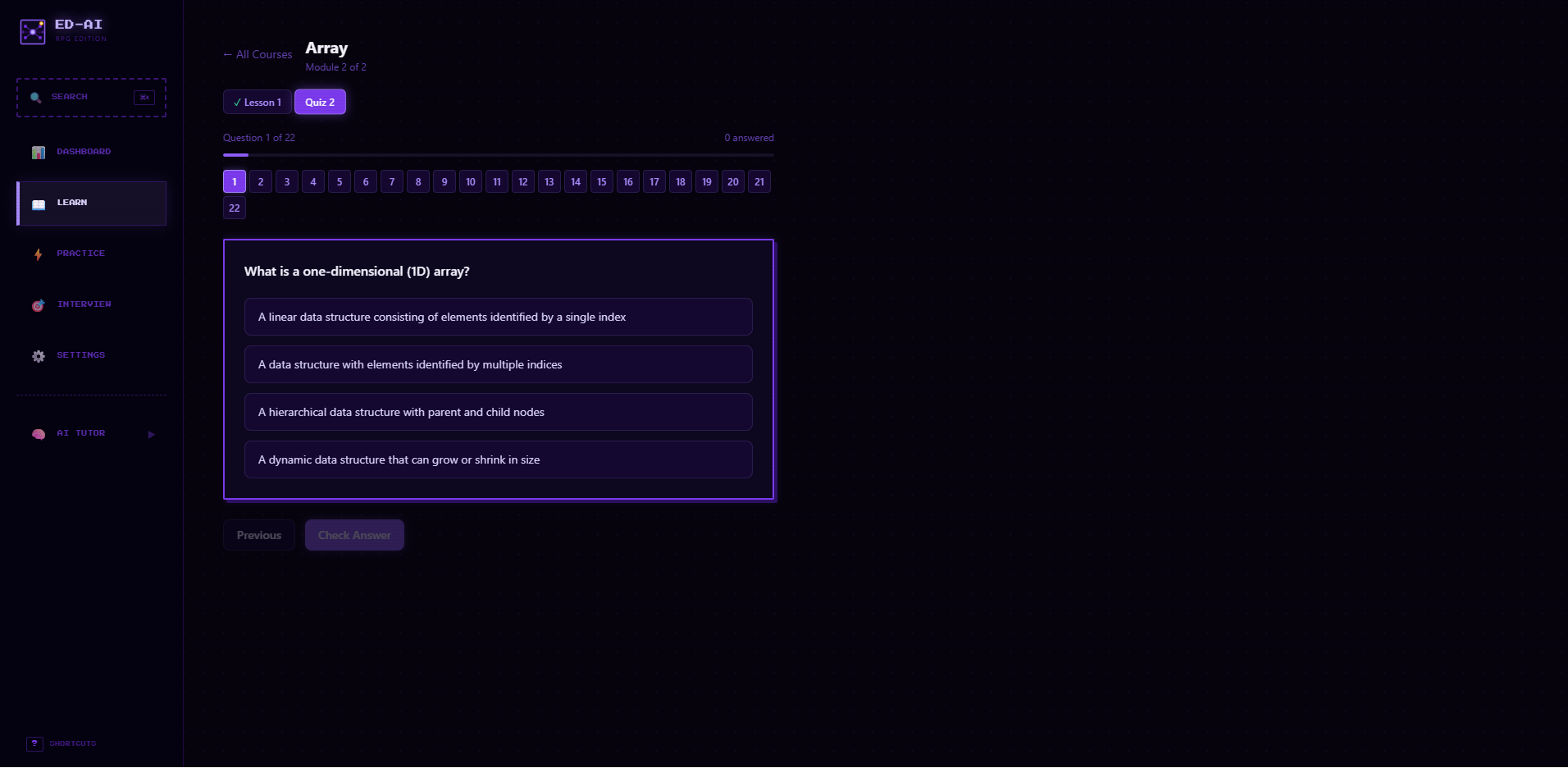 |
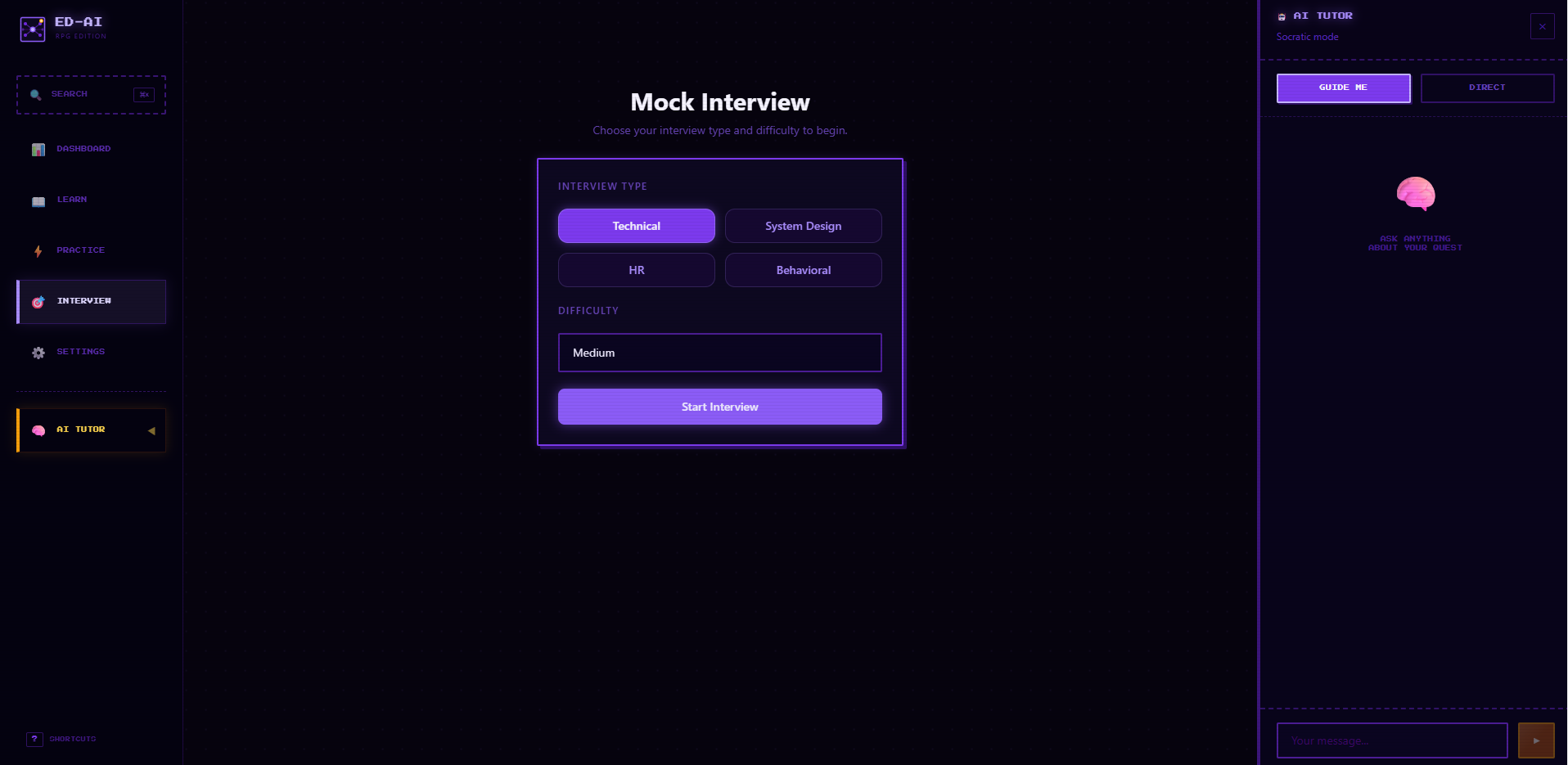
| 🎯 Mock Interview — Streaming AI interviewer with voice input and structured debrief | 📝 MCQ Tests — Topic-based quiz banks with explanations and spaced-repetition scheduling |
|
|
|
|
|
|
|
|
graph TB
    subgraph Frontend["🖥️ Frontend — React 18 + TypeScript + Vite"]
        Learn["📖 Learn"]
        Practice["⚡ Practice"]
        Interview["🎯 Interview"]
        Dashboard["📊 Dashboard"]
        Settings["⚙️ Settings"]

        Learn & Practice & Interview & Dashboard & Settings --> Store["Zustand Store + SSE Parser"]
        Store --> Tutor["🧠 TutorSidebar — Context-Aware AI"]
    end

    Store -- "HTTP + SSE" --> API

    subgraph Backend["⚙️ Backend — FastAPI + Python 3.11+"]
        API["API Router"]
        API --> TutorRoute["/tutor — SSE Stream"]
        API --> CoursesRoute["/courses"]
        API --> PracticeRoute["/practice"]
        API --> InterviewRoute["/interview"]
        API --> ProgressRoute["/progress + /notes + /search"]

        TutorRoute --> RAG["RAG Service — Chroma + Embeddings"]
        PracticeRoute --> Executor["Sandbox Executor — subprocess, 5s timeout"]

        TutorRoute & InterviewRoute --> Gemini["✨ Google Gemini 2.0 Flash"]
        RAG --> Gemini
    end

    subgraph Storage["💾 Storage — No Database Required"]
        JSON["Flat JSON files in data/"]
        Chroma["Chroma vector store"]
    end

    Backend --> Storage
| Layer | Technology |
|---|---|
| Frontend | React 18 · TypeScript · Vite · Tailwind CSS |
| Code Editor | Monaco Editor (VS Code engine) |
| Backend | FastAPI · Python 3.11+ |
| AI | Google Gemini 2.0 Flash (google-genai SDK) |
| RAG | Chroma · Gemini embedding-001 |
| Storage | Flat JSON files in data/ — no database required |
| Tool | Version | Link |
|---|---|---|
| Python | 3.11+ | python.org |
| Node.js | 20+ | nodejs.org |
| Gemini API Key | Free tier works | aistudio.google.com/apikey |
cd Ed-AI# Copy the env template
cp .env.example .env # macOS / Linux
copy .env.example .env # WindowsOpen .env and add your key:
GOOGLE_API_KEY=AIzaSy...your-key-here...# Backend
python -m venv venv
source venv/bin/activate # macOS / Linux
venv\Scripts\activate # Windows
pip install -r backend/requirements.txt
# Frontend
cd frontend
npm install
cd ..Open two terminals:
# Terminal 1 — Backend
cd backend
uvicorn app.main:app --reload --port 8000
# Terminal 2 — Frontend
cd frontend
npm run devOpen http://localhost:5173 and you're in! 🎉
First-time setup: Go to Settings → Re-index to build the RAG index so the AI tutor can reference your course content. The tutor works without it, but responses will be more generic.
Ed-AI/
├── backend/
│   └── app/
│       ├── main.py              # FastAPI entry point, CORS, router registration
│       ├── config.py            # Reads .env, exposes paths
│       ├── routes/
│       │   ├── tutor.py         # POST /tutor/message  (SSE stream)
│       │   ├── courses.py       # GET /courses, progress tracking
│       │   ├── practice.py      # Problems, MCQ, spaced repetition
│       │   ├── interview.py     # Streaming interview + transcription + debrief
│       │   ├── progress.py      # Stats, recommendations, activity
│       │   ├── notes.py         # Per-lesson notes, export
│       │   ├── search.py        # Full-text search across all content
│       │   └── settings.py      # Platform status, reindex, data resets
│       └── services/
│           ├── tutor.py         # Prompt assembly, RAG retrieval, streaming
│           ├── rag.py           # Chroma store + Gemini embeddings wrapper
│           └── executor.py      # Sandboxed Python code runner
│
├── frontend/
│   └── src/
│       ├── pages/               # LearnPage, PracticePage, InterviewPage, etc.
│       ├── components/          # TutorSidebar, CodeEditor, MCQQuiz, SearchModal, etc.
│       ├── sounds.ts            # Web Audio API sound effects (no files needed)
│       ├── store.ts             # Zustand — tutor context + mode
│       └── api.ts               # fetch helpers, SSE parser
│
├── content/
│   ├── courses/                 # 14 courses (markdown lessons + MCQ JSON)
│   ├── mcq/                     # 11 standalone MCQ test banks
│   └── problems/                # Coding problem definitions
│       └── problems.json
│
├── data/                        # Auto-created at runtime (gitignored)
│   ├── progress.json            # Learning progress
│   ├── notes.json               # Lesson notes
│   ├── sr.json                  # Spaced repetition cards
│   ├── interview_history.json   # Interview sessions
│   └── chroma/                  # RAG vector store
│
├── .env.example                 # Template — safe to commit
└── backend/requirements.txt
Every tutor request assembles a three-part context package before calling Gemini:
┌──────────────────────────────────────────────────────────┐
│  1. CURRENT TASK                                         │
│     Page, course, lesson, problem title + description,   │
│     user's current code, failed test cases, active MCQ   │
├──────────────────────────────────────────────────────────┤
│  2. LEARNER PROFILE                                      │
│     Topic accuracy scores, weak topics (< 60%),          │
│     strong topics (≥ 80%), completed courses & problems   │
├──────────────────────────────────────────────────────────┤
│  3. RAG CHUNKS                                           │
│     Top 4 relevant passages retrieved from Chroma        │
│     (built from your course markdown files)              │
└──────────────────────────────────────────────────────────┘
| Mode | Behaviour |
|---|---|
| 🎓 Guide Me (Socratic) | Responds with exactly one targeted question per turn, nudging you toward the answer without giving it away |
| 💡 Direct | Answers clearly and concisely, still using full context so responses reference your specific code or problem |
| Shortcut | Action |
|---|---|
⌘K / Ctrl+K |
Open command palette search |
⌘\ / Ctrl+\ |
Toggle AI tutor sidebar |
? |
Open keyboard shortcuts panel |
Esc |
Close any open modal |
G then D |
Go to Dashboard |
G then L |
Go to Learn |
G then P |
Go to Practice |
G then I |
Go to Interview |
G then S |
Go to Settings |
Gshortcuts do not trigger inside text inputs or textareas.
📡 API Reference
Interactive docs available at http://localhost:8000/docs while the backend is running.
| Method | Route | Description |
|---|---|---|
POST |
/tutor/message |
Streaming SSE tutor response |
GET |
/courses |
List all courses with module counts |
GET |
/courses/{id} |
Full course content |
POST |
/courses/{id}/progress |
Mark a module complete |
GET |
/practice/problems |
List coding problems |
GET |
/practice/problems/{id} |
Single problem with test cases |
POST |
/practice/submit |
Run code in sandbox |
GET |
/practice/mcq |
List MCQ test banks |
GET |
/practice/mcq/review |
SM-2 review queue for today |
POST |
/practice/mcq/result |
Record answer, update SR card |
POST |
/interview/message |
Streaming interview turn |
POST |
/interview/transcribe |
Audio blob → transcript |
POST |
/interview/debrief |
Generate structured debrief |
POST |
/interview/reset |
Clear interview session |
GET |
/progress/stats |
Streak, 7-day chart, topic summary |
GET |
/progress/recommendations |
Personalised problems + courses |
GET |
/notes/{course}/{module} |
Get a lesson note |
POST |
/notes/{course}/{module} |
Save a lesson note |
GET |
/notes/export |
All notes as Markdown |
GET |
/search?q=... |
Search all content |
GET |
/settings/status |
Platform status |
POST |
/settings/reindex |
Trigger RAG re-indexing |
POST |
/settings/reset/{type} |
Reset data (progress / interview / spaced-repetition / notes / all) |
📚 Adding Your Own Content
-
Create a folder in
content/courses/(e.g.,content/courses/my-course/). -
Add a
meta.json:
{
  "title": "My Course",
  "description": "A short description shown on the course card.",
  "difficulty": "beginner",
  "topics": ["arrays", "loops"]
}
Valid difficulty values:
beginner,intermediate,advanced
- Add lesson files (
.md) and quiz files (.json, excludingmeta.json). Use numeric prefixes to control order:
01-introduction.md
02-arrays-in-depth.md
03-quiz.json
- Quiz JSON format:
{
  "questions": [
    {
      "id": "unique-id-001",
      "topic": "arrays",
      "question": "What is the time complexity of array access by index?",
      "options": ["O(1)", "O(log n)", "O(n)", "O(n²)"],
      "answer": "O(1)",
      "explanation": "Arrays store elements contiguously — the address is computed directly from the index.",
      "incorrect_explanations": {
        "O(log n)": "That is binary search, not random access.",
        "O(n)": "That would require scanning the whole array.",
        "O(n²)": "No array operation is this slow."
      }
    }
  ]
}- Go to Settings → Re-index so the AI tutor picks up the new content.
Create a JSON file in content/mcq/ (e.g., content/mcq/my-topic.json):
{
  "id": "my-topic",
  "title": "My Topic Quiz",
  "topic": "my-topic",
  "questions": [
    {
      "id": "mt-001",
      "topic": "my-topic",
      "question": "Question text here?",
      "options": ["A", "B", "C", "D"],
      "answer": "A",
      "explanation": "Because..."
    }
  ]
}Append an entry to content/problems/problems.json:
{
  "id": "two-sum",
  "title": "Two Sum",
  "difficulty": "easy",
  "topics": ["arrays", "hashing"],
  "description": "Given an array of integers `nums` and an integer `target`, return indices of the two numbers that add up to `target`.\n\n**Example:**\n\nInput: `nums = [2,7,11,15], target = 9`\nOutput: `[0,1]`",
  "starter_code": "def two_sum(nums, target):\n    # Write your solution here\n    pass\n",
  "test_cases": [
    { "id": 1, "input": "2 7 11 15\n9",  "expected": "[0, 1]" },
    { "id": 2, "input": "3 2 4\n6",      "expected": "[1, 2]" },
    { "id": 3, "input": "3 3\n6",        "expected": "[0, 1]" }
  ]
}
Valid difficulty values:
easy,medium,hard.Test case format:
inputis fed via stdin. Your script reads fromsys.stdinand prints the result.expectedmust exactly match the printed output (whitespace-stripped).
⚙️ Settings & Data Management
Navigate to Settings in the left sidebar.
Platform Status — shows current AI model, RAG index state, and content counts.
Content & RAG:
- Re-index — rebuilds embeddings for all course content. Run after adding new courses.
- Export all notes — downloads every lesson note as
my-notes.md.
Tutor Preference — set your default tutor mode (Socratic or Direct).
Data Management — each reset requires a confirmation click:
| Action | What it clears |
|---|---|
| Reset learning progress | Topic scores, completed courses & problems, activity history |
| Clear interview history | Saved interview conversation |
| Reset spaced repetition | All SM-2 review cards |
| Delete all notes | Every lesson note |
| Reset everything | All of the above at once |
🔧 Troubleshooting: Common issues and solutions
| Problem | Solution |
|---|---|
Backend won't start — ModuleNotFoundError |
Ensure your virtual environment is activated and run pip install -r backend/requirements.txt |
GOOGLE_API_KEY not found |
Check that .env exists in the project root (not backend/) with GOOGLE_API_KEY=... — no extra spaces or quotes |
| 429 / RESOURCE_EXHAUSTED | Gemini free-tier rate limit hit. Wait a minute. The tutor shows a warning card instead of crashing |
| Tutor gives generic answers | RAG index not built. Go to Settings → Re-index |
| Code submissions time out | Sandbox kills after 5 seconds. Check for infinite loops — optimisation is the exercise |
| Audio transcription fails | Grant microphone access in browser. Verify API key and remaining quota |
| Blank page / Network Error | Ensure backend runs on port 8000 before opening frontend. Both servers must be running |
| Course not found after adding content | Verify meta.json exists in the course folder. Run Settings → Re-index |
| Errors on first request after fresh clone | data/ exists via .gitkeep. JSON files are auto-created on first use. Check write permissions |
Consider supporting by:


Distributed under the Apache-2.0 License. See LICENSE for more information.