
A production-ready, zero-cost AI surveillance platform with real-time face recognition, live RTSP stream processing, and multi-channel alert dispatch.



- Features
- Tech Stack
- Architecture
- Prerequisites
- Quick Start
- API Reference
- Alert Channels Setup
- Troubleshooting
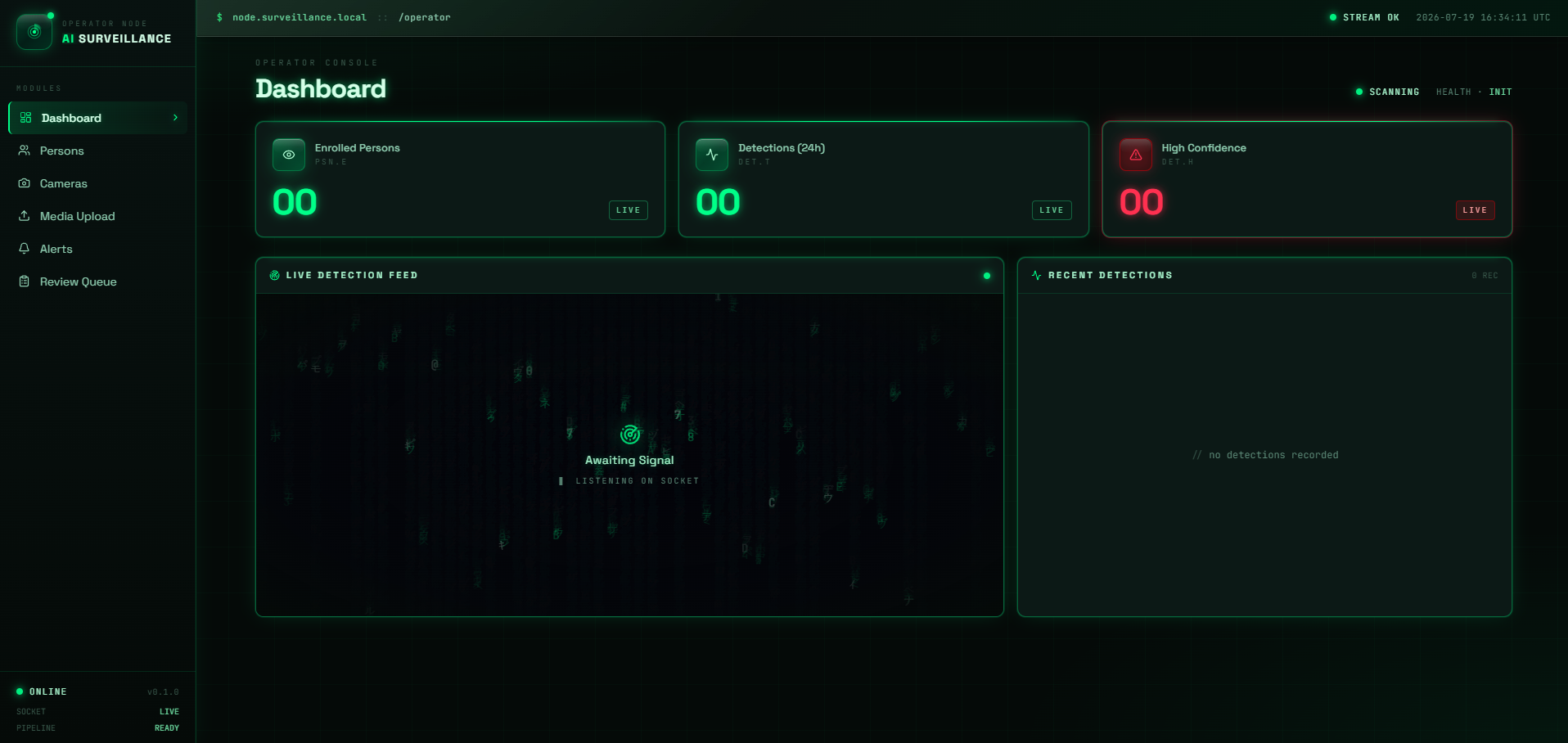
- Intelligent Enrollment: Enroll suspects, victims, or accused persons with a face photo.
- High Accuracy: Add multiple images per person — embeddings are averaged for superior accuracy.
- Instant Search: Quick image search to identify a person from any uploaded photo.
- Universal Support: Register RTSP cameras, IP cameras, or webcams (source
0). - Granular Control: Start/stop streams from the UI — each stream runs as an isolated Celery task.
- Custom Configuration: Per-camera settings for match threshold, frame skip, and GPS coordinates.
- Targeted Alerts: Per-camera police station alert routing via Webhook, Telegram, and ntfy.
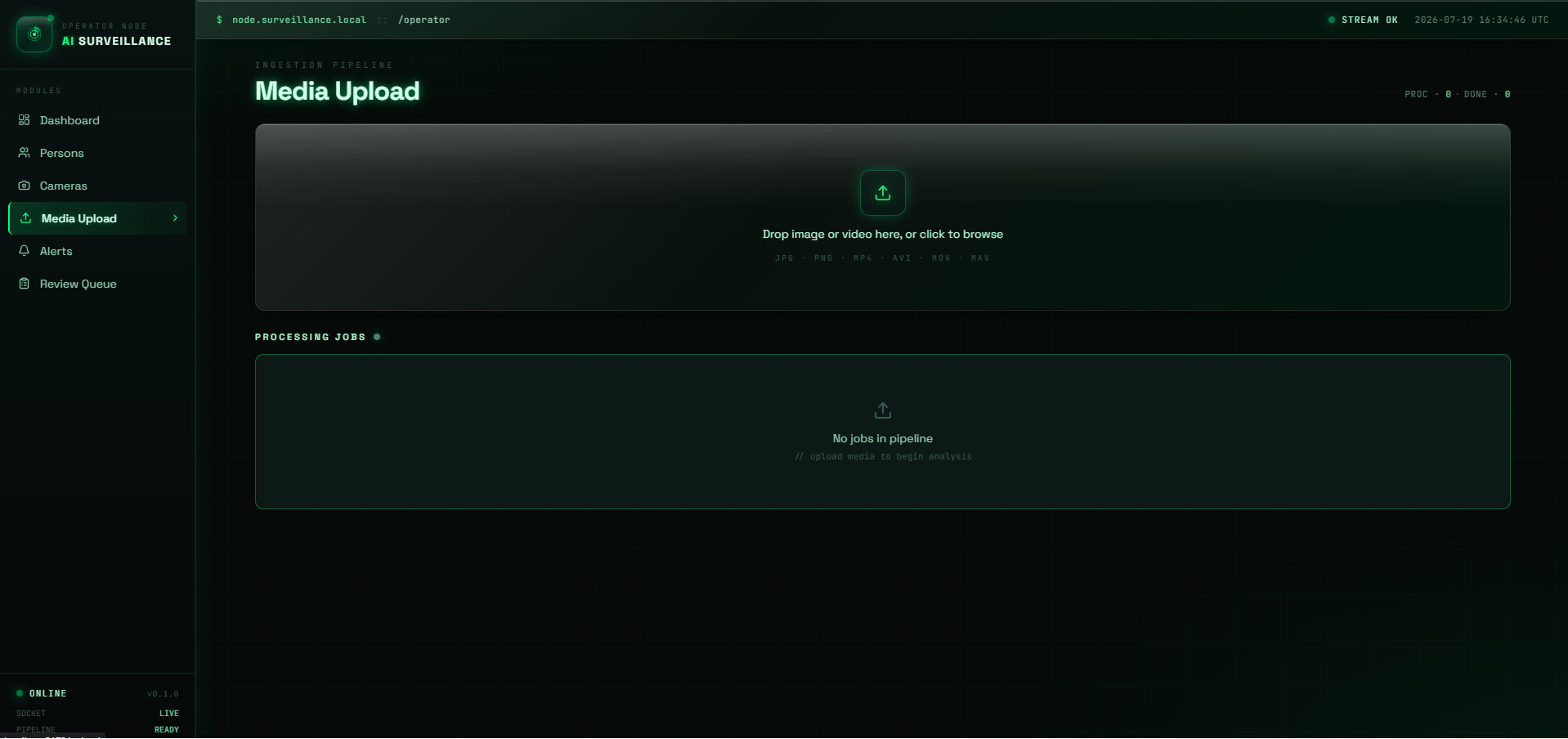
- Offline Processing: Upload images or videos for offline face matching.
- Background Jobs: Video jobs run in the background with granular per-frame progress tracking.
| Confidence Score | Threat Level | Automated Action |
|---|---|---|
| ≥ 0.60 | 🔴 HIGH | Auto-alert dispatched to all configured channels |
| 0.45–0.59 | 🟡 REVIEW | Saved to Review Queue for operator confirmation |
| < 0.45 | ⚪ LOW | Not recorded |
- Multi-Channel: Per-person & Per-camera routing to Telegram, Email, ntfy.sh, and Webhooks.
- Smart Throttling: 60-second cooldown per person per camera to prevent alert spam.
| Layer | Technology |
|---|---|
| Face Recognition | InsightFace buffalo_l — ArcFace R100 (99.77% LFW) |
| Face Detection | RetinaFace (bundled in InsightFace) |
| Multi-object Tracking | DeepSORT (deep-sort-realtime) |
| Backend API | FastAPI + python-socketio (single ASGI process) |
| Task Queue | Celery + Redis |
| Database | MongoDB 7 — Motor (async) + pymongo (sync) |
| Frontend | React 18 + TypeScript + Vite + Tailwind CSS |
| Real-time Events | Socket.IO over Redis Pub/Sub |
| Alert Channels | Telegram Bot API, Gmail SMTP, ntfy.sh, HTTP Webhooks |
graph TD
    Browser[Browser / React App]
    FastAPI[FastAPI Backend]
    Celery[Celery Workers]
    Redis[Redis Pub/Sub & Broker]
    Mongo[(MongoDB)]
    InsightFace[InsightFace + DeepSORT]

    Browser -- REST /api/* --> FastAPI
    Browser <--> |WebSocket /socket.io| FastAPI
    FastAPI <--> Redis
    Celery <--> Redis
    Celery --> InsightFace
    FastAPI --> Mongo
    Celery --> Mongo
Key Design Decisions:
socketio.ASGIAppwraps FastAPI — single process, single port 8000.- Workers publish detection events to Redis channel
"detections"; a FastAPI background coroutine subscribes and re-emits via Socket.IO to all browser clients. - All enrolled embeddings are loaded into a
(N, 512)numpy matrix at startup — matching is onematmulcall, O(1) regardless of enrolled persons count. - DeepSORT tracks identities across frames and averages embeddings over a 5-frame buffer — reduces false positives from motion blur and partial occlusion.
- Docker Desktop (provides Redis & optionally MongoDB)
- Python 3.10+
- Node.js 18+
⚠️ Windows users: If you have a native MongoDB service installed, please read the MongoDB setup section before proceeding.
cd AI-Enhanced-Surveillance
cp backend/.env.example backend/.env
Edit backend/.env with your desired configuration (Alert channels are optional).
docker compose up -dcd backend
python -m venv .venv
# Windows:
.venv\Scripts\activate
# macOS/Linux:
source .venv/bin/activate
pip install -r requirements.txt
uvicorn app.main:app --reload --host 0.0.0.0 --port 8000💡 Note: The first run downloads the InsightFace
buffalo_lmodel (~180 MB). 🪟 Windows users need Visual C++ Build Tools installed for InsightFace.
cd backend
.venv\Scripts\activate   # or source .venv/bin/activate

# Windows (must use threads pool):
celery -A app.tasks.celery_app worker --loglevel=info --pool=threads --concurrency=4

# macOS/Linux:
celery -A app.tasks.celery_app worker --loglevel=infocd frontend
npm install
npm run devOpen http://localhost:5173 in your browser! 🎉
Access interactive Swagger docs at: http://localhost:8000/docs
Click to expand basic API routes
| Method | Path | Description |
|---|---|---|
| GET | /health |
System health + enrolled person count |
| GET | /api/persons |
List enrolled persons |
| POST | /api/persons |
Enroll person |
| POST | /api/cameras |
Register camera |
| POST | /api/cameras/{id}/start |
Start stream worker |
| POST | /api/media/upload |
Upload media for analysis |
| GET | /api/detections |
Detections history |
- Message @BotFather →
/newbot→ copy the token. - Start a DM with the bot, then fetch the chat ID:
https://api.telegram.org/bot<TOKEN>/getUpdates. - Set
TELEGRAM_BOT_TOKENin.env.
- Enable 2-Step Verification on your Google account.
- Go to Security → App Passwords and create one for "Mail".
- Use the 16-character app password as
SMTP_PASS.
- No account needed — pick any unique topic name.
- Subscribe at
https://ntfy.sh/<your-topic>or via the mobile app. - Enter the topic name per-person or per-camera in the UI.
| Variable | Default | Description |
|---|---|---|
MONGO_URI |
mongodb://localhost:27017/ |
MongoDB connection string |
MONGO_DB_NAME |
AI_Enhanced_Service |
Database name (case-sensitive) |
REDIS_URL |
redis://localhost:6379/0 |
Redis connection string |
UPLOADS_DIR |
uploads |
Directory for face crop snapshots |
TELEGRAM_BOT_TOKEN |
— | From @BotFather |
SMTP_HOST |
smtp.gmail.com |
SMTP server |
NTFY_BASE_URL |
https://ntfy.sh |
ntfy server URL |
DatabaseDifferCase error on startup
A database with a different case (AI_Enhanced_service) already exists. Drop it:
python -c "from pymongo import MongoClient; MongoClient().drop_database('AI_Enhanced_service')"Celery not processing tasks on Windows
Must use `--pool=threads`. The default prefork pool requires fork() which is unavailable on Windows.InsightFace install fails
Install Visual C++ Build Tools first: Visual StudioPort 27017 conflict / Native MongoDB on Windows
Windows often ships with a native MongoDB service that conflicts with the Docker container. Check with:Get-Service -Name "*mongo*"
Either stop it in Admin PowerShell:
Stop-Service MongoDB
Or stop the Docker Mongo and use the native one:
docker compose stop mongo
Consider supporting by:


Distributed under the Apache-2.0 License. See LICENSE for more information.