

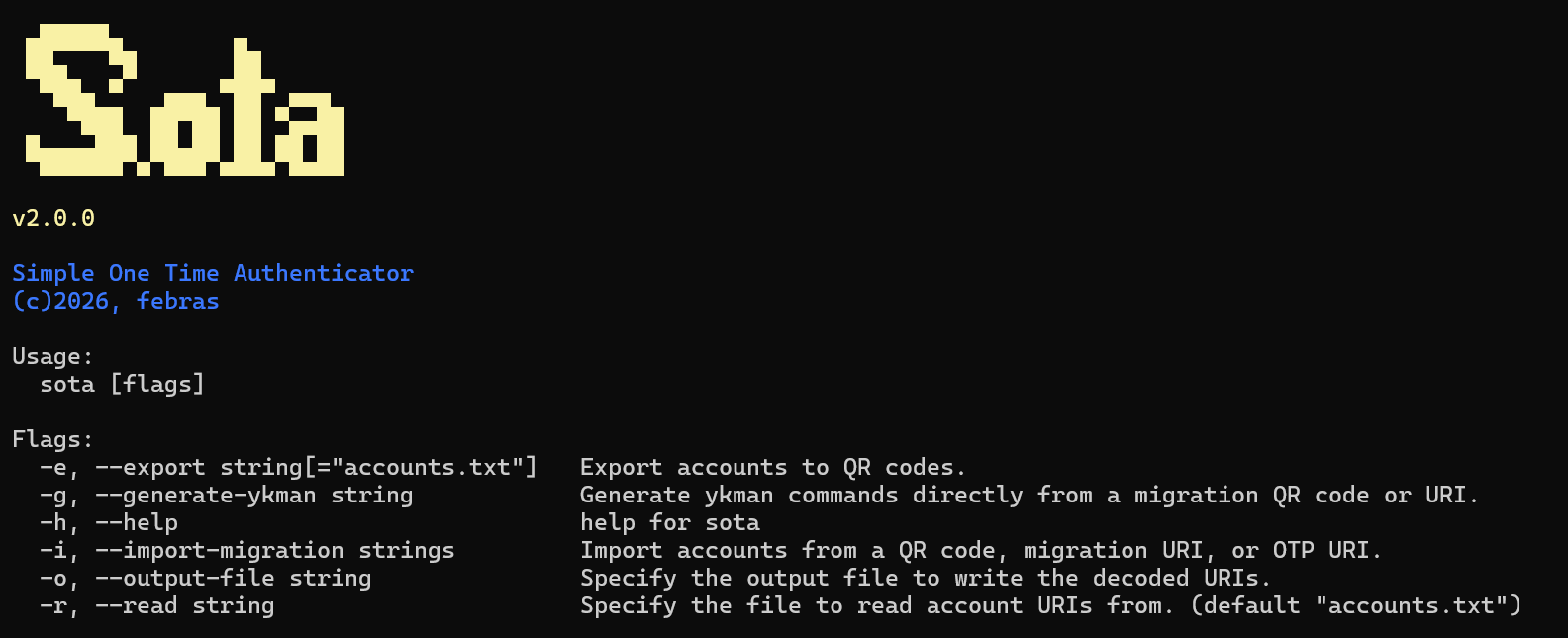
Sota is a high-performance command-line utility built in Go for managing and decoding multi-account migration QR codes.
It is built using Go for fast execution, but it relies on a Python script under the hood to actually scan the QR code. We use this hybrid approach because standard Go libraries often struggle to read highly dense QR codes, while Python's pyzbar library can read them perfectly.
- Hybrid Engine: Uses Go for the main application and CLI speed, while delegating the heavy lifting of image scanning to Python.
- High Accuracy: Easily scans and decodes very dense migration QR codes that usually cause errors in standard scanner tools.
- Direct Export: Automatically extracts the
otpauth-migration://URIs and saves them directly to a text file for easy backup. - Cross Platform: Works on Windows, macOS, and Linux as long as Python is installed.
Before using Sota, you need to have the following installed on your computer:
- Go: To build the application.
- Python 3: To run the background scanning script.
You also need to install two Python libraries. Choose the installation method based on your Operating System:
Installing dependencies directly via your Linux package manager ensures that all underlying C-libraries (like libzbar) are properly configured and avoids system-managed environment restrictions:
- Debian / Ubuntu / Kali Linux:
sudo apt update && sudo apt install -y python3-pyzbar python3-pillow- Arch:
sudo pacman -S python-pyzbar python-pillow- Fedora / RHEL:
sudo dnf install python3-pyzbar python3-pillowIf you prefer using pip (or are using a Python virtual environment):
Install Python libraries:
pip install pyzbar pillowRequired for PIP users on Linux: You must manually install the ZBar C-library shared package for pyzbar to function:
- Debian/Ubuntu/Kali:
sudo apt install libzbar0- Arch Linux:
sudo pacman -S zbarYou don't need to build from source! Download the latest ready-to-use binary for your OS from the Releases page:
- Go to Sota Releases.
- Download the appropriate binary for your system (Windows, macOS, or Linux).
- Place the executable in your working directory.
First, clone the repository:
git clone https://github.com/febras/sota.git
cd sota
If you prefer to compile the application yourself:
Using Make (Recommended) You can use the provided Makefile to quickly build or clean the project:
Build binary for your current OS:
make build(Output will be saved in the build directory).
Build binaries for all platforms (Linux, macOS Intel/Apple Silicon, Windows):
make release-allClean built files:
make cleanWithout Make (Manual Go Build) If make is not available on your environment, compile directly using Go:
go build -o bin/sota .Run the compiled application by pointing it to your QR code image and specifying the desired output file for the extracted URIs:
./sota -i qrcode.jpeg -o accounts.txt(On Windows, use .\build\sota-windows-amd64.exe -i qrcode.jpeg -o accounts.txt or point directly to the downloaded executable).
If the extraction is successful, your URIs will be cleanly formatted and saved inside accounts.txt.
Sota includes several arguments for control and flexibility during execution.
| Argumen | Description |
|---|---|
--import-migration <path_to_image> |
Scans a Google Authenticator migration QR code and adds all URIs to accounts.txt. |
--output-file <filename.txt> |
Use with --import-migration to save the imported URIs to a custom file. |
--generate-ykman <path_to_image> |
Converts URIs from a QR code into ready-to-run ykman commands for YubiKey. |
--export <filename.txt> |
Generates individual QR code images for each account in the specified file (defaults to accounts.txt). |
--read <filename.txt> |
Loads accounts from a custom file instead of accounts.txt. |
--help |
Displays a brief description of the program and all available arguments. |
You can use Sota's migration parser as a standalone library in your Go projects:
go get github.com/febras/sota/otpExample usage:
package main

import (
	"fmt"
	"log"

	"github.com/febras/sota/otp"
)

func main() {
	uri := "otpauth-migration://offline?data=..."

	results, err := otp.ParseMigrationURI(uri)
	if err != nil {
		log.Fatalf("Error parsing migration URI: %v", err)
	}

	for _, account := range results {
		fmt.Println(account)
	}
}Contributions are welcome. If you are interested in improving the codebase, adding new features, or fixing bugs, please feel free to open an issue or submit a pull request on the GitHub repository.
This project is open-source and distributed under the Apache-2.0.
See the LICENSE file for more details.