An opencode plugin with persistent memory, multi-agent dispatch, LSP integration, and engineering-team workflows.



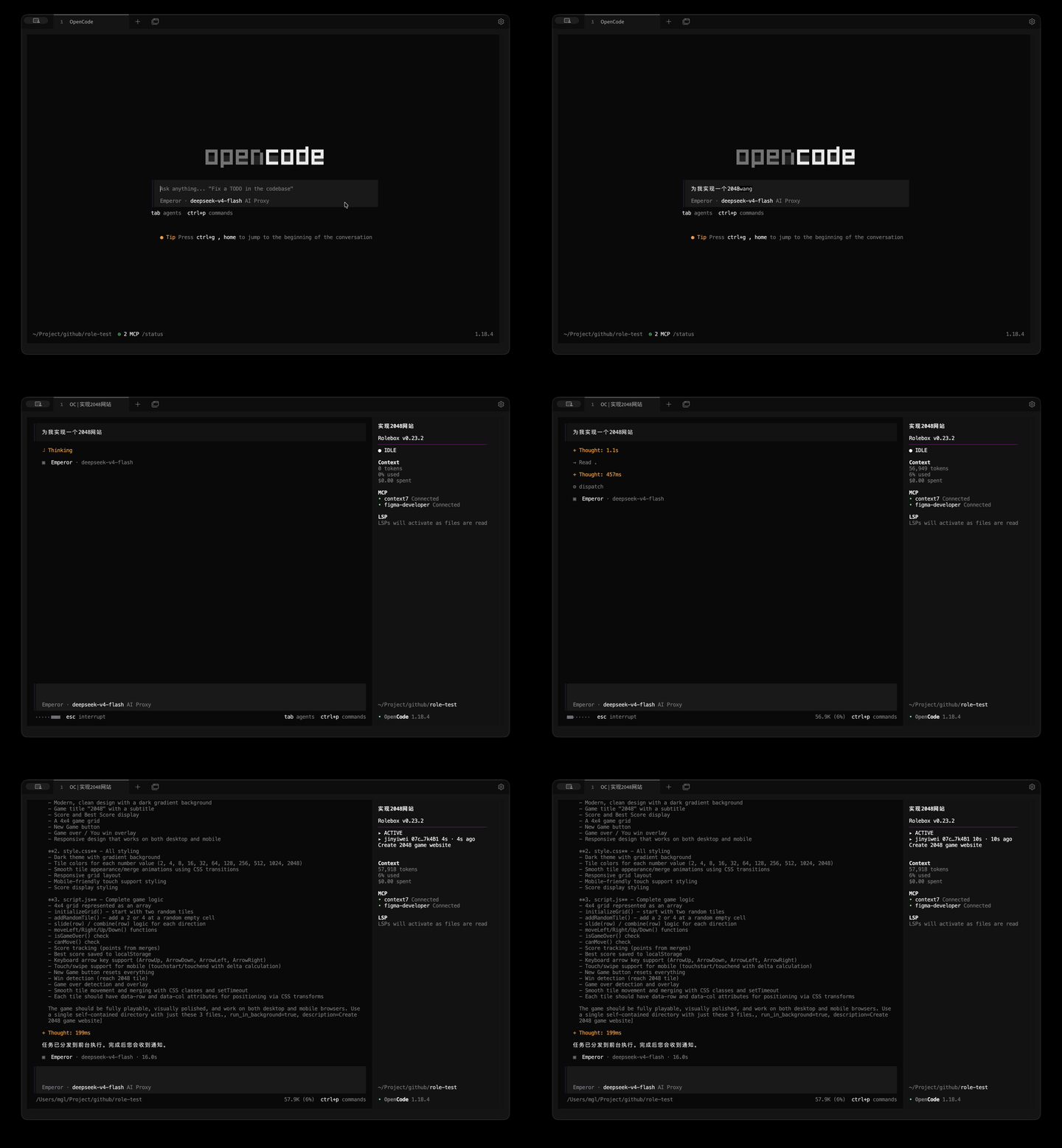
The Emperor orchestrator plans, dispatches to specialists, and validates the result — no code written by the orchestrator itself.
cd ~/.config/opencode && npm install roleboxAdd to opencode.jsonc:
Create your first role:
rolebox init my-agent -yA ready-to-use role directory is created in ~/.config/opencode/rolebox/my-agent/. Restart opencode and pick the agent from your agent list.
To install the Emperor orchestrator:
rolebox install emperor- Persistent memory — SQLite + FTS5 stores decisions, conventions, and lessons across sessions. Workspace-scoped or role-private. Relevant memories auto-inject at session start via
<available_memory>. - Multi-agent dispatch — define specialist roles in YAML and dispatch them in parallel with concurrency control and budget tracking. The Emperor orchestrator handles planning, delegation, validation, and revision across a team of sub-agents — without writing code.
- LSP integration and hashline editing — 30+ language server tools (go-to-definition, diagnostics, references, rename, completions) available inside your assistant. Content-hash-anchored editing replaces fragile line numbers so edits survive concurrent file changes.
Run the same task across fresh sessions and iterate automatically — useful for refinement passes, batch fixes, and self-correcting workflows.
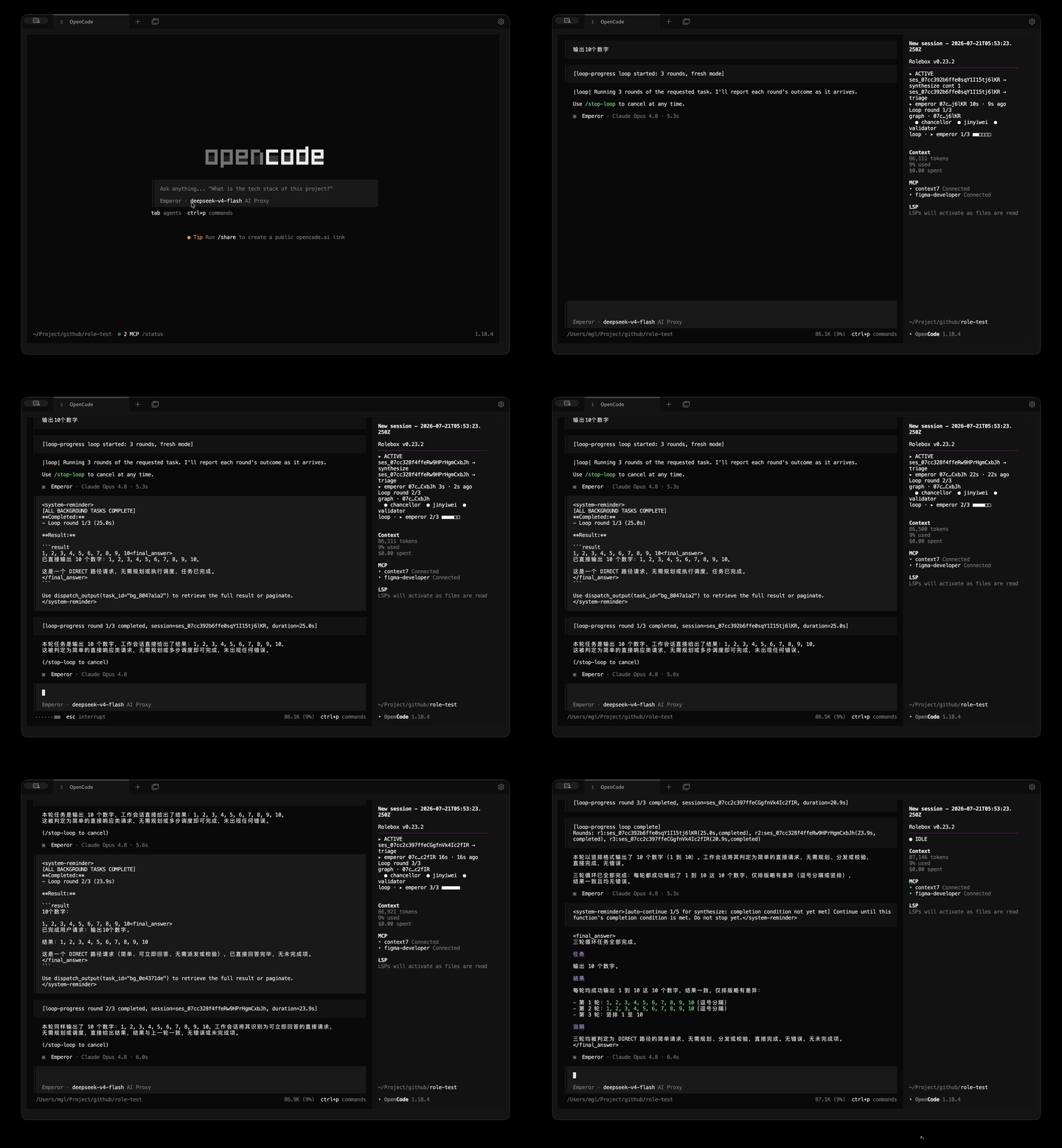
- Dispatch system — parallel background execution with concurrency control, budget tracking, task retry, and dependency graphs. See docs/dispatch-config.md.
- Desktop notifications — native OS notifications with idle detection, quiet hours, event filtering, and smart throttling. See docs/hooks.md.
- Session management — 10 tools for searching, exporting, forking, diffing, and inspecting session history. See docs/session-tools-strategy.md.
- Function state machine — functions have active, gated, and dormant phases with evidence observation and artifact tracking. See docs/functions.md.
- Context assembly — cross-domain search across memory, assets, tasks, and sessions with token-bounded result blocks.
- Asset management — hot-reload roles, skills, and references at runtime; asset search, inspection, validation, and composition analysis.
| Capability | Raw opencode | + rolebox |
|---|---|---|
| Persistent memory | ❌ Sessions start blank | ✅ SQLite + FTS5, auto-inject past decisions |
| Multi-agent teams | ❌ Single agent | ✅ YAML-defined specialists, parallel dispatch |
| LSP integration | ❌ No language server access | ✅ 30+ tools (go-to-def, references, rename, diagnostics…) |
| Hashline editing | ❌ Line-number based | ✅ Content-hash anchored — edits never drift |
| Background dispatch | ❌ Sequential | ✅ Real concurrency with budget tracking |
| Hot-reload assets | ❌ Restart required | ✅ Edit YAML, reload instantly |
| Command | Description |
|---|---|
rolebox init <name> |
Scaffold a new role directory |
rolebox install <name> |
Install a role from the registry |
rolebox status |
List all installed roles and their status |
rolebox info <name> |
Detailed role inspection |
rolebox sync |
Sync installed roles with registry |
rolebox monitor |
Live dispatch metrics dashboard (TUI) |
rolebox memory search <query> |
Full-text search across persistent memory |
rolebox --version |
Show version |
Pre-built roles available from the oh-my-role registry:
| Role | What it does |
|---|---|
| emperor | Top-level orchestrator — plans, delegates, validates complex work across a specialist team |
| software-architect | System design, trade-off analysis, ADRs, C4 models, and architecture reviews |
| react-frontend | React/Next.js component design, state management, and frontend architecture |
| ai-designer | AI application design with humane UX gates, interaction modeling, and design system creation |
| tauri | Desktop app development with Tauri v2 — IPC, plugins, window management, system tray |
| dart-flutter | Cross-platform mobile and desktop Flutter development with full gate review pipeline |
Install any role with rolebox install <name> and restart opencode.
Roles published on the oh-my-role registry often use placeholder model names (e.g. PLACEHOLDER, YOUR_MODEL_HERE) instead of real provider/model identifiers. Rather than editing each role's role.yaml manually, you can define local alias mappings once.
Create or edit ~/.config/opencode/role_config.yaml (same directory as your opencode.jsonc):
model_aliases:
PLACEHOLDER: hfai/deepseek-v4-pro-max
YOUR_MODEL_HERE: anthropic/claude-opus-4
# key = placeholder string from role.yaml
# value = provider/model_id for your actual modelAt role load time, each model: field goes through a non-destructive fallback chain:
- Known models first — if the value matches a model already configured in your
opencode.jsoncprovider list, it passes through unchanged. - Alias lookup — if not known, rolebox checks
model_aliasesinrole_config.yaml. When a match is found, the mapped value is used (single-hop — no recursive chaining). - Passthrough with warning — if neither matches, the original value is preserved and a warning is logged. Loading never fails because of an unrecognized model.
This resolution covers both the role-level model field and all subagent model fields, including inherited values.
- Missing config file — treated as an empty alias map; no error.
- Malformed YAML — warns and falls back to empty aliases; loading continues.
- Invalid alias entries (empty keys, non-string values, empty values) — skipped with a warning; valid entries in the same file still apply.
Edits to role_config.yaml take effect on the next hot-reload cycle or role bootstrap. No process restart is required for the primary runtime. For CLI tools that bypass the bootstrap path, a restart is needed.
| Topic | Docs |
|---|---|
| Create a Role | docs/create-a-role.md |
| role.yaml Reference | docs/role-yaml.md |
| Directory Structure | docs/directory-structure.md |
| Functions | docs/functions.md |
| Skills | docs/skills.md |
| References | docs/references.md |
| Subagents | docs/subagents.md |
| Collaboration Graph | docs/collaboration-graph.md |
| Memory Strategy | docs/memory-strategy.md |
| CLI | docs/cli.md |
| Session Tools | docs/session-tools-strategy.md |
| Dispatch Config | docs/dispatch-config.md |
| Custom Hooks | docs/hooks.md |
| Extensions | docs/extensions.md |
| Registry | docs/registry.md |
| Error Handling | docs/error-handling.md |
| Limitations | docs/limitations.md |
| Compatibility | docs/compatibility.md |
Contributions welcome. See CONTRIBUTING.md for guidelines.
MIT — see the LICENSE file.
{
  "plugin": ["rolebox"]
}