A fast, lightweight React chessboard component for TypeScript apps — zero dependencies, fully controlled, and built for analysis, coaching, and replay UIs.





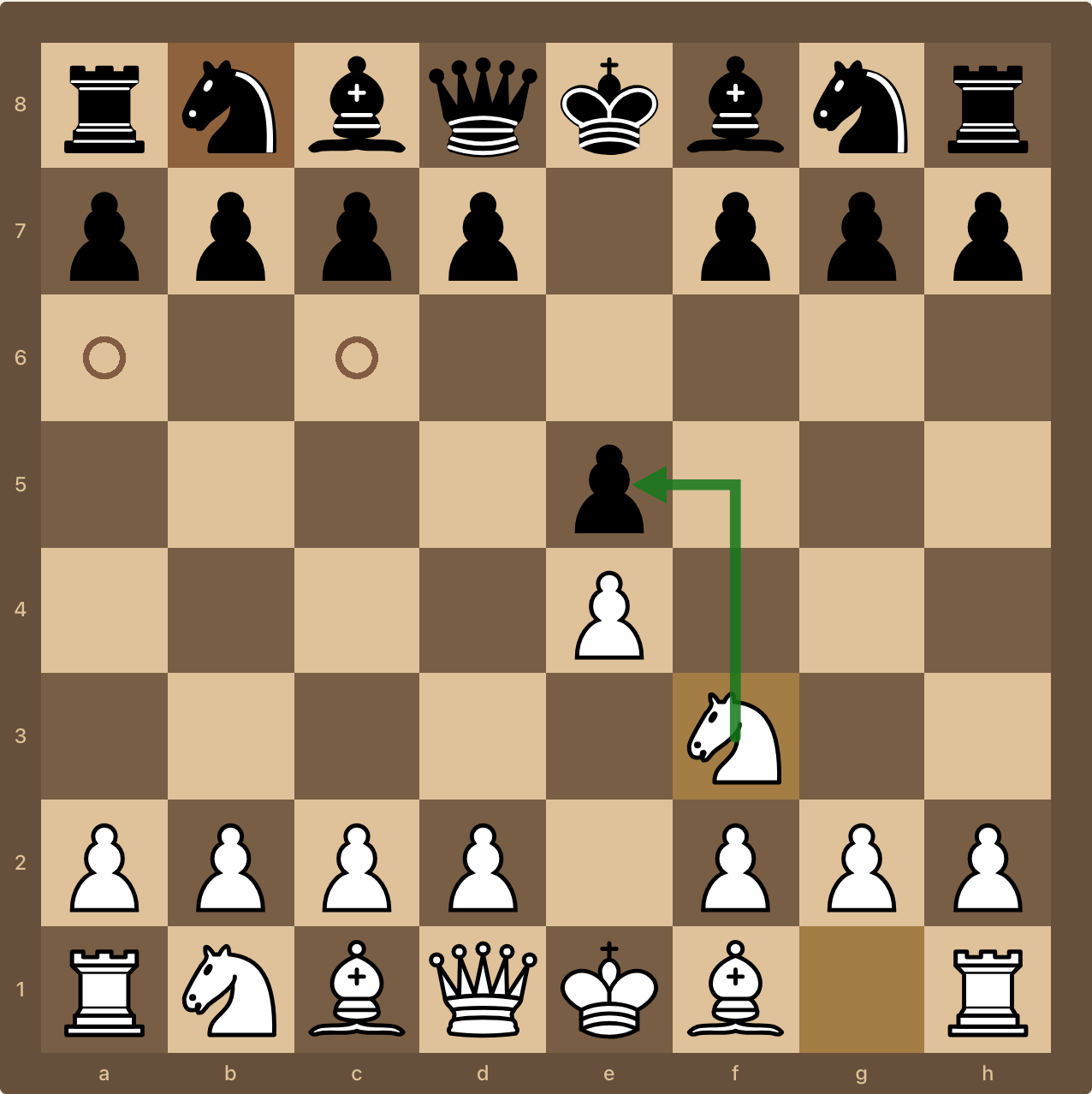
chessiro-canvas is a React chess board UI library that gives you the interaction
primitives of Lichess' chessground —
drag and drop, click-to-move, legal move dots, right-click arrows and marks,
premoves, promotion — with a modern, typed React API. It renders pieces as DOM/SVG
layers (no <canvas> painting, despite the name), so everything stays inspectable,
themable with CSS, and accessible to your own overlays.
It ships no runtime dependencies and no chess rules engine, so you stay in
control: pair it with chess.js or
chessops for move legality and use this
package purely for the board.
- 🚀 Fast — ~78% faster mount and ~81% faster updates than
react-chessboardin our benchmark - 📦 Small — ~32 KB gzipped, zero runtime dependencies
- 🧩 Controlled — position is a FEN prop; you own game state
- 🎨 Themable — board colors, piece sets, arrows, notation, promotion dialog, overlays
- 🎓 Teaching-ready — guided drills, ghost pieces, square labels, move demos
- 🎬 Cinematics — choreographed piece flights, camera zoom/tilt/shake, confetti, spotlights
- ⌨️ Keyboard navigation hooks for analysis boards
- 📱 Touch-friendly — chessground-style finger lift and scroll blocking
- 🟦 TypeScript-first — every prop, option, and imperative method typed
Live demo and docs → chessiro.dev · npm · GitHub
- Installation
- Quick start
- How it works: the controlled model
- Guides
- Using chess.js for legal moves
- Using chessops for legal moves
- Piece sets and custom pieces
- Theming the board
- Legal move indicators and square visuals
- Arrows and marks
- Premoves
- Promotion
- Drag, touch, and animation tuning
- Keyboard navigation
- Overlays and badges
- Teaching mode: drills, ghosts, and demos
- Cinematics: choreographed replays
- API reference
- Performance
- FAQ
- Requirements
- Development
- License
npm install chessiro-canvaspnpm add chessiro-canvasyarn add chessiro-canvasbun add chessiro-canvasReact 18 or 19 is required as a peer dependency. There is nothing else to install — default piece artwork is embedded in the package, so no asset hosting or CSS import is needed.
Your container must define a width. The board is always square, so its height follows its width.
import { ChessiroCanvas, INITIAL_FEN } from 'chessiro-canvas';

export default function App() {
  return (
    <div style={{ width: 520 }}>
      <ChessiroCanvas position={INITIAL_FEN} />
    </div>
  );
}
That renders a static board. To make it playable you need a rules engine — see Using chess.js for legal moves.
ChessiroCanvas is a controlled component. It draws the position you give it
and reports intent; it never mutates game state on its own.
- You pass a FEN string as
position. - The user drags or clicks a piece.
- The board calls
onMove(from, to, promotion?). - Your handler validates the move and returns
trueto accept orfalseto reject. - If accepted, you update
position— and the board animates to the new FEN.
<ChessiroCanvas
  position={fen}
  onMove={(from, to, promotion) => {
    const ok = myEngine.tryMove(from, to, promotion);
    if (!ok) return false;  // board snaps the piece back
    setFen(myEngine.fen()); // board animates to the new position
    return true;
  }}
/>
Returning true without updating position will leave the board showing the old
position — the FEN prop is the single source of truth.
npm install chess.js chessiro-canvasimport { useMemo, useState } from 'react';
import { Chess } from 'chess.js';
import { ChessiroCanvas, type Dests, type Square } from 'chessiro-canvas';
export function ChessJsBoard() {
const [chess] = useState(() => new Chess());
const [fen, setFen] = useState(() => chess.fen());
const dests = useMemo<Dests>(() => {
const map = new Map<Square, Square[]>();
for (const move of chess.moves({ verbose: true })) {
const from = move.from as Square;
const list = map.get(from);
if (list) list.push(move.to as Square);
else map.set(from, [move.to as Square]);
}
return map;
}, [fen]); // ← keyed off fen, not chess
return (
<ChessiroCanvas
position={fen}
turnColor={chess.turn()}
movableColor={chess.turn()}
dests={dests}
onMove={(from, to, promotion) => {
const result = chess.move({ from, to, promotion });
if (!result) return false;
setFen(chess.fen());
return true;
}}
/>
);
}Gotcha:
chess.jsmutates the sameChessinstance in place, so its object reference never changes. Never keyuseMemo/useEffectoff[chess]— derived state would go stale. Key offfen(or move history) instead, sincefenchanges on every accepted move.
npm install chessops chessiro-canvasimport { useMemo, useState } from 'react';
import { Chess } from 'chessops/chess';
import { chessgroundDests } from 'chessops/compat';
import { parseFen, makeFen } from 'chessops/fen';
import { parseUci } from 'chessops/util';
import { ChessiroCanvas, INITIAL_GAME_FEN } from 'chessiro-canvas';
export function ChessopsBoard() {
const [pos, setPos] = useState(() =>
Chess.fromSetup(parseFen(INITIAL_GAME_FEN).unwrap()).unwrap(),
);
const fen = useMemo(() => makeFen(pos.toSetup()), [pos]);
const dests = useMemo(() => chessgroundDests(pos), [pos]);
const turn = pos.turn === 'white' ? 'w' : 'b';
return (
<ChessiroCanvas
position={fen}
turnColor={turn}
movableColor={turn}
dests={dests}
onMove={(from, to, promotion) => {
const move = parseUci(`${from}${to}${promotion ?? ''}`);
if (!move || !pos.isLegal(move)) return false;
const next = pos.clone();
next.play(move);
setPos(next);
return true;
}}
/>
);
}chessops' chessgroundDests() returns exactly the Map shape dests expects, so
it drops straight in.
Use
INITIAL_GAME_FEN(full FEN, with castling rights) for engine integrations.INITIAL_FENis piece placement only, which is fine for display-only boards.
Default SVG piece artwork is embedded in the package and rendered automatically:
<ChessiroCanvas position={fen} />To use your own hosted piece set, point pieceSet.path at a directory containing
wp.svg, wn.svg, … bk.svg:
<ChessiroCanvas
  position={fen}
  pieceSet={{ id: 'alpha', name: 'Alpha', path: '/pieces/alpha' }}
/>
Call preloadPieceSet('/pieces/alpha') ahead of time to warm the image cache and
avoid a flash on first render.
For full control, pass React nodes per piece key (wP, bQ, …):
<ChessiroCanvas
  position={fen}
  pieces={{
    wP: () => <MyPawn color="white" />,
    bP: () => <MyPawn color="black" />,
  }}
/>
For pass-and-play on a shared device, flipPieces rotates all piece artwork 180°
without touching board coordinates or move logic:
<ChessiroCanvas position={fen} flipPieces />Piece artwork license: the bundled default pieces are generated from
react-chessboard's defaults (MIT). Replace them any time via pieceSet.path.
<ChessiroCanvas
  position={fen}
  theme={{
    id: 'wood',
    name: 'Wood',
    darkSquare: '#8B5A2B',
    lightSquare: '#F0D9B5',
    margin: '#5C3B1F',
    lastMoveHighlight: '#E7C15D',
    selectedPiece: '#A86634',
  }}
/>
Frame and corner rounding are independent, so you can round the inner board, the outer margin, or both:
<ChessiroCanvas
  position={fen}
  showMargin
  marginThickness={24}
  marginRadius={16}   // outer margin corners
  boardRadius={14}    // inner board corners
  notationVisuals={{
    fontFamily: 'JetBrains Mono, monospace',
    fontSize: 11,
    onBoardFontSize: 11,
    opacity: 0.95,
  }}
/>
With showMargin={false}, coordinates render on the board itself — style those with
notationVisuals.onBoardFontSize, onLightSquareColor, and onDarkSquareColor.
squareVisuals controls legal dots and rings, premove hints, marks, the selected
square, drag hover, and the check gradient.
<ChessiroCanvas
  position={fen}
  dests={dests}
  check={inCheck ? kingSquare : null}
  squareVisuals={{
    legalMoveStyle: 'ring',          // 'dot' | 'ring'
    legalDot: 'rgba(30, 144, 255, 0.55)',
    legalDotOutline: 'rgba(255, 255, 255, 0.95)',
    legalCaptureRing: 'rgba(30, 144, 255, 0.8)',
    legalCaptureRingShape: 'square', // 'circle' | 'square'
    selectedStyle: 'both',           // 'fill' | 'border' | 'both'
    selectedOutline: 'rgba(255, 255, 255, 1)',
    premoveDot: 'rgba(155, 89, 182, 0.55)',
    premoveCurrentStyle: 'dashed',   // 'fill' | 'dashed' | 'both'
    markOverlay: 'rgba(244, 67, 54, 0.6)',
    dragOverHighlight: 'rgba(255, 255, 255, 0.25)',
  }}
/>
For arbitrary square tinting (eval heatmaps, threat maps, lesson highlights) use
highlightedSquares:
<ChessiroCanvas
  position={fen}
  highlightedSquares={{ e4: 'rgba(0,255,0,0.35)', d5: 'rgba(255,0,0,0.35)' }}
/>
See SquareVisuals for the full option list, including ring radii,
border widths, and corner radius.
Right-drag draws an arrow, right-click marks a square. Both can be left uncontrolled (the board keeps internal state) or controlled by you:
import { useState } from 'react';
import { ChessiroCanvas, type Arrow } from 'chessiro-canvas';

function AnalysisBoard({ fen }: { fen: string }) {
  const [arrows, setArrows] = useState<Arrow[]>([]);
  const [marks, setMarks] = useState<string[]>([]);

  return (
    <div style={{ width: 560 }}>
      <ChessiroCanvas
        position={fen}
        arrows={arrows}
        onArrowsChange={setArrows}
        markedSquares={marks}
        onMarkedSquaresChange={setMarks}
      />
    </div>
  );
}
Arrow appearance is deeply tunable — shaft width, dash pattern, arrowhead shape, outline, and how knight moves bend:
<ChessiroCanvas
  position={fen}
  arrowBrushes={{ green: '#15781B', red: '#882020' }}
  arrowVisuals={{
    lineWidth: 0.1,             // board-units: 1 = one square
    opacity: 0.9,
    headShape: 'concave',       // 'classic' | 'open' | 'concave' | 'diamond'
    headCornerRadius: 0.4,      // 0 = sharp, 1 = bullet
    knightArrowShape: 'l-shaped',
    dashArray: '0.22 0.16',
    outlineWidth: 0.02,
  }}
/>
Per-ply storage. For analysis boards where each move in a game has its own
annotations, pass plyIndex plus plyArrows/plyMarks maps and the board will
swap annotations as you step through the game:
<ChessiroCanvas
  position={fen}
  plyIndex={ply}
  plyArrows={arrowsByPly}
  onPlyArrowsChange={(ply, arrows) => setArrowsByPly(m => new Map(m).set(ply, arrows))}
  plyMarks={marksByPly}
  onPlyMarksChange={(ply, marks) => setMarksByPly(m => new Map(m).set(ply, marks))}
/>Enable premoves so a user can queue a move during the opponent's turn. turnColor
is required for the board to know when it is not the user's turn.
<ChessiroCanvas
  position={fen}
  turnColor={turn}
  movableColor="w"
  dests={dests}
  premovable={{
    enabled: true,
    showDests: true,
    current: premove,             // controlled: [from, to] | null
    events: {
      set: (from, to) => setPremove([from, to]),
      unset: () => setPremove(null),
    },
  }}
/>
When the opponent's move arrives and it becomes the user's turn, play the queued
premove yourself (validating it against the new position) and clear it. Premove
destinations are geometric, not legal — a queued move must still be validated when
it fires. Use the exported premoveDests(square, pieces, color) if you want to
compute those destinations outside the board.
By default, reaching the last rank opens the promotion chooser and onMove is
called with the chosen piece. Style it with promotionVisuals:
<ChessiroCanvas
  position={fen}
  promotionVisuals={{
    panelColor: 'rgba(20, 24, 36, 0.98)',
    titleColor: '#f2f6ff',
    optionBackground: 'rgba(255, 255, 255, 0.08)',
    optionTextColor: '#f2f6ff',
    cancelTextColor: '#cbd5e1',
  }}
/>
To skip the dialog entirely (common in bullet or puzzle UIs), use autoPromoteTo:
<ChessiroCanvas position={fen} autoPromoteTo="q" /><ChessiroCanvas
position={fen}
showAnimations
animationDurationMs={200}
allowDragging
selectedPieceScale={1.1}
dragScale={1} // mouse drag
dragLiftSquares={0}
touchDragScale={1.9} // chessground-style finger lift
touchDragLiftSquares={0.6}
blockTouchScroll // stop page scroll while touching the board
/>On touch devices the piece is scaled up and offset above the finger so it isn't
hidden. Set blockTouchScroll when the board fills the viewport, otherwise
dragging can scroll the page instead.
The board listens for navigation keys on the document and calls your hooks. It does
not navigate anything itself — you own the game history. Keys are ignored while an
<input>, <textarea>, or <select> has focus, so typing in a form never triggers
board navigation.
| Key | Callback |
|---|---|
ArrowLeft |
onPrevious |
ArrowRight |
onNext |
ArrowUp / Home |
onFirst |
ArrowDown / End |
onLast |
F |
onFlipBoard |
X |
onShowThreat |
Escape |
onDeselect |
<ChessiroCanvas
  position={fen}
  onPrevious={() => goBack()}
  onNext={() => goForward()}
  onFirst={() => goToStart()}
  onLast={() => goToEnd()}
  onFlipBoard={() => setOrientation(o => (o === 'white' ? 'black' : 'white'))}
/>
Because the listener is document-level, every mounted board with these callbacks responds to the same keypress. With multiple boards on one page, pass the callbacks only to the active one.
overlays renders positioned text bubbles (coach comments, eval callouts) anchored
to a square or to board coordinates:
<ChessiroCanvas
  position={fen}
  overlays={[{ id: 'tip', text: 'Fork!', square: 'e4' }]}
  overlayVisuals={{
    background: 'rgba(2, 6, 23, 0.85)',
    color: '#f8fafc',
    borderRadius: '6px',
    fontSize: '11px',
  }}
  // or take over rendering entirely:
  overlayRenderer={(overlay) => <MyBubble>{overlay.text}</MyBubble>}
/>
moveQualityBadge pins a single icon badge (brilliant, blunder, …) to a square, and
squareLabels puts short text badges on many squares at once:
<ChessiroCanvas
  position={fen}
  moveQualityBadge={{ square: 'e4', icon: '/badges/brilliant.svg', label: 'Brilliant' }}
  squareLabels={{
    e4: '!!',
    d5: { text: '3', corner: 'bottomLeft', background: '#882020', color: '#fff' },
  }}
/>Guided drills. Set expectedMove to accept only specific move(s). Anything else
is rejected, shakes the piece, and fires onWrongMove:
<ChessiroCanvas
  position={fen}
  expectedMove={{ from: 'g1', to: 'f3' }}
  onWrongMove={(from, to) => setHint('Develop the knight toward the center.')}
  wrongMoveFeedback="shake"     // 'shake' | 'none'
  onMove={commitMove}
/>
Pass an array to accept any of several moves. Set it to null to leave drill mode.
Ghost pieces show where a piece belongs without changing the position:
<ChessiroCanvas
  position={fen}
  ghostPieces={[{ square: 'f3', piece: 'wN', opacity: 0.45 }]}
/>
Move demonstrations run through the imperative ref. These animate only — they
never call onMove, so commit the position yourself when the promise resolves (or
pass ghost: true to animate a fading copy and leave the position alone):
import { useRef } from 'react';
import { ChessiroCanvas, type ChessiroCanvasRef } from 'chessiro-canvas';

function Lesson() {
  const board = useRef<ChessiroCanvasRef>(null);

  async function showIdea() {
    await board.current?.pulseSquare('f3');
    await board.current?.animateMove('g1', 'f3', { ghost: true, durationMs: 900 });
  }

  return <ChessiroCanvas ref={board} position={fen} onSquareClick={showIdea} />;
}
shakePiece(square) gives "wrong move" feedback manually, and
clearTeachingEffects() cancels every in-flight demo and pulse.
Cinematics are made for non-interactive boards — share-game screens, highlight
reels, puzzle reveals. Camera transforms change the board's bounding box, so
pointer-to-square math is wrong while zoomed or tilted; render with
interactive={false} and call camera.reset() when done.
Single effects:
const board = useRef<ChessiroCanvasRef>(null);

// A queen sacrifice, with a '!!' badge and a shake on impact
await board.current?.cinematicMove('d1', 'h5', {
  style: 'brilliant',            // 'brilliant' | 'great' | 'smooth' | 'slam' | 'meteor'
  badge: '!!',
  trail: 4,
  impactShake: true,
  onImpact: () => playSound('capture'),
});
setFen(nextFen);                  // cinematics never commit the position
The full effect set on the ref: cinematicMove, squareBurst, popBadge,
popBanner, celebrate, promotionBeam, implode, castleSwap, checkmate,
annotate, spotlight, drawLaser, drawArrow, plus
camera.zoomTo / zoomOut / tilt / shake / drift / reset.
Ending the game. checkmate tips the king over on its base — the gesture a
player makes when they resign — then dims the board and announces:
await board.current?.checkmate('e8');                 // topple + CHECKMATE banner
await board.current?.checkmate('e8', {
  direction: 'left',   // default 'auto' tips away from the board centre
  banner: 'MATE IN 3', // or null to stay silent
  dim: false,
});
Under prefers-reduced-motion the fall is skipped but the announcement still
plays, because that part is information rather than decoration.
Text over a square. annotate pins live text to a square — evaluations,
attacker counts, lesson callouts. It persists until cleared, and setText
updates it in place without replaying the entry animation:
const evalTag = board.current!.annotate('e4', '+0.3', { corner: 'topRight' });
evalTag.setText('+1.7');        // no re-animation, just new text
await evalTag.clear();          // fades out

// Self-dismissing callout
board.current?.annotate('f7', 'Fork!', { durationMs: 1500, enter: 'rise' });
Use annotate for transient, scripted commentary; use the squareLabels prop
for labels that are part of your render state.
Scripted sequences via playCinematic — steps run in order, parallel runs
children together, call hooks back into your app:
const playback = board.current!.playCinematic([
  { type: 'camera', action: 'zoomTo', square: 'h5', options: { scale: 1.4 } },
  { type: 'spotlight', squares: ['d1', 'h5'] },
  { type: 'wait', ms: 400 },
  { type: 'clearSpotlight' },
  { type: 'move', from: 'd1', to: 'h5', options: { style: 'meteor' } },
  { type: 'call', fn: () => setFen(nextFen) },
  { type: 'parallel', steps: [
    { type: 'banner', options: { text: 'BRILLIANT!!' } },
    { type: 'celebrate', options: { kind: 'both' } },
  ]},
  { type: 'camera', action: 'reset' },
]);

await playback.finished;   // or playback.cancel() to stop early
Every cinematic respects prefers-reduced-motion and degrades to a plain move
unless you pass force: true. clearCinematics() cancels the running script, restores
hidden pieces, unmounts overlay nodes, and resets the camera.
All props are optional. The component forwards a ref of type
ChessiroCanvasRef.
| Prop | Type | Default | Description |
|---|---|---|---|
position |
string |
INITIAL_FEN |
FEN to render. Full FEN or piece placement only. |
orientation |
'white' | 'black' |
'white' |
Which side is at the bottom. |
interactive |
boolean |
true |
Disables all move interaction when false. |
turnColor |
'w' | 'b' |
— | Whose turn it is. Required for premoves. |
movableColor |
'w' | 'b' | 'both' |
turnColor |
Which side(s) the user may move. |
className |
string |
— | Class on the wrapper element. |
style |
CSSProperties |
— | Inline style on the wrapper element. |
| Prop | Type | Default | Description |
|---|---|---|---|
onMove |
(from, to, promotion?) => boolean |
— | Return true to accept the move, false to snap back. |
dests |
Map<Square, Square[]> |
— | Legal destinations per origin square. When omitted, any move is allowed while interactive. |
lastMove |
{ from: string; to: string } | null |
— | Highlights the last move's squares. |
check |
string | null |
— | Square of the king in check; draws the check gradient. |
autoPromoteTo |
'q' | 'r' | 'b' | 'n' |
— | Skip the promotion dialog and always promote to this piece. |
premovable |
PremoveConfig |
— | Enables premoves. Pass current to control or clear the queued premove. |
| Prop | Type | Default | Description |
|---|---|---|---|
expectedMove |
ExpectedMove | ExpectedMove[] | null |
— | Accept only these move(s); everything else is rejected. |
onWrongMove |
(from, to) => void |
— | Fired when a move outside expectedMove is attempted. |
wrongMoveFeedback |
'shake' | 'none' |
'shake' |
Visual feedback for a rejected guided move. |
| Prop | Type | Default | Description |
|---|---|---|---|
arrows |
Arrow[] |
internal | Controlled arrow list. |
onArrowsChange |
(arrows: Arrow[]) => void |
— | Called when the user draws or clears arrows. |
markedSquares |
string[] |
internal | Controlled marked squares. |
onMarkedSquaresChange |
(squares: string[]) => void |
— | Called when the user marks or clears squares. |
arrowBrushes |
Partial<ArrowBrushes> |
DEFAULT_ARROW_BRUSHES |
Override the green/red/blue/yellow brush colors. |
arrowVisuals |
Partial<ArrowVisuals> |
— | Geometry, dashes, arrowhead shape, outline, knight bend. |
snapArrowsToValidMoves |
boolean |
true |
Snap drawn arrows to queen/knight directions. |
allowDrawingArrows |
boolean |
true |
Toggle right-click arrows and marks. |
plyIndex |
number |
— | Current ply, for per-ply annotation storage. |
plyArrows |
Map<number, Arrow[]> |
— | Arrows keyed by ply. |
onPlyArrowsChange |
(ply, arrows) => void |
— | Per-ply arrow updates. |
plyMarks |
Map<number, string[]> |
— | Marks keyed by ply. |
onPlyMarksChange |
(ply, marks) => void |
— | Per-ply mark updates. |
| Prop | Type | Default | Description |
|---|---|---|---|
theme |
BoardTheme |
built-in wood theme | Square, margin, highlight, and selection colors. |
pieceSet |
PieceSet |
bundled default pieces | Hosted piece set path (${path}/wp.svg, …). |
pieces |
Record<string, () => ReactNode> |
— | Custom renderer per piece key (wP, bQ, …). |
flipPieces |
boolean |
false |
Rotate piece artwork 180° for pass-and-play. |
showMargin |
boolean |
true |
Render the notation frame around the board. |
marginThickness |
number |
24 |
Margin thickness in px. |
marginRadius |
number | string |
4 |
Outer margin corner radius. |
boardRadius |
number | string |
0 |
Inner board corner radius. |
showNotation |
boolean |
true |
Show file/rank coordinates. |
notationVisuals |
Partial<NotationVisuals> |
— | Font, size, weight, colors, offsets. |
highlightedSquares |
Record<string, string> |
{} |
Arbitrary square background colors. |
squareVisuals |
Partial<SquareVisuals> |
— | Legal/premove indicators, marks, selection, check, drag hover. |
promotionVisuals |
Partial<PromotionVisuals> |
— | Promotion dialog backdrop, panel, options, text. |
overlayVisuals |
Partial<OverlayVisuals> |
— | Default overlay bubble style (ignored when overlayRenderer is set). |
moveQualityBadge |
MoveQualityBadge | null |
— | Icon badge pinned to a square. |
ghostPieces |
GhostPiece[] |
— | Translucent hint pieces under the real pieces. |
squareLabels |
Record<string, string | SquareLabel> |
— | Small text badges on squares. |
| Prop | Type | Default | Description |
|---|---|---|---|
allowDragging |
boolean |
true |
Toggle drag-to-move (click-to-move still works). |
showAnimations |
boolean |
true |
Toggle piece movement animation. |
animationDurationMs |
number |
200 |
Animation length in ms. |
blockTouchScroll |
boolean |
false |
Prevent page scrolling while touching the board. |
selectedPieceScale |
number |
— | Scale of the selected piece (e.g. 1.1). Unset means no scaling. |
dragScale |
number |
1 |
Piece scale while mouse-dragging. |
dragLiftSquares |
number |
0 |
Vertical offset (in squares) while mouse-dragging. |
touchDragScale |
number |
1.9 |
Piece scale while touch-dragging. |
touchDragLiftSquares |
number |
0.6 |
Vertical offset (in squares) while touch-dragging. |
| Prop | Type | Description |
|---|---|---|
onSquareClick |
(square: string) => void |
Any square click. |
onClearOverlays |
() => void |
The board cleared the current ply's overlays. |
onAnimationEvent |
(event: AnimationEvent) => void |
Check, checkmate, capture, promotion, or castle detected during animation. |
onPrevious onNext onFirst onLast onFlipBoard onShowThreat onDeselect |
() => void |
Keyboard navigation hooks. |
overlays |
TextOverlay[] |
Positioned text overlays. |
overlayRenderer |
(overlay: TextOverlay) => ReactNode |
Replace the default overlay bubble. |
const board = useRef<ChessiroCanvasRef>(null);
<ChessiroCanvas ref={board} position={fen} />| Method | Returns | Description |
|---|---|---|
getSquareRect(square) |
DOMRect | null |
Viewport rect of a square. |
getBoardRect() |
DOMRect | null |
Viewport rect of the board. |
getSquareAtPoint(clientX, clientY) |
Square | null |
Square under a viewport point. Use it to build external piece palettes and spare-piece trays. |
| Method | Returns | Description |
|---|---|---|
animateMove(from, to, options?) |
Promise<void> |
Slow demonstration move. Does not call onMove. |
pulseSquare(square, options?) |
Promise<void> |
Pulsing attention ring. |
shakePiece(square) |
Promise<void> |
Shake a piece ("wrong move"). |
clearTeachingEffects() |
void |
Cancel all demos and pulses. |
| Method | Returns | Description |
|---|---|---|
cinematicMove(from, to, options?) |
Promise<void> |
Choreographed piece flight with spins, arc, glow, and landing effects. |
squareBurst(square, options?) |
Promise<void> |
Sparkle burst and/or shockwave ring. |
popBadge(square, options) |
Promise<void> |
Pop an annotation badge ('!!', '?'). |
popBanner(options) |
Promise<void> |
Large glowing text banner across the board. |
celebrate(options?) |
Promise<void> |
Confetti rain and/or fireworks. |
promotionBeam(square, options?) |
Promise<void> |
Pillar of light morphing one piece into another. |
implode(square, options?) |
Promise<void> |
Collapse a piece into a vortex. |
castleSwap(kingFrom, kingTo, rookFrom, rookTo, options?) |
Promise<void> |
3D teleport-swap of king and rook. |
checkmate(square, options?) |
Promise<void> |
The king topples on its base, thuds down and kicks up dust, dimming the board and popping a banner. |
annotate(square, text, options?) |
AnnotationHandle |
Pin animated text over a square. Persists; the handle exposes setText and clear. |
spotlight(squares, options?) |
SpotlightHandle |
Dim the board except the given squares; handle.clear() removes it. |
drawLaser(from, to, options?) |
Promise<void> |
Animated glowing threat beam. |
drawArrow(from, to, options?) |
Promise<void> |
Arrow that draws itself, then pops its head in. |
playCinematic(steps, options?) |
CinematicPlayback |
Run a scripted sequence. Starting a new script cancels the previous one. |
clearCinematics() |
void |
Cancel everything cinematic and reset the camera. |
camera |
CameraController |
zoomTo, zoomOut, tilt, shake, drift, reset. |
None of these commit a position. They are pure visuals — update
positionyourself when the returned promise resolves.
| Export | Signature | Description |
|---|---|---|
INITIAL_FEN |
string |
Starting piece placement only (rnbq…RNBQ). |
INITIAL_GAME_FEN |
string |
Full starting FEN with castling rights and counters. |
readFen |
(fen: string) => Map<Square, Piece> |
Parse the placement part of a FEN into a piece map. |
writeFen |
(pieces: Map<Square, Piece>) => string |
Serialize a piece map back to placement FEN. |
premoveDests |
(square, pieces, color) => Square[] |
Geometrically reachable premove targets (ignores blockers by design). |
preloadPieceSet |
(path: string) => void |
Warm the image cache for a hosted piece set. |
resolvePieceImageSrc |
(pieceKey: string, piecePath?: string) => string |
Resolve 'wN' to an image src; useful for external piece trays. |
DEFAULT_ARROW_BRUSHES |
ArrowBrushes |
The default green/red/blue/yellow arrow colors. |
import type {
  ChessiroCanvasProps, ChessiroCanvasRef,
  Square, Piece, PieceColor, PieceRole, Dests, Orientation,
  Arrow, ArrowBrush, ArrowBrushes, ArrowVisuals, ArrowHeadShape,
  BoardTheme, SquareVisuals, NotationVisuals, OverlayVisuals, PromotionVisuals,
  PieceSet, PieceRenderer, PromotionPiece, PromotionContext, PremoveConfig,
  MoveQualityBadge, TextOverlay, AnimationEvent, SquareLabel,
  GhostPiece, ExpectedMove, AnimateMoveOptions, PulseSquareOptions,
  CinematicStyle, CinematicMoveOptions, CinematicStep, CinematicPlayback,
  PlayCinematicOptions, SquareBurstOptions, PopBadgeOptions, PopBannerOptions,
  CelebrateOptions, PromotionBeamOptions, ImplodeOptions, CastleSwapOptions,
  SpotlightOptions, SpotlightHandle, LaserOptions, DrawArrowOptions,
  CameraController, CameraZoomOptions, CameraTiltOptions,
  CameraShakeOptions, CameraDriftOptions,
} from 'chessiro-canvas';Benchmarked against react-chessboard
v5 under an identical harness.
| Metric | chessiro-canvas | react-chessboard | Delta |
|---|---|---|---|
| Mount wall time (mean) | 2.44 ms | 24.36 ms | 90.0% faster |
| Update wall time (300 updates) | 97.90 ms | 711.35 ms | 86.2% faster |
| Update wall time per render | 0.33 ms | 2.37 ms | 86.2% faster |
| React Profiler update duration (mean) | 0.13 ms | 1.32 ms | 90.6% faster |
| Bundle ESM gzip | 43.8 KB | 37.4 KB | 17.1% larger |
Generated 2026-07-31 · Node v26.0.0, macOS arm64, Apple M4 (10 cores), 16 GB RAM · 8 measured rounds + 2 warmup across 5 move-playthrough scenarios (40 samples, 69 positions) · 300 position updates per round · 640 px board · animations disabled for both libraries.
Treat the ratios as approximate: react-chessboard's own figures moved noticeably between runs on this machine (13.3 → 24.4 ms mount) without its code changing, which inflates the percentages. The dependable signal is this library's own absolute movement — 0.42 → 0.33 ms per update (−22%) release over release.
On bundle size: the cinematics layer costs about 11 KB gzipped, which now puts
the package above react-chessboard. It is statically imported, so an app that
never plays a cinematic still pays for it. If size matters more to you than the
replay effects, that is the trade — a lazy-loaded cinematics entry point is the
obvious fix and is not implemented yet.
scripts/benchmark.mjs renders a bare display board — no dests, no visual
config, interactive: false. Most apps pass config objects as inline literals,
which changes their identity on every render:
<ChessiroCanvas squareVisuals={{ legalMoveStyle: 'ring' }} dests={dests} />scripts/bench-visuals.mjs measures that path, since it is where per-square
memoization either holds or collapses:
npm run benchmark:visualsIt runs two phases: plain position updates, and the same updates with a piece selected so the legal-dot and capture-ring paths are actually live.
Latest pass (removing per-commit style rewrites on non-animating pieces, and keeping idle imperative layers off position updates):
| Phase | Metric | Before | After | Delta |
|---|---|---|---|---|
| Plain updates | Wall per update | 0.65 ms | 0.52 ms | 20.5% faster |
| Selected, indicators live | Wall per update | 0.68 ms | 0.55 ms | 18.8% faster |
| Plain updates | Profiler per commit | 0.33 ms | 0.32 ms | ~flat |
| Selected, indicators live | Profiler per commit | 0.34 ms | 0.34 ms | ~flat |
Medians over 12 rounds × 200 updates, both builds measured back to back on the same machine. Medians rather than means because the mean is noise-sensitive here (stdev ≈ 0.3 ms). Commit time is flat by design: the saving is in imperative DOM style writes, which sit outside React's measured commit.
You do not need to wrap config props in useMemo — the board compares their
contents internally.
Scenarios replay real games covering castling, capture sequences, pawn tension, king-and-pawn endgames, and promotion conversions.
Raw data for the Node harness is committed at
benchmarks/latest.json. The browser harness writes to
benchmarks/browser/latest.json, which is generated locally and not tracked in git.
npm run benchmark                 # Node harness
npm run benchmark:browser         # Playwright + Chromium, local vs origin/main vs react-chessboard
npm run benchmark:browser:quick   # fewer rounds

# Run a subset of scenarios
BENCH_SCENARIOS=italian-castling,sicilian-captures npm run benchmark
Harnesses live in scripts/benchmark.mjs and
scripts/benchmark-playwright.mjs.
These are relative comparisons under one harness on one machine, not absolute browser FPS claims. Numbers vary with machine, Node version, and config.
Does chessiro-canvas validate chess moves?
No, by design. It has no rules engine and no runtime dependencies. Pair it with
chess.js or chessops and pass legal destinations via dests.
Is it actually canvas-based? No — despite the name, pieces and squares render as DOM/SVG layers. That keeps them inspectable, CSS-themable, and easy to overlay. The name comes from the Chessiro project it was built for.
Can I use it with Next.js?
Yes. It's an ESM package with a client-side component, so render it in a Client
Component ('use client') or a dynamic import with ssr: false.
How do I make the board responsive?
Give the wrapper a fluid width (width: 100%, a max-width, or a grid cell). The
board measures its container and stays square, re-measuring when the container
resizes.
How is this different from react-chessboard?
chessiro-canvas targets analysis and coaching UIs: premoves, per-ply arrows and
marks, guided drill mode, teaching demos, and a cinematics layer, with a strictly
controlled FEN API and no runtime dependencies. See Performance for
the measured differences.
How is this different from chessground?
chessground is a mature vanilla-TS board with a React wrapper needed for
integration. chessiro-canvas is a native React component with a typed props API,
so state flows the React way with no imperative config diffing.
Does it work on mobile and touch devices?
Yes. Touch drags scale the piece and lift it above the finger; blockTouchScroll
stops the page scrolling mid-drag.
Does it respect reduced motion?
Yes. Cinematic effects degrade to plain moves under prefers-reduced-motion unless
you pass force: true.
Can I add spare pieces or a board editor palette?
Yes. Track your own drag and resolve the drop target with
ref.getSquareAtPoint(clientX, clientY), then render the tray artwork with
resolvePieceImageSrc.
- React
>=18and React DOM>=18(peer dependencies) - An ESM-capable bundler (Vite, webpack 5, Next.js, Parcel, Rollup, esbuild)
- Modern evergreen browsers; cinematics use the Web Animations API
npm install
npm run dev          # build the library in watch mode
npm run docs:dev     # run the demo/docs site against the local build
npm run build        # bundle with tsup
npm run typecheck
npm run lint
npm test
npm run benchmark
To regenerate the README hero screenshot and the social card, start the demo on port 5199 and run the generator (it drives the real board in Chromium):
npx playwright install chromium          # once
npm run build
npm --prefix demo run dev -- --port 5199
npm run preview:generate                 # in a second shell
Issues and pull requests are welcome at github.com/Bot-Rakshit/chessiro-canvas.
MIT © Chessiro
Bundled default piece artwork is derived from react-chessboard's default pieces
(MIT). See assets/pieces/NOTICE.md.
Keywords: React chessboard · React chess board component · TypeScript chessboard · chess UI library · chessground React alternative · react-chessboard alternative · FEN board renderer · chess.js React board · chessops React board · drag and drop chessboard · chess analysis board · premoves · lightweight chess component