Understand any codebase in seconds.
Generate architecture, dependencies, and AI-ready context from any repository.
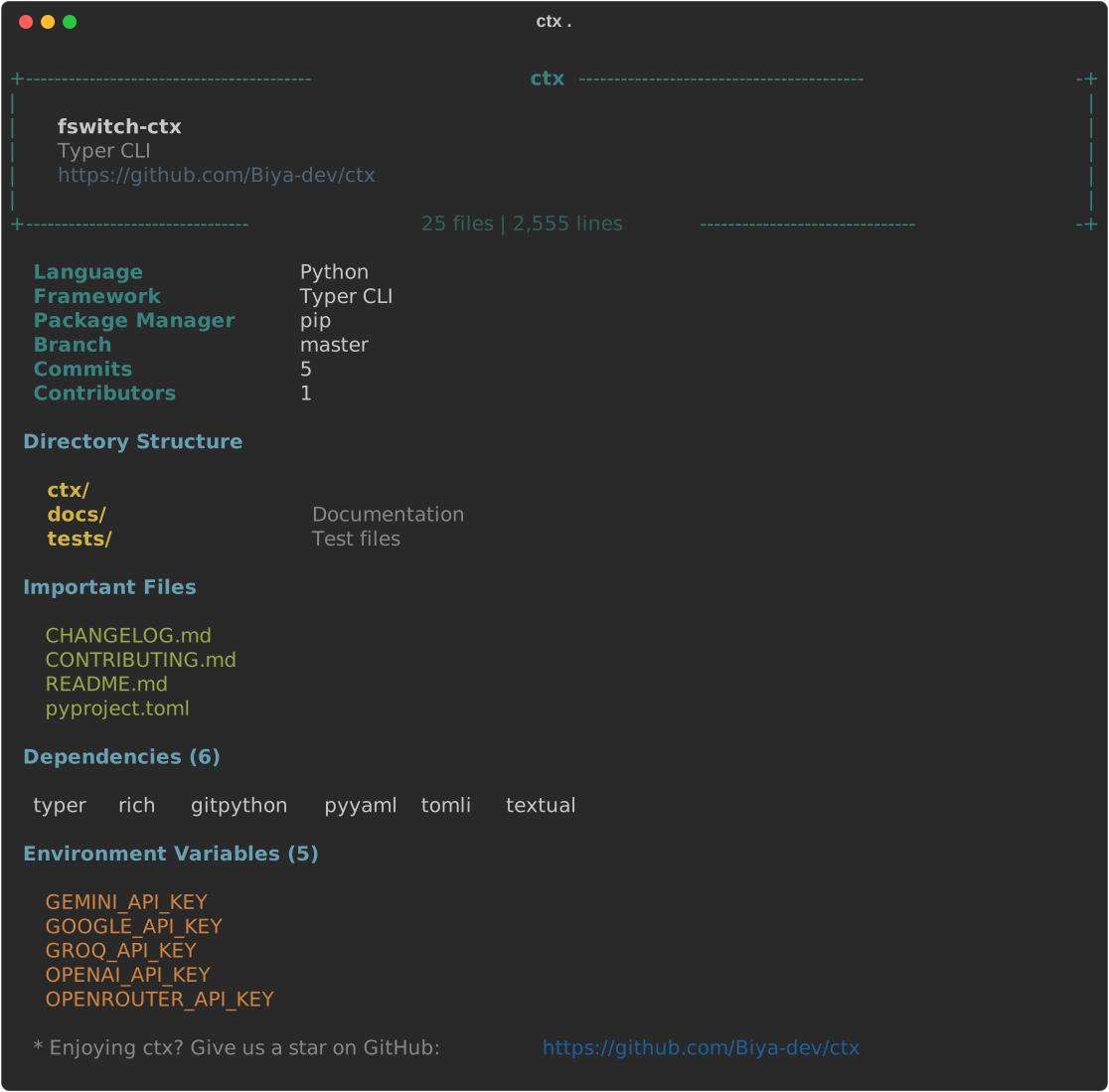
Large repositories overwhelm AI assistants.
Without project structure, architecture, and key files, coding assistants produce generic or incorrect answers. ctx scans your project and generates the exact context they need to give you high-quality, file-specific guidance.
Built for developers:
- Works 100% offline
- No telemetry or tracking
- No API key required
- Optional LLM integration for deep Q&A
pip install fswitch-ctxScan a real, well-known project to understand it instantly:
$ git clone https://github.com/vercel/next.js
$ cd next.js
$ ctx .
Output:
✓ TypeScript + Next.js
✓ Package Manager: pnpm
✓ 4,120 source files
✓ 180 dependencies

Architecture
  packages/next/
  test/
  examples/
  docs/

Scanned in 1.4s
Then, generate the perfect prompt context for your favorite AI assistant:
$ ctx export . --chatgpt
# or --claude, --gemini, --cursor
This creates a ctx.md file loaded with the structural context AI needs to reason about the codebase immediately.
Large projects often exceed context limits.
Even when they do fit, AI spends tokens discovering the project structure instead of actually solving your problem. ctx summarizes the important parts first, so coding assistants can hit the ground running.
Concrete performance on real-world projects:
| Project | Files | Scan Time |
|---|---|---|
| Flask | 180 | 0.2s |
| Next.js | 950 | 0.8s |
| Laravel | 1,700 | 1.2s |
| Vercel/Next.js (Monorepo) | 4,120 | 1.4s |
ctx comes with a few extra tools that are incredibly valuable once you're familiar with the basics:
ctx ask "Where is authentication?"— Uses smart indexing to point you exactly to the files and lines you need.ctx deps— Visualizes the dependency graph and internal architectural flow (e.g.,Router -> Service -> DB).ctx architecture— Gives a deeper dive into the technologies detected.ctx tui— Browse all of this locally in a beautiful, full-screen terminal interface.
ctx automatically detects and analyzes:
- TypeScript/JavaScript (Next.js, React, Vue, Svelte, Express, etc.)
- Python (Django, Flask, FastAPI, Typer, etc.)
- Rust, Go, Java, Ruby, PHP
Our long-term vision is to be the Git for understanding codebases. Here is what's coming next:
ctx explain src/auth/login.ts— Get the purpose, flow, and related files for any script.ctx trace login— Follow execution paths (e.g.,Button -> Component -> API -> Service -> DB).ctx impact auth.ts— See exactly what breaks if you change a file before you change it.ctx find stripe— Instantly find all files, concepts, and env vars related to a domain.ctx health— CI-ready codebase health checks (circular imports, unused deps, missing tests, etc.).
MIT