This quick little tool allows you to set a brightness curve for your monitors depending on the time of day. Laptop or built-in displays are NOT supported, only displays that support DDC.
Download the latest AutoUpdater.exe and run it. You can optionally specify an install path as the first parameter, by default it is installed to C:\Program Files\BrightnessManager.
On first start you have to complete the setup process, which includes setting how many displays are to be controlled and where the displays are located.
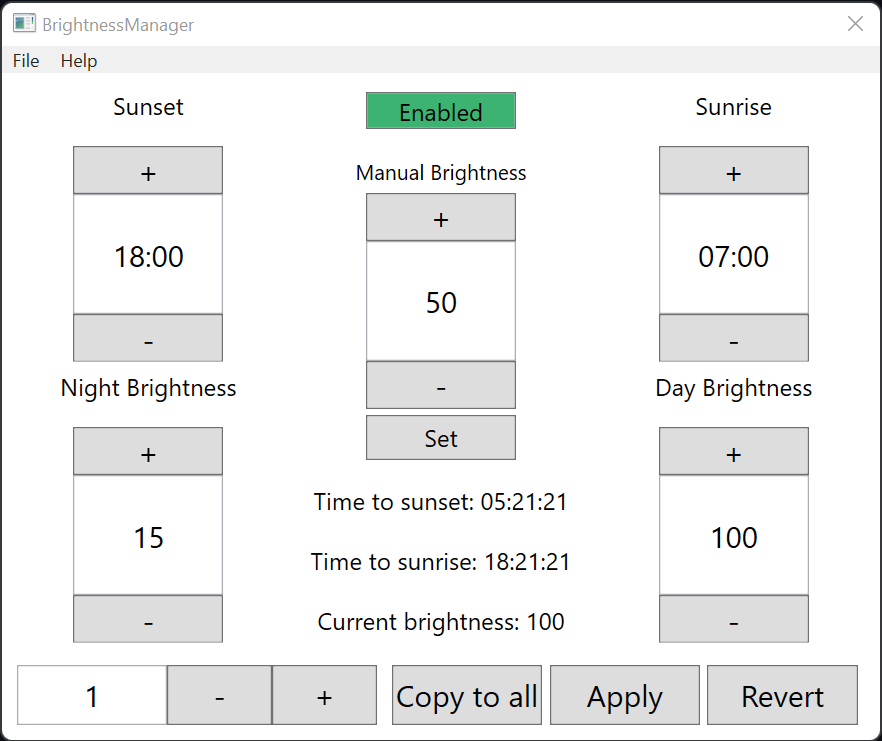
On the main page you can then set a Sunset and Sunrise time, which control the time when the selected display should reach the Night Brightness and Day Brightness respectively.
Pressing the Copy to all button copies the settings of the current monitor to all other monitors.
Apply saves the profile, Revert scrubs any changes made.
You can also disable the automatic brightness regulation for each monitor via the Enable button.
If you want to override the current brightness setting manually, you can enter a Manual Brightness and click Set. This disables the automatic brightness regulation for the current monitor.
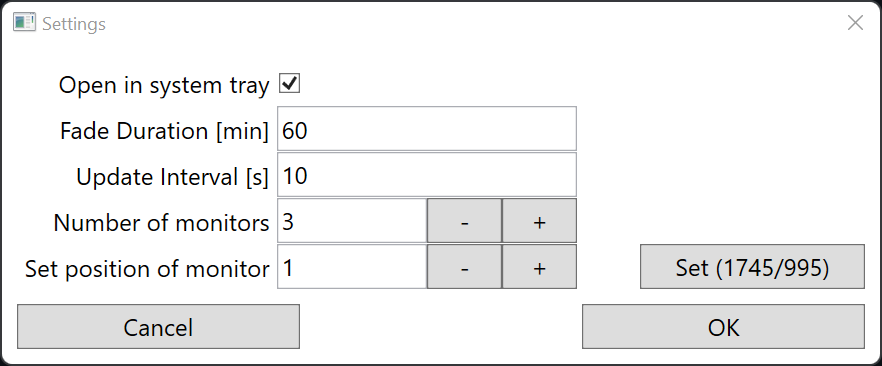
In the settings you can adjust the number of monitors, the position of each monitor, the fade duration, and wether the application should start hidden in the system tray. The fade duration controls the time span over which the brightness gets gradually increased or decreased.
For example: If the sunset time is set to 20:00 and the fade duration to 60 min, the brightness of the monitor will be gradually interpolated from the set day brightness to the set night brightness starting at 19:00 and ending at 20:00.